Domains
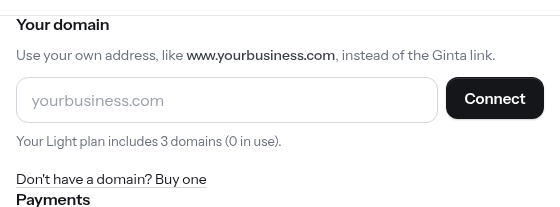
Every site has https://<name>.ginta.page/. To use your own domain, ask your assistant
"connect my domain bakery.com" or use the site's Settings → Your domain.
{ "site_id": "duonos-namai", "domain": "duonosnamai.lt" }
- Ginta connects www.duonosnamai.lt (one CNAME record to
connect.ginta.page, works at every DNS provider) and finds out who runs your DNS (GoDaddy, Namecheap, Porkbun, Squarespace, IONOS, Cloudflare…). - You add the record, following the steps for that provider. Then you forward the bare
duonosnamai.ltto the www address with your registrar's forwarding (301). - Ginta checks by itself: pending → securing (https certificate) → live, usually 5–30 minutes. Ask again
(
connect_domainwithoutdomain) to see the state.
Where the provider supports it (Cloudflare, Namecheap, Porkbun) the bare domain can be the main address instead:
"without_www": true.
Once live, canonical links, the sitemap and robots.txt use your domain, and the .ginta.page address points search
engines to it. Domains per plan: limits.