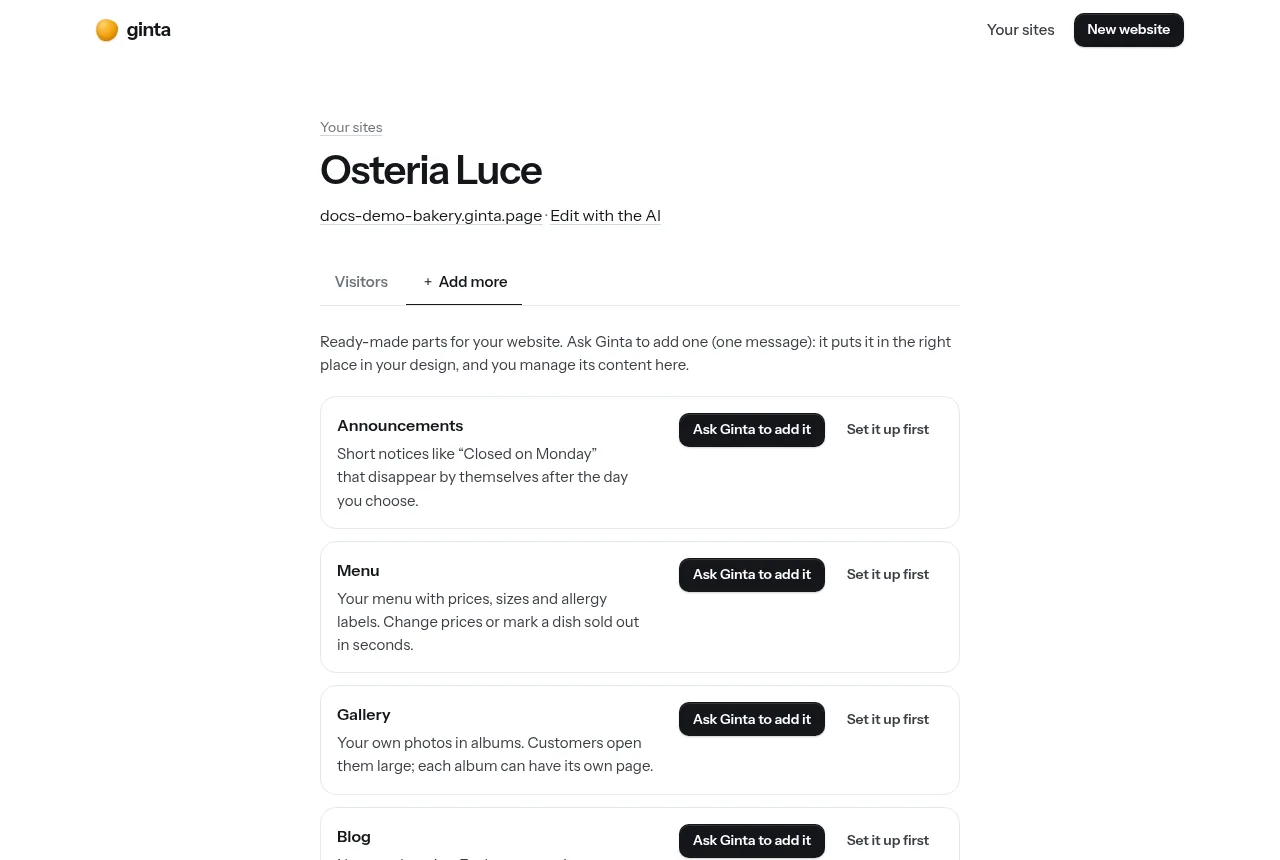
Ready-made parts (modules)
A module is a tested feature you add with one empty placeholder; Ginta renders it at serve time with live data, and the owner manages the content in Ginta (the website's Parts tab) without touching the page.
<div data-ginta-module="menu"></div>
| Module | Placeholder | What visitors get | Plans |
|---|---|---|---|
| Lists | collections |
Your own lists with fields you design (listings, cars, treatments, team): a grid and a page per item | every plan |
| Announcements | announcements |
A notice until a date ("Closed on Monday") | every plan |
| Menu | menu |
Sections, prices, sizes, dietary labels, print view | every plan |
| Gallery | gallery |
Albums, lightbox, a page per album | every plan |
| Blog | blog |
Posts with their own pages, older posts on further pages (/blog/page/2), RSS, scheduling |
every plan |
| Quote requests | quote |
A step-by-step request form with photos | every plan |
| Bookings | bookings |
Free times, booking, change/cancel links, reminders, deposits | every plan (Free: 30 bookings a month per website) |
| Shop | catalog |
Products with pages, enquiries or cart + checkout on the owner's Stripe | every plan (Free: 25 products per website) |
| Events & classes | events |
Sign-ups, places, waiting list, reminders | every plan (Free: 5 upcoming events per website) |
| Reviews | reviews |
Real customer reviews with stars and an average; visitors' reviews wait until the owner approves them | every plan |
Online payments go through the owner's own Stripe account on every plan, Free included; Ginta's fee is 0. When a Free website's booking month is full, visitors see "Fully booked, please contact us". After a move to Free nothing is deleted: items over the cap stay in Ginta, hidden from visitors.
With your assistant
- Put the placeholder where it belongs (
update_site). - Fill it with
manage_module. Ask for the fields first:{ "site_id": "duonos-namai", "module": "bookings", "action": "help" } - Set it up in one call:
{ "site_id": "duonos-namai", "module": "bookings", "action": "setup",
  "data": { "timezone": "Europe/Vilnius",
            "hours": { "tue": "10:00-14:00", "wed": "10:00-14:00", "thu": "10:00-14:00", "fri": "10:00-14:00" },
            "services": [{ "name": "Cake consultation", "duration": 30, "price": 0 }] } }
Actions per module: collections (list, define, get, save_item, delete_item, import, delete_collection) · announcements (list, post, delete) · menu (get, setup, save_item, delete_item) · gallery (get,
add_photos, delete_photo) · blog (list, save, delete) · catalog (get, setup, save_product, delete_product, list_orders) ·
bookings (get, setup, list, cancel, add_days_off) · events (list, save, cancel, list_signups) · quote (setup, list, update) ·
reviews (get, setup, list, add, moderate, delete). action: "help" lists every action of a module with its fields.
Actions on what visitors sent (orders, bookings, sign-ups, quote requests, reviews: refunds, moving a booking,
approving a review) are for the owner.
Reviews: only real ones
Reviews start empty. The owner adds reviews customers really wrote (in the Parts tab or at /admin; add only with a
review the owner gave word for word), and with its form on, visitors write one that waits until the owner or a site
admin approves it. Only approved reviews show; the average appears from 3 reviews, and Ginta adds the rating markup for
search engines itself. Never write, translate or improve a review, and never put ratings into the page yourself.
Lists: fields you design
{ "site_id": "kaunas-homes", "module": "collections", "action": "define",
  "data": { "id": "listings", "label": "Listings", "singular": "Listing", "currency": "EUR",
            "fields": [{ "id": "title", "label": "Title", "type": "text", "required": true },
                       { "id": "price", "label": "Price", "type": "price" },
                       { "id": "rooms", "label": "Rooms", "type": "number" },
                       { "id": "status", "label": "Status", "type": "select", "options": ["For sale", "Reserved", "Sold"] },
                       { "id": "photos", "label": "Photos", "type": "images" }],
            "card": ["price", "rooms", "status"] } }
Then <div data-ginta-module="collections" data-collection="listings"></div> on listings.html: each item gets
/listings/<item-name>. Field types: text, longtext, richtext, number, price, boolean, date, datetime, select,
multiselect, image, images, url, email, phone. The owner and the people they add (manage_admins) change the items at
the website's own address + /admin (they sign in with their email and a password), free, with no AI; tell them in one
line: "Manage your listings at yoursite.com/admin."
Style: modules use the page's fonts and text colour; set --ginta-accent, --ginta-accent-ink and --ginta-radius
in your :root. Their classes start with ginta-<module>; your CSS wins. Never copy module content into the page.
A Part in your own look
When the design needs a Part drawn your own way (cards, a slider, steps), add data-headless to its placeholder:
<div data-ginta-module="menu" data-headless></div>
Ginta then draws nothing there and loads the Part's helper (window.GintaMenu, GintaBookings, GintaShop,
GintaEvents, GintaBlog, GintaGallery, GintaLists, GintaQuote, GintaReviews, GintaAnnouncements). Its
load() returns what Ginta's own version would show (GET /_m/<module>/data on the site's address, with the same plan
limits and never visitors' personal data), and its send/book/checkout calls go to the same routes. Ginta still decides
every price, free time, stock level, code and payment; item pages (a product, a post) keep Ginta's look unless the site has a template for them (below). Each module's
guide (get_guide, topic modules) has an "in your own look" part with its fields and an example. Without
data-headless, Ginta's look stays the default.
The Shop's catalogue (owner tools)
- Import from CSV: Manage → Shop → Products → More → Import from CSV takes Shopify's, Etsy's or WooCommerce's product export
(or any spreadsheet): Ginta recognises the format, matches the columns (change any match), shows a preview, then adds
the products (same name = updated). MCP:
manage_modulecatalogimport_csvwithcsv(the file's text) andpreview: truefirst. Export:export_csv(Shopify's product format) or "Export (CSV)". - Bulk edit: every product's and combination's price, was price and stock on one screen; "change prices by %".
MCP:
bulk_updatewithitems: [{id, price, compare_at, stock_qty, variants: [{id, price, stock_qty}]}]. - Categories have a page each (
/shop/<category>): a text, a photo and their own Google details (save_category). - Tags (
tagson a product) are searched; the data route filters by?tag=; visitors sort by price, newest or most popular ("Sort", by itself from 6 products). - Low stock: one email to the owner when a counted stock falls to 3 (Settings → "Email me when stock falls to"; 0 = never).
Selling more (Shop)
Everything here is set up by the owner (Manage → Shop, the website's /admin → Shop, or manage_module catalog) and priced
by Ginta's server; nothing is ticked or added for the buyer by itself.
- Volume prices: a product's
tiers, e.g.[{"qty":2,"percent":10}]= from 2 items 10% off each. - Sets: a product with
bundle: [{"product":"Mug"},{"product":"Saucer"}]sells at its own price; each part's stock counts, so a set is sold out when a part is. - Offer on a product's page:
upsell: {"product":"Saucer","text":"Add the matching saucer"}. Under every product Ginta also shows "You might also like", and "Add this too?" in the cart. - Discounts: codes take percent, amount, free delivery or buy X get Y (
kind: "bxgy",buy,get,percent: 100 = free), a minimum order, a last day and a number of uses.automatic: trueapplies one by itself (no code typed; itslabelis what buyers see) andscope: {"categories":[…], "tags":[…]}limits it. One discount per order: a typed code wins over an automatic one. - Add-ons in the cart: up to 3 tick boxes (Settings → Add-ons, or Selling on /admin): a fee (gift wrap, shipping protection) or one of the shop's products at a percent off. Never ticked by themselves.
- Free delivery bar: when a delivery option has "free from", the cart shows how much is left to it.
- Gift cards: a product with
giftcard: trueand an Amount option. The buyer names who it's for; once paid, that person gets a code (GIFT-XXXX-XXXX) by email. It's typed in the cart like a code, pays what it can, and what's left stays on it; a refund gives it back. The owner can also make one (Codes → Gift cards, MCPmake_giftcard). - Email me when it's back: sold-out products ask for an email; it goes once when the stock comes back.
- Reviews on product pages: Settings → "Reviews on product pages" (the website needs the Reviews Part). Each review waits for the owner's (or a site admin's) approval in Reviews.
- VAT, receipts: Settings → "VAT line" (prices include VAT, or no VAT is charged; the rate for receipts). Every paid
order gets a receipt number (1, 2, 3… per website) and a PDF receipt with the shop's Seller information: the buyer's
order page links it, Manage → Orders has "Receipt (PDF)", MCP
list_ordersgivesreceipt_url. - Delivery by weight or total, pickup times: a delivery option can be priced in steps by the cart's weight (products' "Weight in kg") or order total; a pickup option can ask buyers for a day and time (days, hours, every 15–120 minutes, how long before, how many days ahead, orders per time).
- Orders you write: Orders → New order (MCP
create_order): products at today's prices, the customer, delivery, a discount; the customer pays with a payment link (copy it or email it) or you "Mark as paid" (cash, transfer). - Returns: buyers ask for a return or refund on their order page; you accept or decline in Orders (MCP
answer_return) and refund when the product is back. - A reminder only when asked: the cart has an unticked "Email me one reminder" box; ticked with an email, the buyer gets one email with a link to pay if they left without paying.
- Orders CSV: Orders → Download (CSV) by dates, paid only for the books (MCP
export_orders). - Gift message and newsletter: the cart asks for an optional gift message; with Settings → newsletter on, an unticked "Email me news" box. Orders → "Newsletter sign-ups (CSV)" downloads the yeses.
A Part's pages in your own look
A Part's pages (a product, a post, an album, an event, a list item, the order page after paying and a guest's booking
page) keep Ginta's layout unless the site has a template for them: a whole page named _product.html, _post.html,
_album.html, _event.html, _item.html, _order.html or _booking.html with the Part's placeholder marked
data-ginta-item:
<div data-ginta-module="catalog" data-ginta-item></div>
<script>document.addEventListener("DOMContentLoaded", () => { const p = GintaShop.current(); /* draw p */ });</script>
Ginta serves every such page from the template with the item's data inline (GintaShop.current(), GintaShop.order(),
GintaBlog.current(), GintaGallery.current(), GintaEvents.current(), GintaLists.current(),
GintaBookings.mine() + cancelMine() / mySlots() / moveMine()), and still adds the title, description, share
image and structured data and decides every price, stock level, time and payment. Template files are never pages of
their own (404, not in the sitemap).