How to make a website for a small business in 10 minutes
You can have a real, working website for your business in about ten minutes, as long as you have five details ready before you start. This guide shows exactly how, step by step, using a real build we timed on 12 October 2026: a (made-up) bike repair workshop in Ghent called Velo Atelier. Every screenshot below is from that build.
The short version: describe your business in one sentence, answer two or three questions, wait about a minute, then change what you don't like by asking, check it on your phone, and connect your own address.
Before you start: have these five things ready
Most of the ten minutes is you deciding what to say, not the computer working. Have this open in a note:
- Your business name, written exactly as it appears on your sign or Google listing.
- One sentence about what you do, with the place: "bike repairs in Ghent, city bikes and e-bikes".
- How customers reach you: phone number, email, WhatsApp, or all three.
- Where and when: your address (or the area you cover) and your opening hours.
- What makes you the obvious choice: same-day repairs, ten years' experience, free quotes, parking outside.
Nice to have, but not needed for the first version: a few of your own photos, your logo, and a short price list.
Use the same name, address and phone number everywhere: on your website, your Google Business Profile and your social pages. Google's own help page says businesses with "complete and accurate info are more likely to show up in local search results" (Tips to improve your local ranking).
Step 1 (minute 0 to 1): describe your business in one sentence
Open ginta.app and write the way you'd text a friend. Spelling and capital letters don't matter, and any language works: Ginta writes the website in the language you write in.
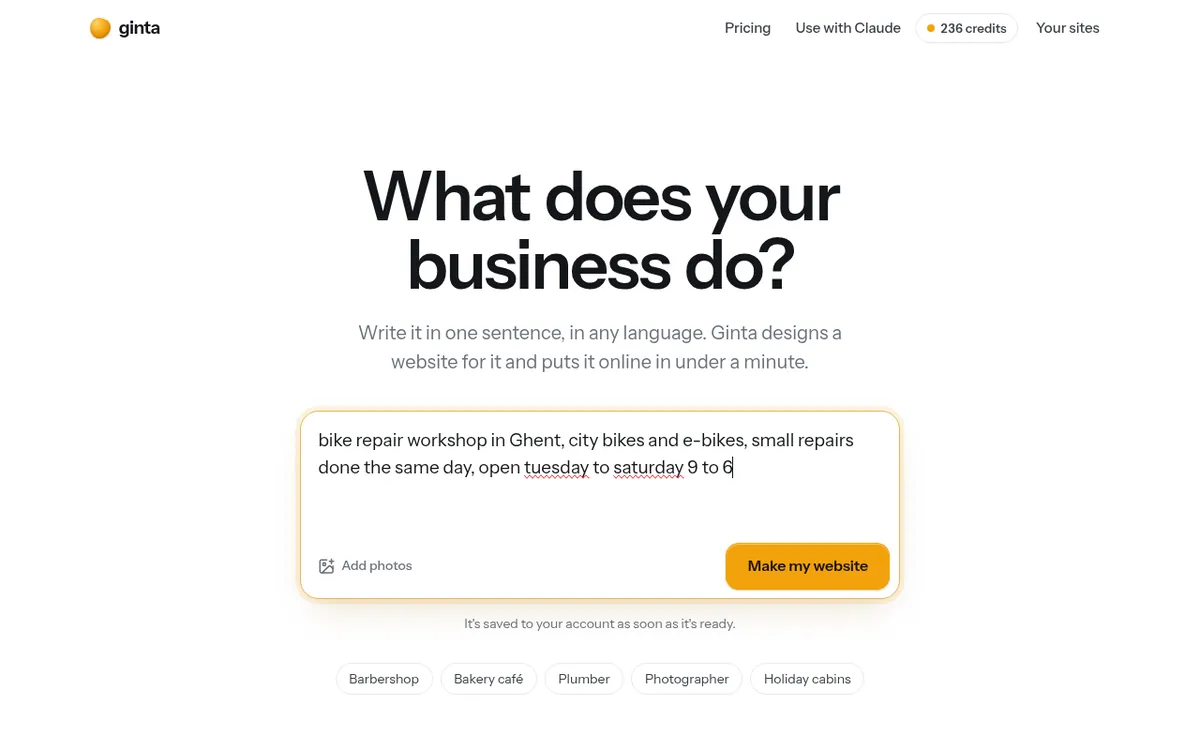
What we typed: "bike repair workshop in Ghent, city bikes and e-bikes, small repairs done the same day, open tuesday to saturday 9 to 6".
Step 2 (minute 1 to 2): answer the quick questions
Six seconds later, Ginta asked three questions: the workshop's name, the phone number, and the street address. It asks because it won't invent details: a website with a made-up phone number is worse than no website. You can skip questions; Ginta then leaves those parts out instead of guessing.
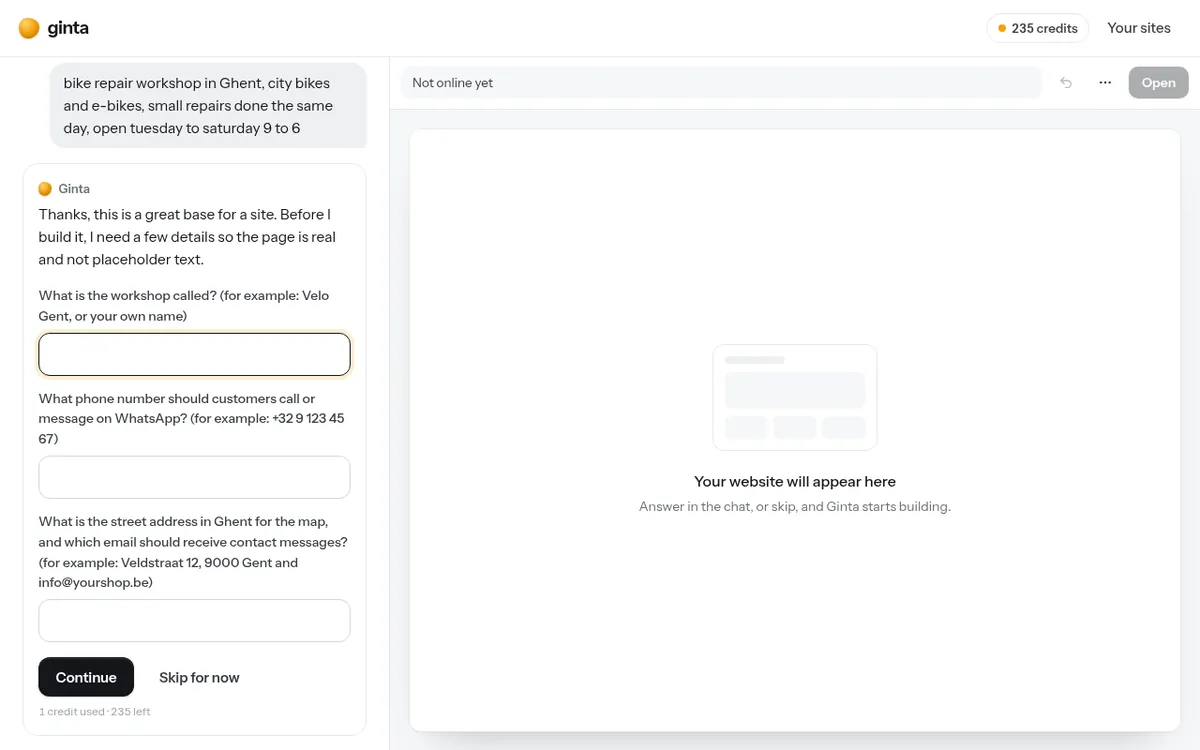
We answered in one line: "Velo Atelier, Sleepstraat 61, 9000 Gent. Phone +32 9 555 01 42".
Step 3 (minute 2 to 3): wait about a minute
The website was online 56 seconds after we answered. Ginta then looked at the live page once more and polished the design; that second look was done at 73 seconds. You can watch the progress while it works.
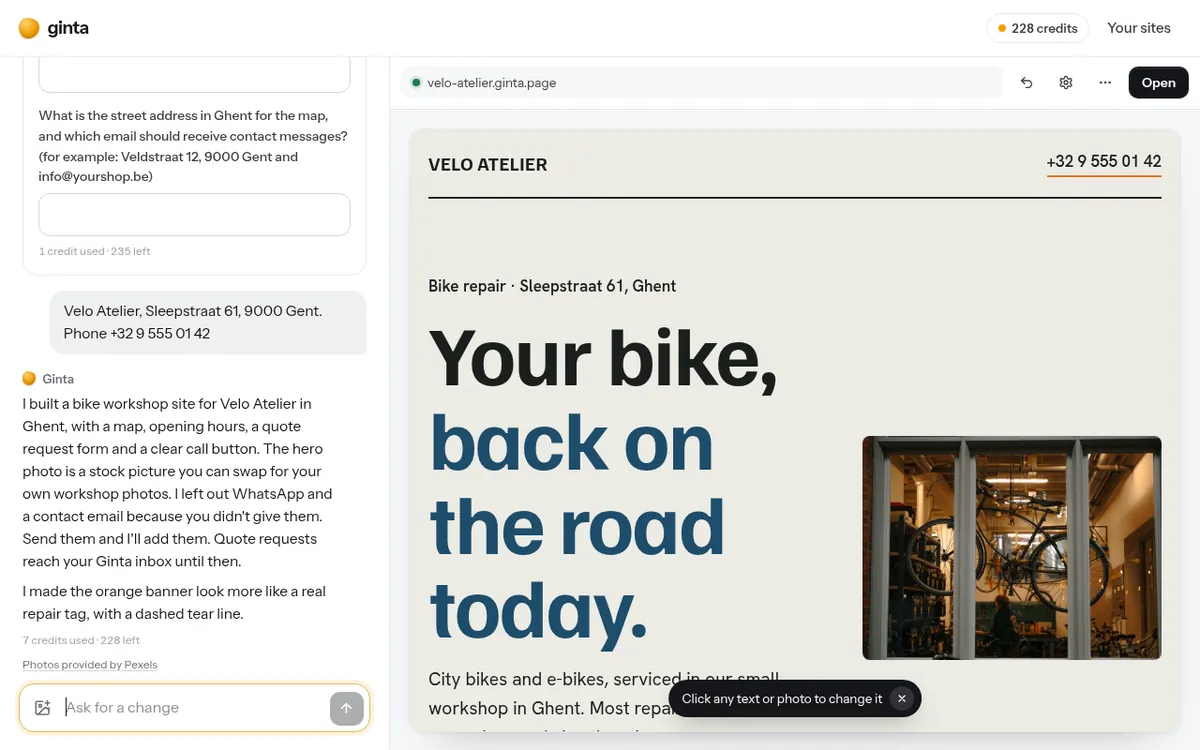
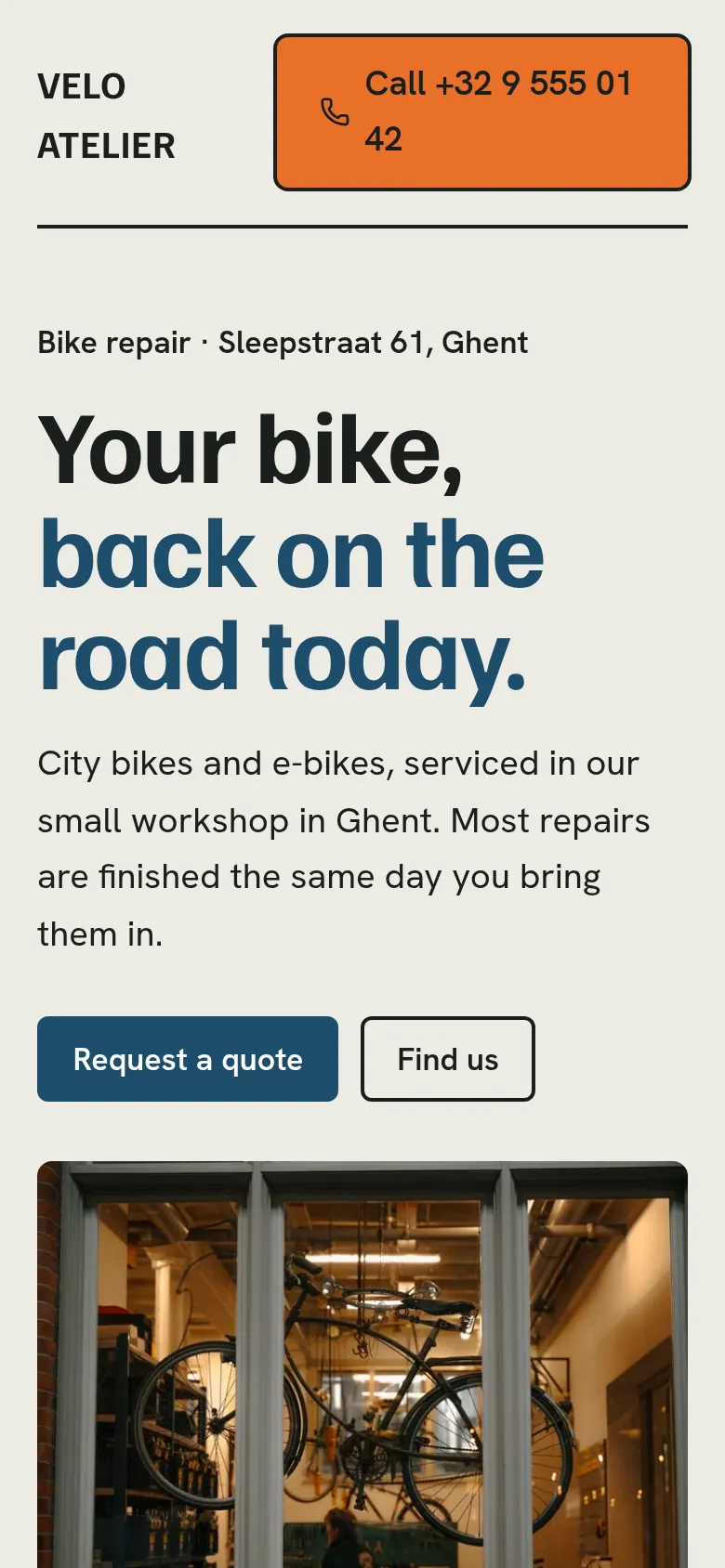
What it made, from that one sentence and one answer: a page with the address and opening hours, a map, a quote request form, a call button, and a photo of a workshop. It also said what it left out and why: no WhatsApp button and no contact email, because we hadn't given them. That's the behaviour you want from any website builder.
Step 4 (minute 3 to 6): change what you don't like, by asking
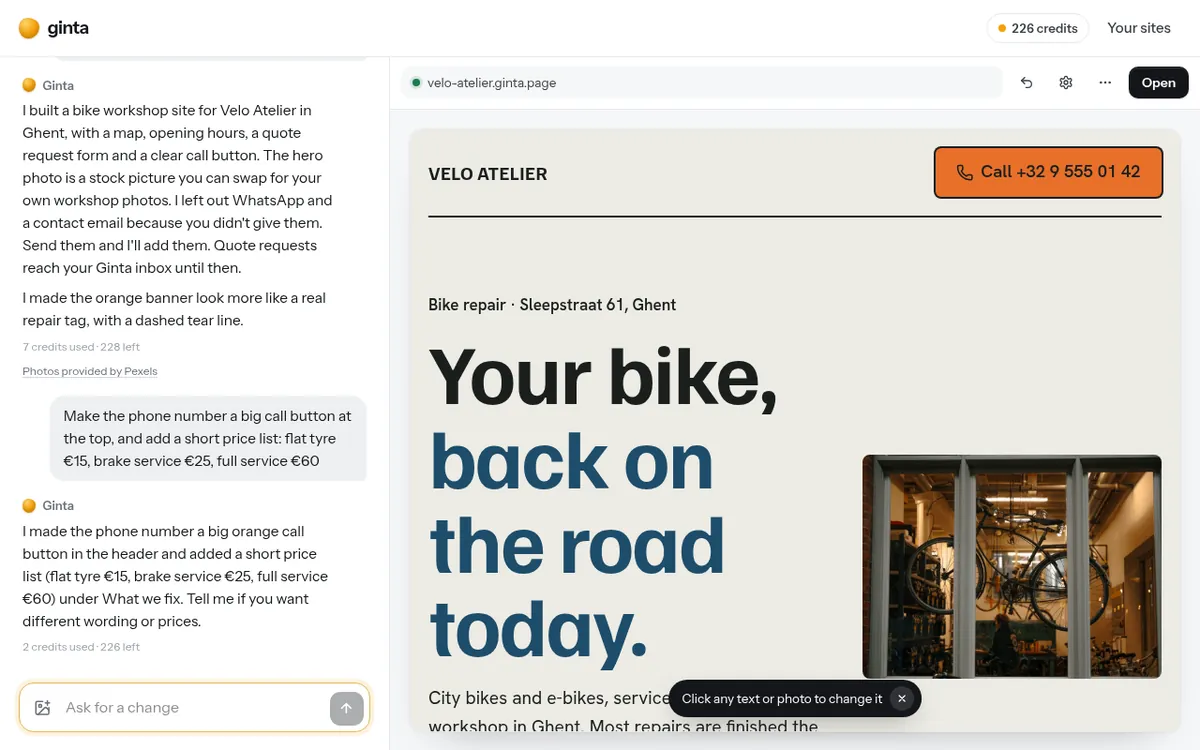
Read your page like a customer would. What's missing? What's wrong? Then ask for changes in plain words. We asked:
"Make the phone number a big call button at the top, and add a short price list: flat tyre €15, brake service €25, full service €60"
It took 10 seconds.
Requests that work well:
- Facts: "Saturday we close at 4 now." "Our email is hello@…"
- Content: "Add a section about e-bike batteries." "Remove the reviews section."
- Look: "Make it feel warmer." "Use dark green instead of blue."
- Your own photos: drop them into the chat, or click any photo on the page and replace it.
You can also click any text on the page and type over it directly, and every change can be undone.
Step 5 (minute 6 to 8): check it on your phone
Most of your visitors will be on a phone, so open the link on yours and check four things:
- Tap the phone number. Does your phone offer to call it?
- Is the address right, and does the map show the right place?
- Are the opening hours right, including the closed days?
- Send yourself a message through the form. Did it arrive in your inbox (under Your sites → Messages)?
Step 6 (minute 8 to 10): keep it, and connect your own address
Without an account, a website stays online for 24 hours, so you can try Ginta without signing up. Create a free account to keep it: it then stays online as long as you have the account, and search engines can find it.
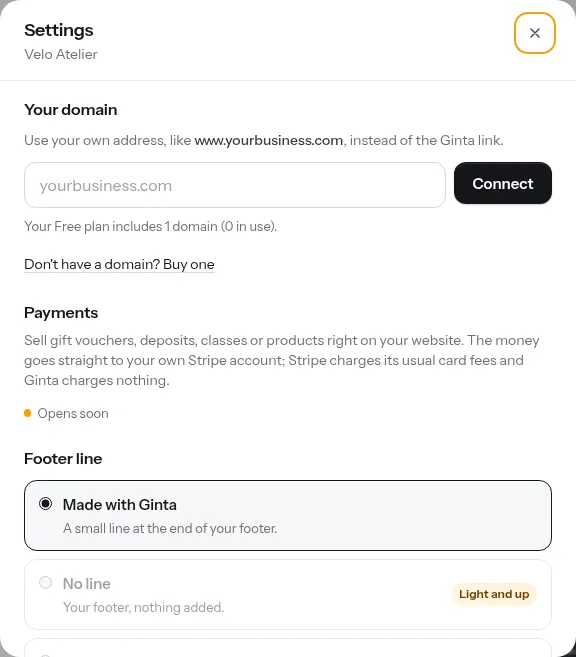
Your website starts at an address like velo-atelier.ginta.page. To use your own domain (like veloatelier.be), open
Settings → Your domain and type it in. Ginta recognises where your domain is managed (GoDaddy, Namecheap, Porkbun,
IONOS, Cloudflare…) and shows the exact steps, usually one record to add. The Free plan includes one custom domain;
you buy the domain itself from a registrar.
What it cost
The whole build above, including the questions and the change, used 10 AI credits. The Free plan includes 50 credits every month, one website and one custom domain, and shows a small "Made with Ginta" line in the footer. Paid plans start at €5 a month (Hosting, for people who build with their own AI assistant) and €9 a month (Light, with 600 credits a month and no "Made with Ginta" line). See pricing for everything.
After the ten minutes
A website works best when people can find it and trust it. In the following days:
- Add your own photos. Stock photos are fine for day one, but customers want to see your shop, your work and you.
- Put the link everywhere: your Google Business Profile, Instagram bio, WhatsApp Business profile, email signature.
- Keep it true. Holiday hours, new prices, a new service: one message in the chat, and it's done.
- Add the parts you need when you need them: online booking, a menu, a gallery, quote requests or a shop. They're ready-made, and you manage them yourself without the AI.
Questions
Do I need to know anything about websites or code?
No. You describe your business in words and ask for changes in words. If you are a developer, you can still edit the files, use your own domain and build with Claude Code: see the developer docs.
Can I use my own photos and logo?
Yes. Without an account you can add two photos to your first website; with a free account, as many as you like. Drop them into the chat or click a photo on the page to replace it.
Will people find my website on Google?
Websites saved in an account can be found by search engines: Ginta writes the page title, the description and your business details (only the ones you gave) for them, and adds a sitemap. Getting found also depends on your Google Business Profile, reviews and links from other sites, which no website builder can do for you.
What if I want to move my website somewhere else later?
Your pages are standard HTML and CSS, not a closed format. If you connect Ginta to Claude or ChatGPT, your assistant can read every file of your website. Your own domain stays yours: you can point it somewhere else at any time.
Written with AI help for Ginta, which Povilas runs; he also teaches a website-building course. The screenshots are from the real Ginta on the date above, and prices come from our pricing page.