Build and host a website from Claude with MCP
Yes, Claude can build a website and put it online. On its own, Claude writes the code, and you still need somewhere to host it. With a connector to a website builder, Claude does the whole job in the chat: designs the page, publishes it at a real address, and changes it later when you ask. This post shows a real run with Ginta's MCP server, timed on 12 October 2026: one message, 168 seconds, four tool calls, a live website.
What MCP is, in two sentences
MCP (Model Context Protocol) is the standard way for AI assistants like Claude and ChatGPT to use outside tools. Ginta
runs an MCP server at https://ginta.app/mcp: once you connect it, Claude can create, publish and update websites in
your Ginta account, after you sign in and press Allow.
Step 1: add Ginta to Claude (two minutes)
In claude.ai or the Claude desktop app:
- Open Customize → Connectors, click +, choose Add custom connector.
- Name
Ginta, URLhttps://ginta.app/mcp. Leave the advanced settings empty. - Click Add, then Connect. A Ginta window opens: sign in or create a free account, and press Allow.
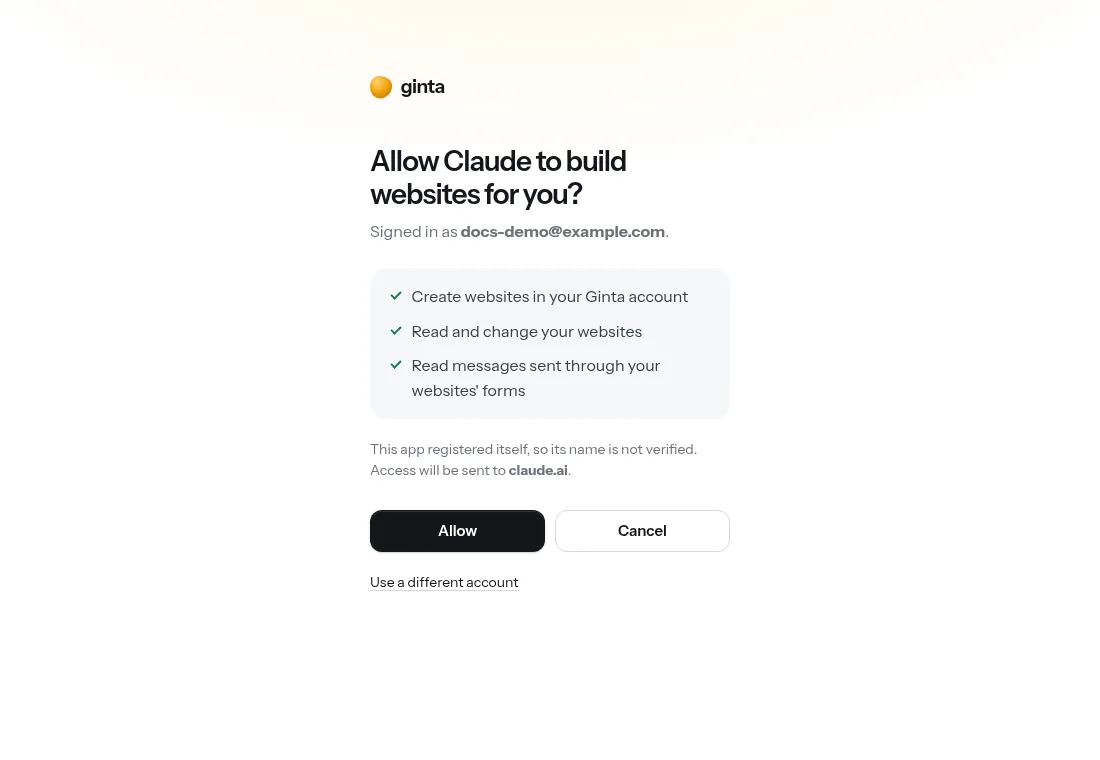
Free Claude accounts may be limited to one custom connector. The full guide, with team plans and ChatGPT, is on Connect Ginta.
Step 2: ask for the website
This is the exact message we sent (through Anthropic's API with the MCP connector, model Claude Opus 5.5, the way claude.ai uses connectors):
Use Ginta to build a website for my yoga studio in Porto. It's called Sala Luz: small Hatha and Vinyasa classes, at most 10 people, Monday to Saturday mornings and evenings. Rua de Cedofeita 120, Porto. Phone +351 22 000 0142. Add a contact form for questions.
What Claude did, step by step
| # | Tool Claude called | What it's for |
|---|---|---|
| 1 | get_guide |
Read Ginta's design guide: layouts, fonts, photos, icons, the contact form block |
| 2 | check_name |
Checked that sala-luz.ginta.page was free |
| 3 | create_site |
Published the page in our Ginta account |
| 4 | preview_site |
Took screenshots of the live page to check the design |
Total: 168 seconds from message to a live website at sala-luz.ginta.page, with no errors.
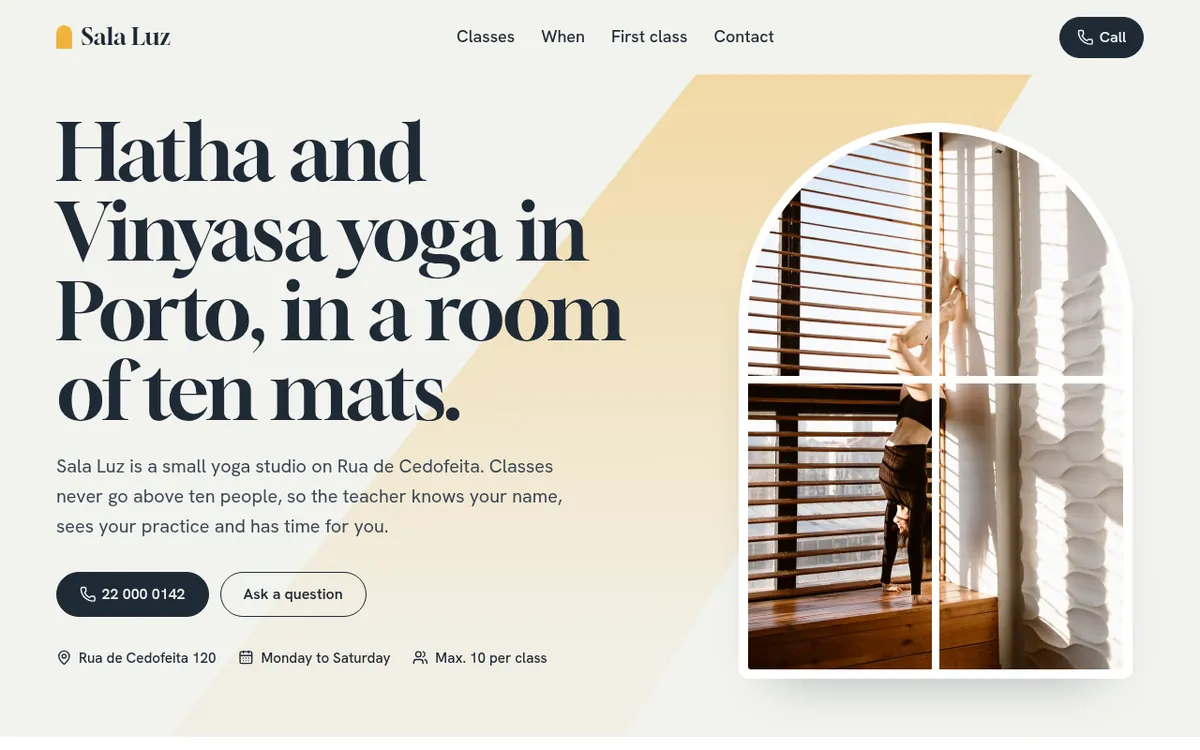
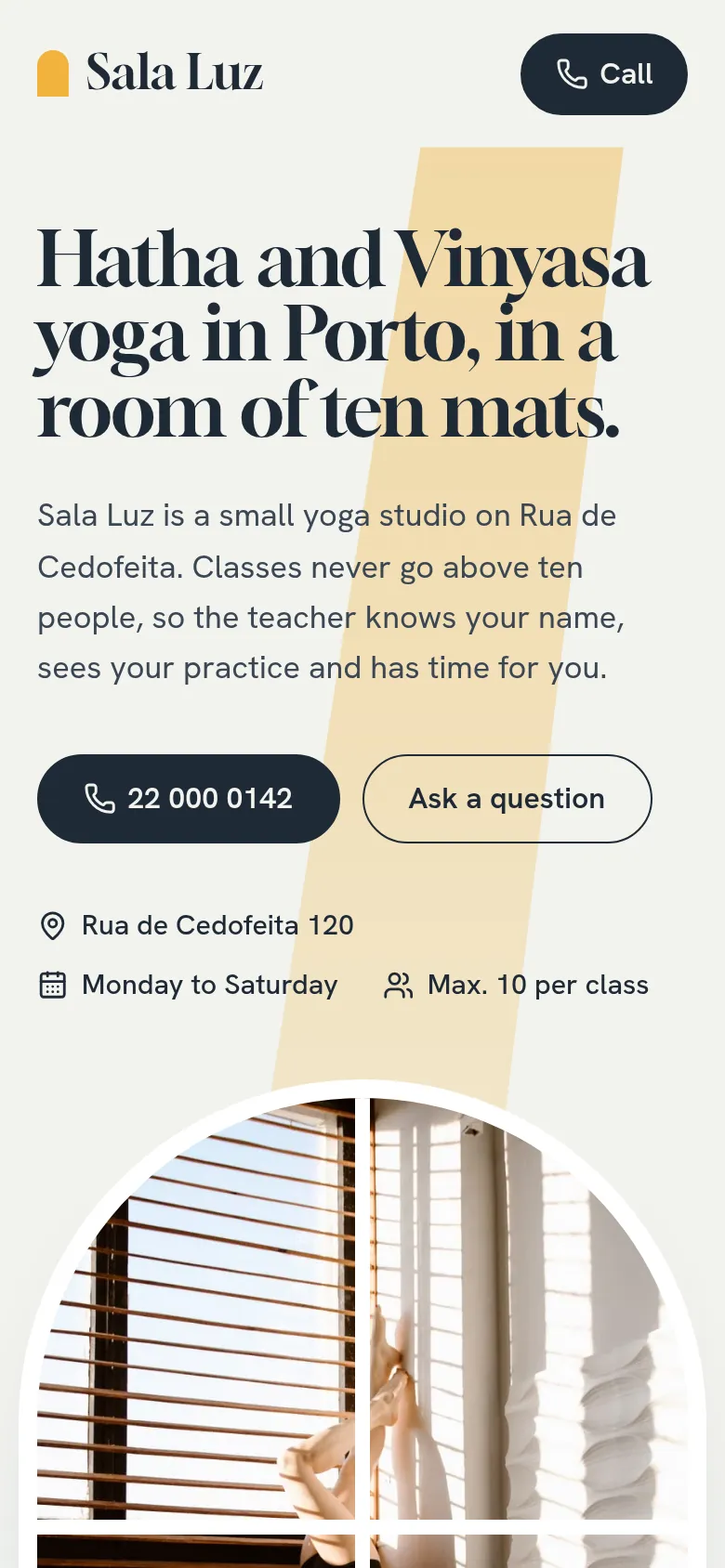
What we liked more than the design was Claude's reply. It listed what it had assumed and what was still missing:
no class times or prices (we hadn't given any, so the page asks people to call), no email for form messages yet (they
go to the Ginta inbox until then), stock photos instead of the real studio, and a privacy page that still needs the
business's legal name. It also said that in this API test it couldn't see the screenshots preview_site returned, so
it checked the code instead. That's the honesty you want before you show a website to customers.
Step 3: change it later, in any chat
The website lives in your Ginta account, not in one conversation. In a new chat, say "change the opening hours on my Ginta site sala-luz" and Claude finds it. What Claude can do through Ginta's tools, in plain words:
- Build and change websites with small edits, upload your photos, logo and files, and undo to any earlier version.
- Ready-made parts you manage yourself afterwards: bookings, a shop, events and classes with places, a menu, a gallery, a blog, quote requests and announcements.
- Your own domain, with the exact DNS steps for the company that manages it, and a check whether it's live.
- Messages and visitors: read form messages, see page views and speed scores.
Every tool is listed with an example in the developer docs.
From Claude Code: deploy a project you built
Developers can add the same server to Claude Code:
claude mcp add --transport http ginta https://ginta.app/mcp
Then run /mcp, choose ginta → Authenticate, and sign in. After that you can say "build this project and deploy
dist/ to Ginta as a new site": Claude uploads the whole build as one zip through a short-lived upload link. Ginta
serves pages, scripts, images, fonts, PDFs and videos within your plan's limits, with _redirects, clean URLs and your
own 404.html. Details:
Claude Code guide and files and routing.
What it costs
Publishing from your own assistant uses no Ginta credits: your assistant does the AI work. The Free plan includes 1 website and 1 custom domain, with a small "Made with Ginta" line in the footer. The Hosting plan (€5 a month, or €50 a year) is made for people who build with Claude or ChatGPT: 3 websites, 3 domains, no "Made with Ginta" line. All plans: pricing.
Other ways to publish from Claude
Ginta isn't the only option, and it isn't the right one for everything. As checked on 12 October 2026 on each company's own pages:
- Wix has an MCP server (also a built-in connector in Claude) that can create, update and publish Wix sites, and a Wix app in ChatGPT. Good if you want Wix's drag-and-drop editor afterwards. A custom domain needs a paid Wix plan.
- Lovable has an MCP server on all plans that can create and publish apps to
lovable.app. Good for real web apps with logins and a database. Custom domains are on paid plans, and tool calls use Lovable credits. - Netlify and Vercel have MCP servers that deploy code your assistant writes. They are hosting for developers, not website builders: no forms inbox, booking or menus unless you build them. Vercel's free Hobby plan is for non-commercial use only.
More detail, with sources: website builders with an MCP server, compared.
Questions
Can Claude make a website without any connector?
Claude can write the HTML, CSS and JavaScript for a website and show it to you in the chat. To put it online at an address customers can visit, it needs hosting: a connector like Ginta's does that in the same conversation.
Does it work with ChatGPT too?
Yes. Ginta's MCP server works with ChatGPT through custom connectors, which need developer mode (currently on Business, Enterprise and Edu plans, and some Plus and Pro accounts). ChatGPT asks you to confirm before Ginta publishes a change. Steps: Use Ginta in ChatGPT.
Is it safe to let Claude change my website?
Claude only sees the websites in the Ginta account you signed in with, and only after you press Allow. Every change creates a new version you can undo, and you can disconnect at any time by removing the connector.
Do I need to know what MCP is to use it?
No. You paste one address into Claude's settings once, sign in, and then just ask for what you want in plain words.
Written with AI help for Ginta, which Povilas runs; he also teaches a website-building course. The screenshots are from the real Ginta on the date above, and prices come from our pricing page.