Build a website with ChatGPT and publish it live
Yes, ChatGPT can build your website, and with Ginta connected it can also put it online. On its own, ChatGPT
writes the code and you are left with a file to host somewhere. Add Ginta's address (https://ginta.app/mcp) to
ChatGPT once, and ChatGPT designs the page, publishes it at its own address like yourbakery.ginta.page, and keeps
changing it when you ask. The website lands in your Ginta account, where you can read its form messages, add online
booking or a menu, and connect your own domain.
We make Ginta. The ChatGPT steps below come from OpenAI's own help pages, checked on 19 October 2026 (links at the end).
Watch a real run
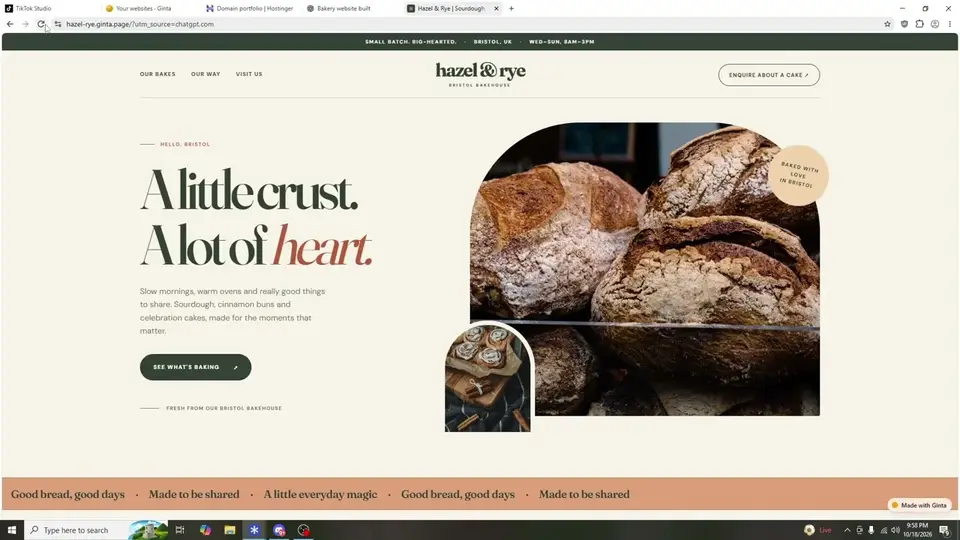
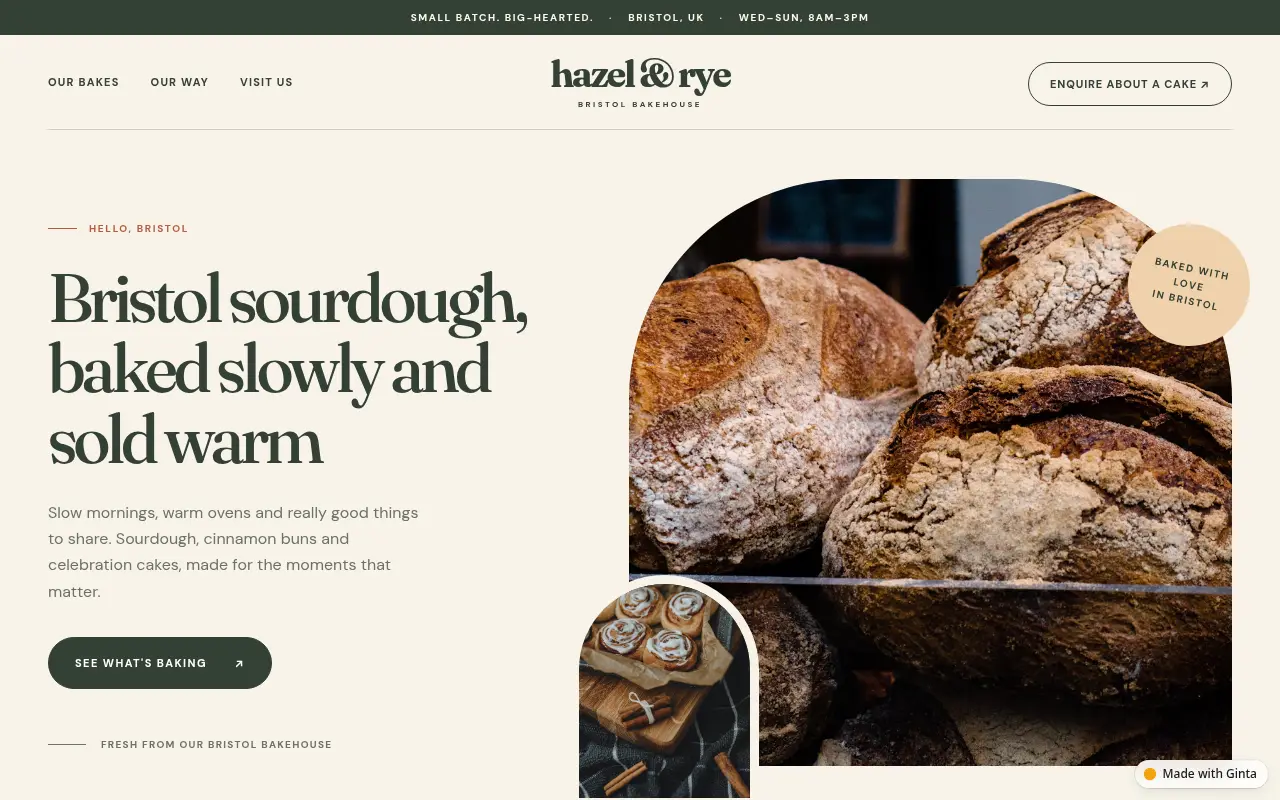
This is a real recording from 18 October 2026: ChatGPT uses Ginta's tools to design and publish the page, and the bakery's website opens live. Here it is, as it looks today:
What you need
- ChatGPT on the web with a plan that lets you add your own MCP server. OpenAI says full access (so ChatGPT can publish and change websites) is on Business, Enterprise and Edu; on Pro custom servers get read access only, and Free accounts can't add servers (they can install plugins from ChatGPT's plugin directory, where we've applied to list Ginta). On a Business workspace, only admins and owners can add one.
- A free Ginta account. You create it in the sign-in window during setup; confirm your email to publish.
No plan that allows it? Ginta's own chat on ginta.app does the same job without ChatGPT: you describe the business and Ginta's AI builds it. That uses Ginta credits (free to start), while building from ChatGPT uses none.
Steps
- In ChatGPT, open Plugins in the sidebar, click + and choose Add custom MCP server.
- Name it
Ginta. Under Connection, pastehttps://ginta.app/mcpand choose OAuth. - Tick I understand and want to continue, then Create as a plugin.
- A Ginta window opens: sign in (or create a free account) and press Allow.
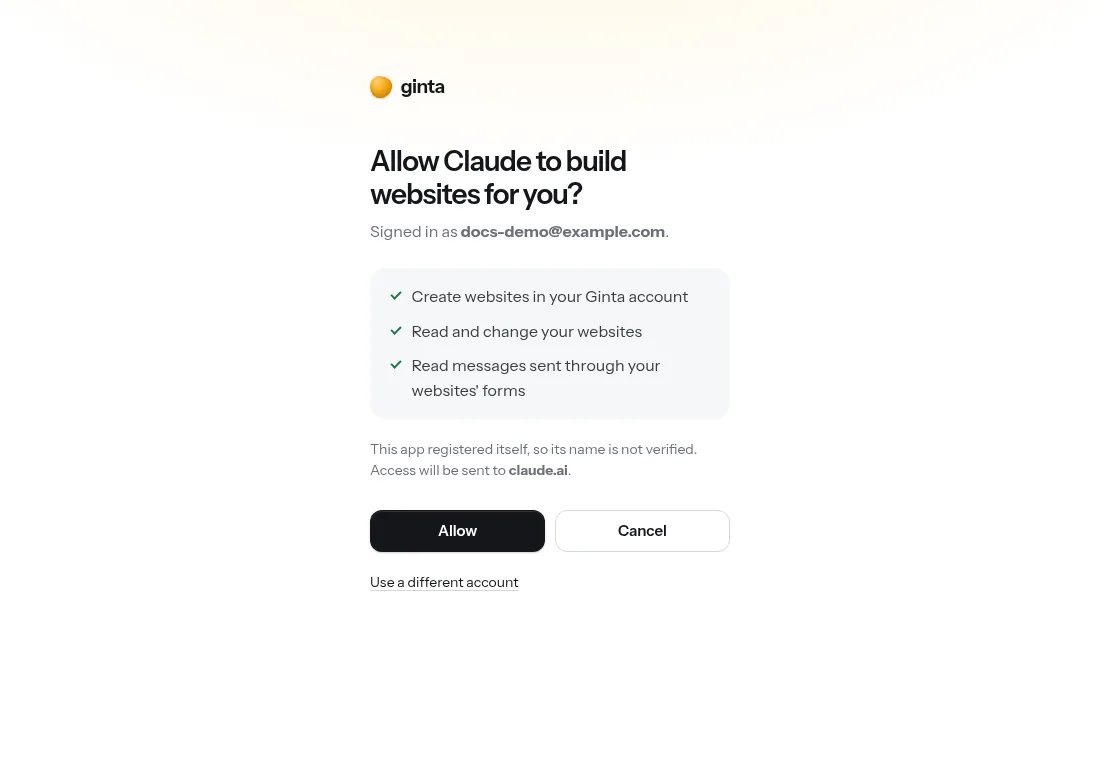
- Install the plugin, start a new chat, type @ and pick Ginta.
- Describe your business. ChatGPT asks before it publishes or changes anything; that's normal.
Full steps for every assistant are on Connect Ginta.
What to ask
Give ChatGPT the facts only you know, so the page never shows made-up details:
Use Ginta to make a website for my bakery, Hazel & Rye, in Bristol. Sourdough, cinnamon buns and celebration cakes. Open Wednesday to Sunday, 8 am to 3 pm. People should be able to send a cake enquiry.
Then keep going in the same chat:
- "Add our price list: sourdough loaf £5, cinnamon bun £3."
- "Add a page for wedding cakes with an enquiry form."
- "Show me the messages people sent through the website."
- "Connect my domain hazelandrye.co.uk."
Ginta's guide tells ChatGPT to ask for real phone numbers, addresses and prices instead of inventing them, to use fitting free photos, and to write the page in the language you write in.
What happens after it's live
- It stays online as long as you have your Ginta account, on every plan.
- You can change it anywhere: in ChatGPT, in Ginta's own editor (it shows "Changed by ChatGPT" with a short note), or by clicking text on the page.
- Forms work: messages from the website arrive in your Ginta inbox and by email.
- Ready-made parts: ask for online booking, a menu, a shop, events, a gallery or a blog, and ChatGPT sets them up; you manage them in Ginta without any AI. Which plans include which part: pricing.
What it costs
Publishing from ChatGPT uses no Ginta credits: ChatGPT does the work, Ginta hosts. The Free plan includes 20 websites at their Ginta address with a small "Made with Ginta" badge. Your own domain comes with the Hosting plan, €5 a month (50 websites, 3 domains, no badge), made for people who build with their own AI. All plans: pricing.
Sources
- OpenAI Help: Connecting custom MCP servers in ChatGPT (read 19 October 2026)
- OpenAI Help: Plugins in ChatGPT (read 19 October 2026)
- OpenAI: ChatGPT pricing (read 19 October 2026)
Questions
Can ChatGPT make a website by itself?
It can write the HTML and CSS, but it can't host it: you'd copy the code into a file and find somewhere to publish it. Connected to Ginta, ChatGPT publishes the site at a real address and can change it later.
Do I need a paid ChatGPT plan?
To add Ginta yourself, yes: OpenAI gives full custom MCP access on Business, Enterprise and Edu (checked 19 October 2026). Without one, use Ginta's own chat at ginta.app, which needs no ChatGPT at all.
Is the website mine?
Yes. It's in your Ginta account. On Pro, Agency, Hosting Plus and Hosting Studio you can also download the code as a .zip.
Can I use my own domain?
Yes, on paid plans (from €5 a month). Ask ChatGPT to connect it: Ginta recognises where your domain is managed and gives the exact steps.
Does it work on my phone?
Adding a custom MCP server is web only in ChatGPT. Once it's added, you can keep asking for changes from the ChatGPT app.
What about Claude?
Claude works too, including on its free plan (one custom connector): build a website with Claude.