How to embed Google Maps and YouTube without cookie consent
Show a picture of the map (or of the video) with a link to Google Maps or YouTube, and load Google's interactive map or the YouTube player only when the visitor clicks a button that says what will load. A normal Google Maps or YouTube embed contacts Google the moment the page opens, sending the visitor's IP address and possibly setting cookies, which is why websites with EU visitors ask first. Switching to youtube-nocookie.com changes what YouTube does with the view, but the player still loads from Google before anyone clicks.
This is not legal advice. It's a plain explanation with official sources, checked on 9 November 2026. Why consent is needed at all is in do I need a cookie banner?
Why an embed contacts Google before anyone clicks
An embed is an <iframe>: a page from Google shown inside yours. The visitor's browser loads it together with your
page (or, with loading="lazy", when the visitor scrolls near it). Either way, nobody has chosen anything yet, and:
- Google receives the visitor's IP address and browser details, because every request does. Google's privacy policy names "embedded Google Maps" among its products built into other websites, and says those websites share information with Google when you visit them (Google Privacy Policy).
- Cookies may be set or read. Google's cookies page lists
YouTube cookies such as
PREFandVISITOR_INFO1_LIVE.
In the EU, storing or reading anything on the device that isn't strictly necessary needs consent first (Article 5(3) of the ePrivacy Directive). A map of your street isn't strictly necessary to read your page. And IP addresses alone have mattered: in 2022 a Munich court ordered a website owner to pay a visitor €100 for passing his IP address to Google through Google Fonts without consent (LG München I, 3 O 17493/20). That case was about fonts, not maps, but the mechanism is the same: the browser connects to Google before the visitor has a say.
What youtube-nocookie.com does, and what it doesn't
YouTube's "Privacy Enhanced Mode" is turned on by changing the embed address from www.youtube.com to
www.youtube-nocookie.com. Google's help page says it does this:
- Views of the embedded video aren't used to personalize the viewer's YouTube experience.
- Views aren't used to personalize ads shown to the viewer outside your website, and ads in the player are non-personalized.
What the help page doesn't say: it doesn't promise that no cookies or local storage are used, despite the name, and the player still loads from Google's servers when your page opens, so the IP address still goes to Google. It reduces what happens with the view; it doesn't make the embed wait for the visitor.
The fix: show first, load on click
This is often called a "two-click" embed. It works on any website.
For a map:
- Put your address as text on the page, so people can read and copy it without any map.
- Show a picture of the map that you're allowed to use and that's saved on your own website (a picture loaded from someone else's server is another request with the IP address). OpenStreetMap's data can be used with credit to OpenStreetMap and a note that the data is under the Open Database License (OpenStreetMap copyright).
- Add an "Open in Google Maps" link. Google's Maps URLs need no API key: a search link looks like
https://www.google.com/maps/search/?api=1&query=Your+Street+1+Your+Town(Maps URLs). A link sends nothing until it's clicked. - Add a "Show interactive map" button with one line under it saying what it loads, and put Google's embed code behind it.
For a video: the same, with your own picture from the video, a play button, a line like "Loads YouTube. YouTube may set cookies.", and a "Watch on YouTube" link.
The code, for a website you edit yourself. Paste Google's own embed address where it says PASTE-YOURS:
<div class="embed">
  <img src="/img/map.webp" alt="Map: Your Street 1, Your Town" width="1200" height="600">
  <a href="https://www.google.com/maps/search/?api=1&query=Your+Street+1+Your+Town" target="_blank" rel="noopener">Open in Google Maps</a>
  <button type="button" class="embed-load">Show interactive map</button>
  <p>Loads Google Maps. Google may set cookies.</p>
  <template>
    <iframe src="https://www.google.com/maps/embed?pb=PASTE-YOURS" width="600" height="450"
      style="border:0" allowfullscreen title="Map: Your Street 1, Your Town"></iframe>
  </template>
</div>
<script>
  document.querySelectorAll(".embed-load").forEach((button) => button.addEventListener("click", () => {
    const box = button.closest(".embed");
    box.replaceChildren(box.querySelector("template").content.cloneNode(true));
  }));
</script>
For a video, put https://www.youtube-nocookie.com/embed/VIDEO_ID?autoplay=1 in the iframe, so it starts on the same
click. Then mention the map and the video on your privacy page: who provides them, that they load only on click, and
what the provider receives then.
How Ginta does it automatically
We make Ginta, so here's how our websites handle it. You don't do any of the above: every Google Maps or YouTube embed on a Ginta website, whether Ginta's AI wrote it, your own Claude or ChatGPT did, or you pasted it in the Code tab, is changed as the page is served.
Maps. A page with a Google map shows Ginta's own cookie banner with a Maps choice, in the page's language (on a website without trackers, Maps is the only choice in it). A visitor who says yes, with Accept or under Settings, sees Google's interactive map at once, on every page with a map. The answer is kept on that device and can be changed any time with Cookie settings in the footer.
Until then (the visitor said no, or hasn't answered), the map shows as a map picture made by Ginta's server from OpenStreetMap data and served from the website's own address, with a pin, "Open in Google Maps" and "Show interactive map". That button loads only that one map. Here's a demo bakery website in Leipzig, so the buttons are in German ("In Google Maps öffnen", "Interaktive Karte anzeigen"):
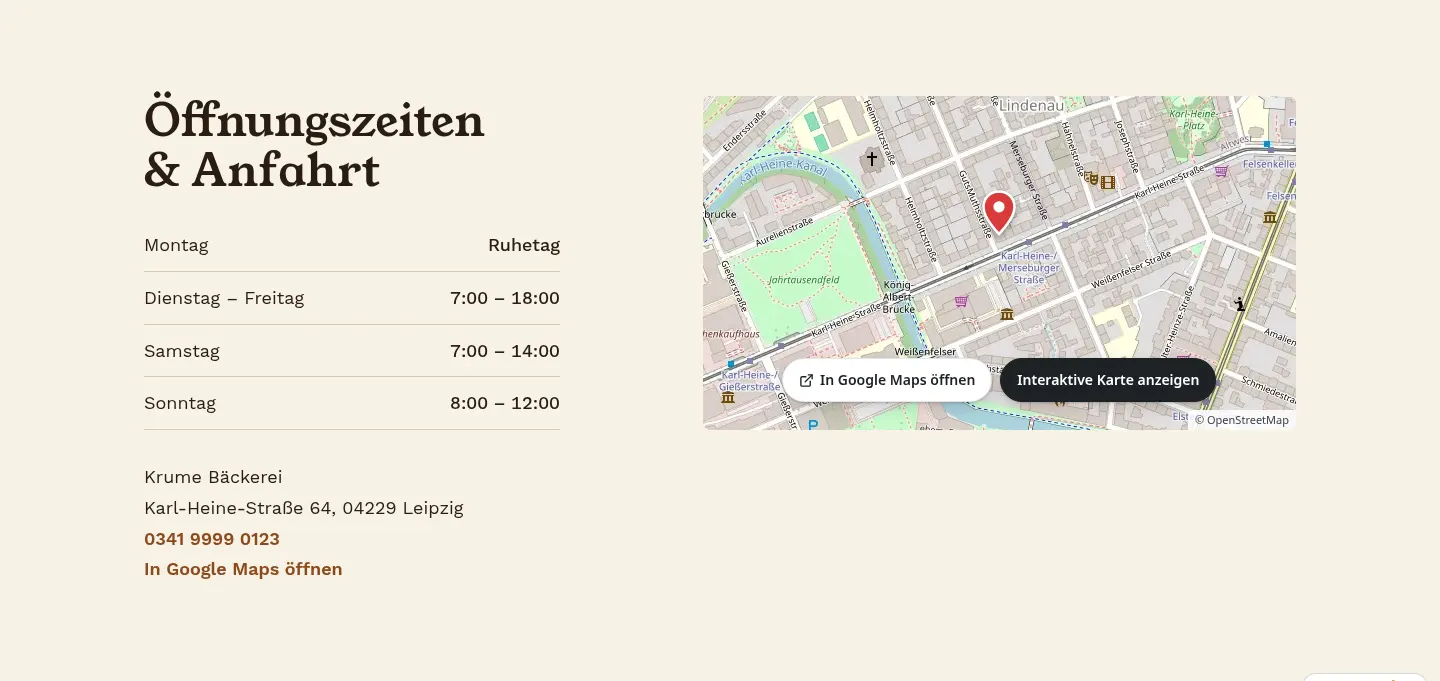
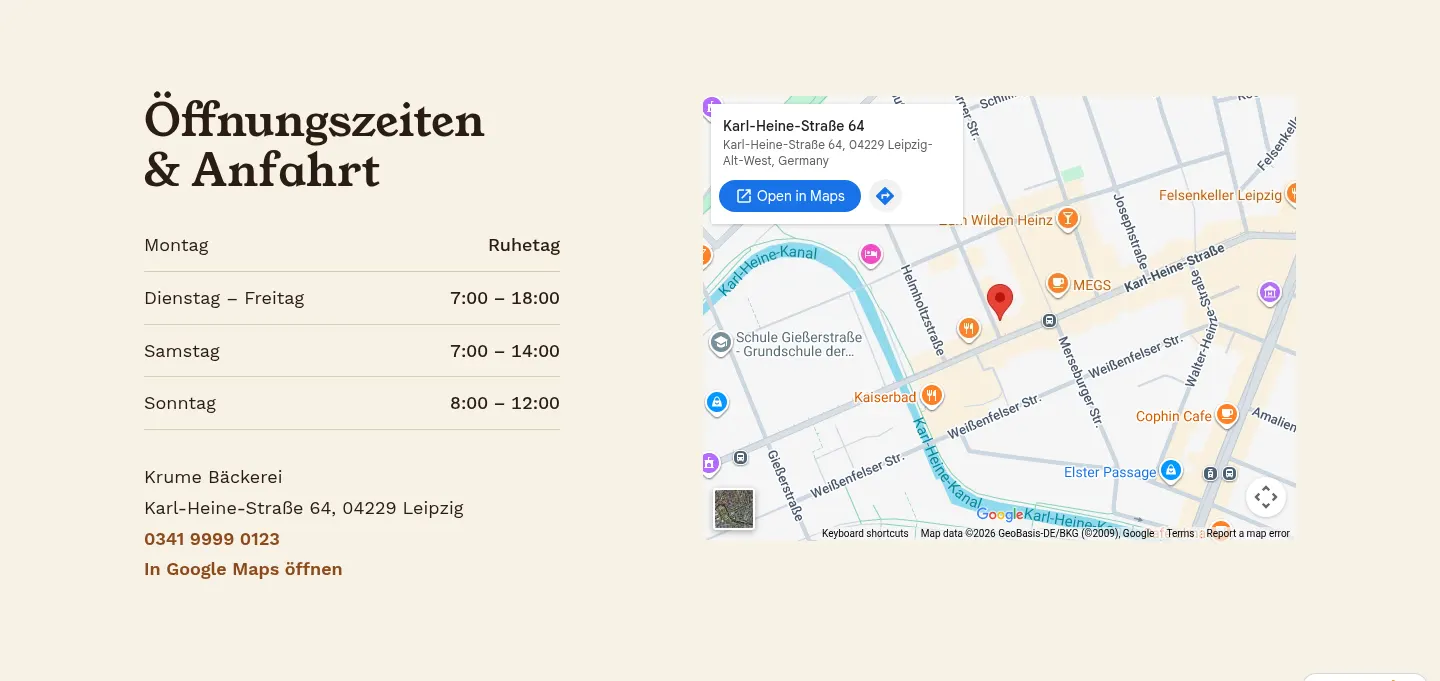
We checked the map picture on 9 November 2026 in a fresh browser at desktop and phone size: before the click, every request went to krume-leipzig.ginta.page. After clicking "Show interactive map", the browser contacted www.google.com, maps.googleapis.com, maps.gstatic.com, fonts.googleapis.com and fonts.gstatic.com.
The map uses Google's free embed, so you need no Google account or API key. If you'd rather show Google's map to everyone without asking, there's a switch, off by default: Show Google map without asking in the website's Settings → Marketing & tracking. Ginta says plainly what that means: the map then sends every visitor's IP address to Google before they agree, which EU privacy law may not allow.
Videos from YouTube (both youtube.com and youtube-nocookie.com), Loom and Wistia show as a box with "▶ Play video", the line "Loads YouTube. YouTube may set cookies." and a "Watch on YouTube" link (with Loom's or Wistia's name for theirs). The player loads only when the visitor presses play.
The buttons and lines follow the page's language (9 languages), and it works on every plan, Free included. The website's privacy page gets a Map section only when a page uses a map (saying the map waits for the visitor's yes or click) and a Videos section saying the player loads only on click. Want the rest of the website cookie-free too? That's in do I need a cookie banner?
Where Ginta is weaker
- The video box is plain. It's a dark box with a play button, not the video's own thumbnail (fetching that from YouTube would contact Google), so it looks plainer than a normal YouTube embed.
- A map page asks. A page with a Google map shows a cookie banner, even when the website has no trackers. Pages without a map (and without trackers) have none.
- The map picture doesn't move. Until the visitor says yes, zooming, directions and Street View need the click or the Google Maps link.
- Other widgets aren't held back. Maps, videos and known trackers wait for the visitor. Other outside widgets you add yourself, such as a chat widget or a booking script from another company, load with the page; Ginta names them on the privacy page, but whether they need consent is for you to check.
Questions
Is youtube-nocookie.com GDPR compliant?
Not by itself. Google's help page says Privacy Enhanced Mode stops views from personalizing YouTube and ads, but it doesn't say nothing is stored on the device, and the player still loads from Google when the page opens. Loading it only after a click is the safer setup.
Can I just link to Google Maps instead of embedding it?
Yes. A link sends nothing to Google until the visitor clicks it, and Google's Maps URLs need no API key. Add your address as text and a picture of the map if you want people to see where you are at a glance.
Does loading="lazy" solve it?
No. It only delays the embed until the visitor scrolls near it. It still loads without the visitor choosing anything.
Can I use a screenshot of Google Maps as the picture?
Check the map provider's terms first. OpenStreetMap's data can be used with credit to OpenStreetMap and a note about its license; that's the simplest source for a picture you save on your own website.
Written with AI help for Ginta, which Povilas runs; he also teaches a website-building course. The screenshots are from the real Ginta on the date above, and prices come from our pricing page.