Can Claude Cowork build and publish a website?
Claude Cowork can write a whole website, but on its own the result is files in a folder on your computer, not a site
other people can visit. To publish it, Cowork needs a connector that can host websites, such as Ginta's: add Ginta
once, sign in, and Cowork can put the site online at an address like yourbusiness.ginta.page and change it later
when you ask.
Everything about Cowork below comes from Anthropic's help center, checked on 9 November 2026 (links in the text). We make Ginta.
What Cowork does by itself
Anthropic describes Cowork as using "the same agentic architecture that powers Claude Code, with no terminal
required" (Get started with Claude Cowork,
checked on 9 November 2026). On the desktop app it reads and writes files in folders you connect, so if you ask it for
a website, you typically get an index.html, a stylesheet and maybe a few images in that folder.
That's a good start, and it's also where most people get stuck: a folder on your laptop isn't on the internet. You still need hosting (somewhere that serves the files), an address, a working contact form, and a way to change it next week without copying files around.
Cowork is on Claude's paid plans (Pro, Max, Ultra, Team and Enterprise), in Claude Desktop for macOS and Windows, in beta on Linux, and on the web and mobile (same article).
Cowork can use connectors, including custom ones
Anthropic's connector article says custom connectors (remote MCP servers) are "available on Claude, Cowork, and Claude Desktop", and that remote connectors are "configured and brokered through your Claude account", even though Cowork runs on your computer (Get started with custom connectors using remote MCP, checked on 9 November 2026). In Cowork you choose which connectors Claude may use from the + menu or Customize → Connectors, and each tool can be set to "Always allow", "Needs approval" or "Blocked" (Cowork article above).
So the answer to "can Cowork publish a website?" is: yes, once a connector that hosts websites is added. Ginta's MCP
server at https://ginta.app/mcp is one; it's also listed in Claude's connector directory.
Step by step: publish a website from Cowork with Ginta
- Add Ginta to Claude. Open Ginta in the connector directory and press
Connect. Or, as a custom connector: Customize → Connectors, + Add, Add custom connector, name
Ginta, URLhttps://ginta.app/mcp. On Team and Enterprise plans an owner adds it first under Organization settings → Connectors. Full steps: Use Ginta in Claude. - Sign in and press Allow. A Ginta window opens: sign in or create a free account. Claude only sees the websites in that Ginta account.
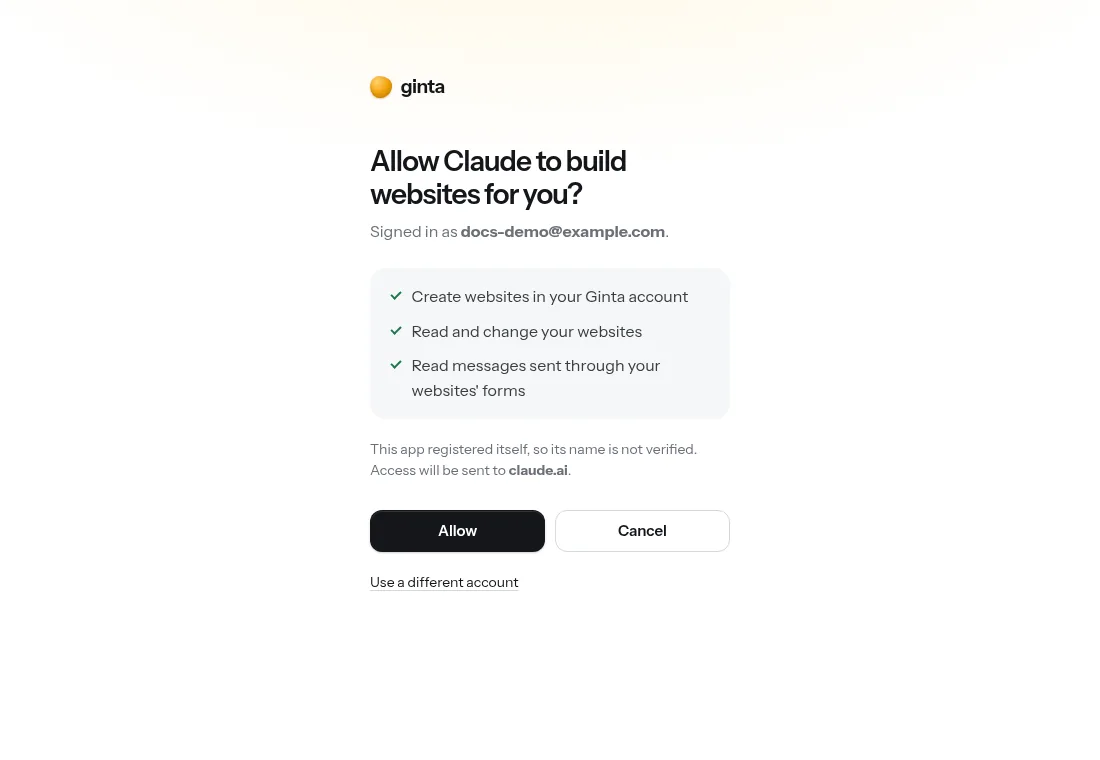
Switch Ginta on in Cowork. In a Cowork task, open + and make sure Ginta is on. If you want Cowork to publish without stopping, set Ginta's tools to "Always allow"; "Needs approval" asks you before each change.
Ask for the website. Give it the facts only you know:
Use Ginta to build and publish a website for my bike repair shop in Leeds, "Spoke & Chain": repairs while you wait, servicing from £45, open Tue–Sat 9–17, 14 Kirkgate, phone 0113 000 0000. Add a contact form.
Ginta's guide tells the assistant to say "Building your website, this takes about 1–3 minutes" before it starts. In our claude.ai run, Claude read Ginta's guide, checked the name, published, and looked at screenshots of the result.
Open the link. The site is live at
<name>.ginta.pageand appears in Your websites in Ginta. Form messages land in your Ginta inbox (and your email once you confirm it).Your own domain, later. Ask "connect my domain spokeandchain.co.uk" and Ginta gives the exact DNS steps for the company your domain is with. Own domains are on paid plans (from €5 a month); no domain yet? On a paid plan you can find and buy one inside Ginta for €29 a year, connected for you.
We haven't timed a run in Cowork yet. It uses the same connector and the same 19 tools as claude.ai, where one message took 168 seconds from request to a live website (the timed run).

Your own photos: the drop link
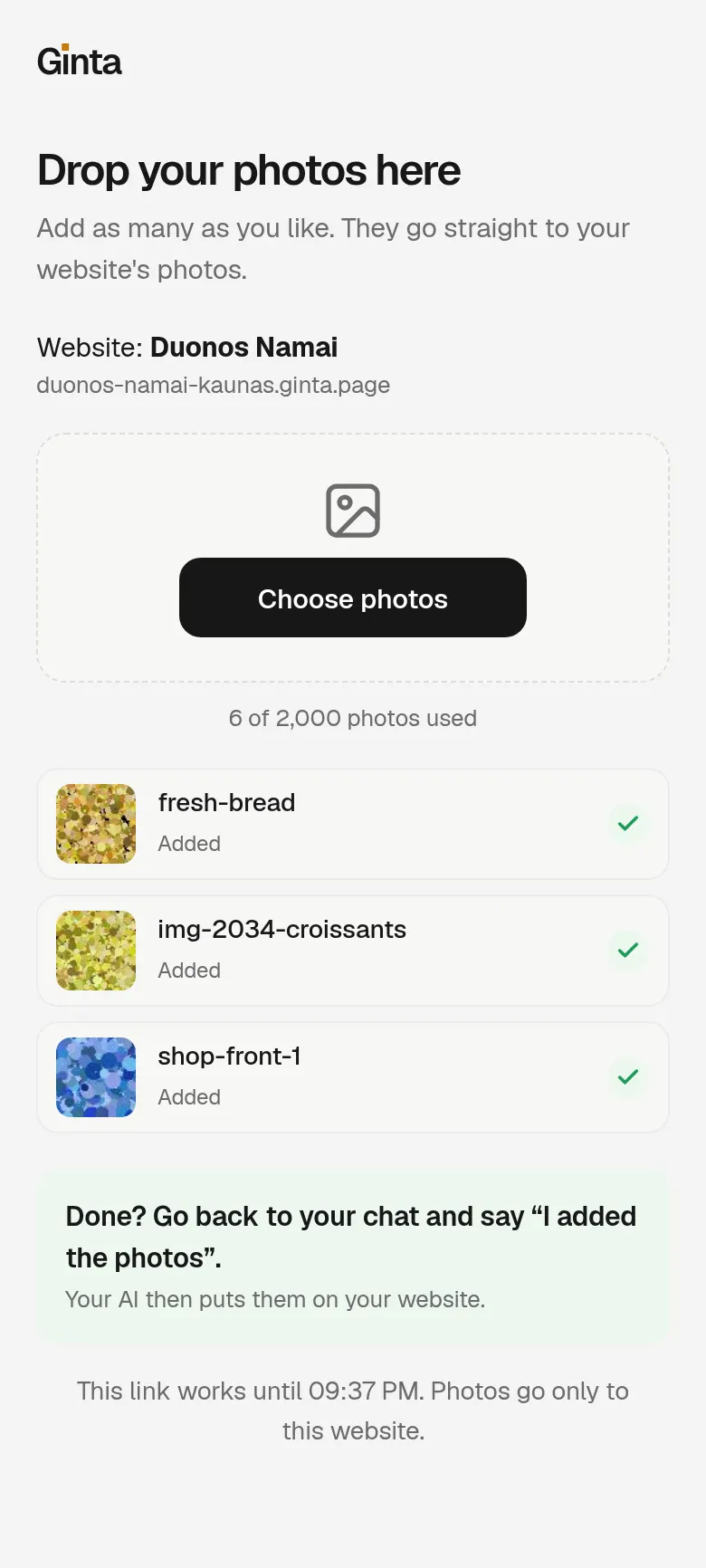
Stock photos are fine for a first draft; your own are better. Sending photos through a chat is clumsy, so Ginta's
attach_image tool has a photo drop link: ask "give me a link to add my photos", open it on your phone or
computer, and drop the pictures in. The link works for one website, for one hour, with no sign-in. Then tell Cowork
"I added the photos" and it puts them on the page.
Already have the files from Cowork?
If Cowork already wrote a website into a folder, you don't have to start again: with Ginta connected, ask it to "publish the website in this folder with Ginta as a new site". Pages and styles go through Ginta's tools as text; for photos, use the drop link above rather than asking it to send them inside the chat. For a whole app build (Vite, Astro, Next), Claude Code is the better tool: it uploads the build as one .zip (Claude Code guide).
What it costs
Building through your own Claude uses no Ginta credits: Claude does the AI work, Ginta hosts. Ginta's Free plan has 20 websites at their Ginta address, with a small "Made with Ginta" badge. Hosting (€5 a month) adds your own domain (1 domain) and removes the badge. Cowork itself needs a paid Claude plan. All Ginta plans: pricing.
Where Ginta is weaker
- No server code of your own. Ginta hosts pages, files and its ready-made parts (forms, bookings, a shop, a menu, events). An app with its own database and server logic needs a developer host such as Netlify, Vercel or Cloudflare.
- No custom domain on Free. The Free plan publishes at
<name>.ginta.pageonly. - Not tested in Cowork by us yet. Ginta works through the same connector as claude.ai, but we haven't timed or screenshotted a Cowork run, so the speed above is from claude.ai.
Questions
Can Cowork publish a website without any connector?
It can write the files and save them in a folder on your computer. To put them online at an address anyone can visit, it needs hosting: either you upload the files somewhere yourself, or a connector like Ginta's publishes them for you.
Does Ginta work on Claude's free plan?
In claude.ai and Claude Desktop, yes: a free Claude account can add one custom connector. Cowork itself is on Claude's paid plans.
Can I keep changing the website in a normal Claude chat afterwards?
Yes. The website lives in your Ginta account, not in one Cowork task. Ask in any Claude chat, in Claude Code, or in Ginta's own editor; every change is saved as a version you can restore.
Is it safe to let Cowork publish by itself?
Claude only reaches the websites in the Ginta account you signed in with. You can set Ginta's tools to "Needs approval" so Cowork asks before each change, and every change can be undone in Ginta.
Written with AI help for Ginta, which Povilas runs; he also teaches a website-building course. The screenshots are from the real Ginta on the date above, and prices come from our pricing page.