How to publish a website you made with ChatGPT or Claude
There are two ways to publish a website you made with ChatGPT or Claude. You can save the code it wrote as files and upload them to a hosting service such as Netlify or GitHub Pages, or you can connect your assistant to a website builder through MCP, so the assistant publishes the site itself at a real address and can change it later when you ask. The first is free and hands-on; the second takes two minutes to set up and needs no copying at all.
We make Ginta, which does the second. Both ways are explained below, with what each one leaves for you to do.
What you have after the chat
When you ask ChatGPT or Claude for a website without any connection to a host, you get code: an HTML file, often with CSS and a little JavaScript, sometimes all in one file. You may see a preview inside the chat, but a preview isn't a website other people can visit at your own address.
To get from code to a website, you need three things: somewhere to host the files, an address (the host's free one, or your own domain), and a plan for changes, because you'll want to change something next week.
Way 1: save the code and host it yourself
Step 1: save the files
Copy the code into a plain text editor and save it as index.html in a new folder. If the assistant gave you separate
CSS or JavaScript, save those in the same folder with the names it used (for example style.css). Put any images in
the folder too. Double-click index.html: it should open in your browser and look right.
Step 2: pick a host
A few common choices, from each company's own pages:
- Netlify Drop: go to
app.netlify.com/dropand drag your folder onto the page; the site appears at an address ending innetlify.app. Netlify's docs recommend signing in so you can keep and update the site (Netlify Drop quickstart, read 19 October 2026). Netlify's free plan includes custom domains (pricing page, checked 12 October 2026). - GitHub Pages: free hosting from a GitHub repository. Note GitHub's own rule that it is "not intended for or allowed to be used as a free web-hosting service to run your online business" (GitHub Pages limits, read 19 October 2026). Fine for a portfolio or a hobby, not for a shop.
- Vercel: popular with developers, but its free Hobby plan is for non-commercial, personal use only (Vercel docs, checked 12 October 2026).
Step 3: deal with what the host doesn't do
This is where most AI-made sites run into trouble. A plain host serves your files and nothing more, so:
- The contact form won't send anything. An HTML form needs a service to receive the messages. Some hosts offer one as an extra; otherwise you add a form service, or replace the form with an email link.
- Images may be broken. Assistants sometimes link to image addresses that don't exist. Check every picture, and replace links with your own photos saved in the folder.
- Every change is a round trip. Ask the assistant, copy the new code, save it over the old file, upload the folder again. It works, but it's easy to lose track of which version is live.
- Your own domain means adding DNS records at your registrar yourself (how to connect your own domain).
If you're comfortable with files and folders, this is a perfectly good, cheap route.
Way 2: let the assistant publish it
Both ChatGPT and Claude can use outside tools through MCP (Model Context Protocol), the standard way to connect apps to AI assistants. Connect a website builder that has an MCP server, and the assistant can design the page, publish it, and change it later, all in the chat. No files to copy.
With Ginta it works like this:
- Add Ginta to your assistant: the address is
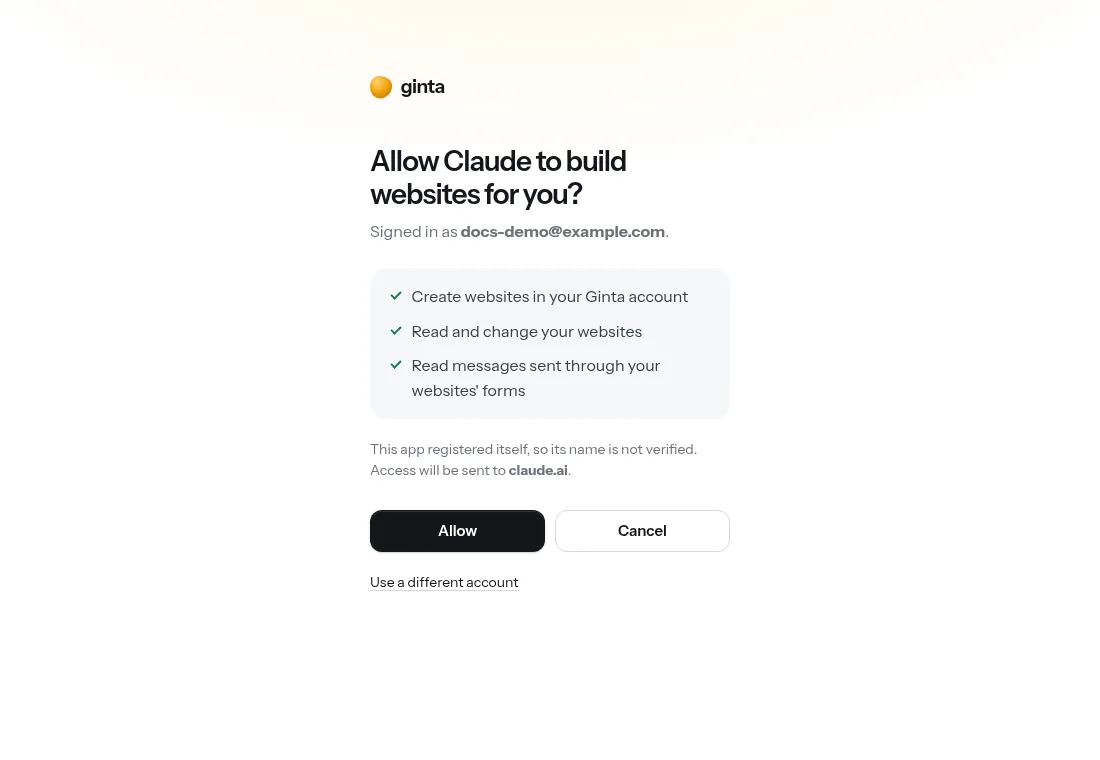
https://ginta.app/mcp. In Claude: Customize → Connectors → Add custom connector. In ChatGPT on the web: Plugins → + → Add custom MCP server. - Sign in and press Allow. You choose what the assistant may do, and it only sees the websites in your Ginta account.
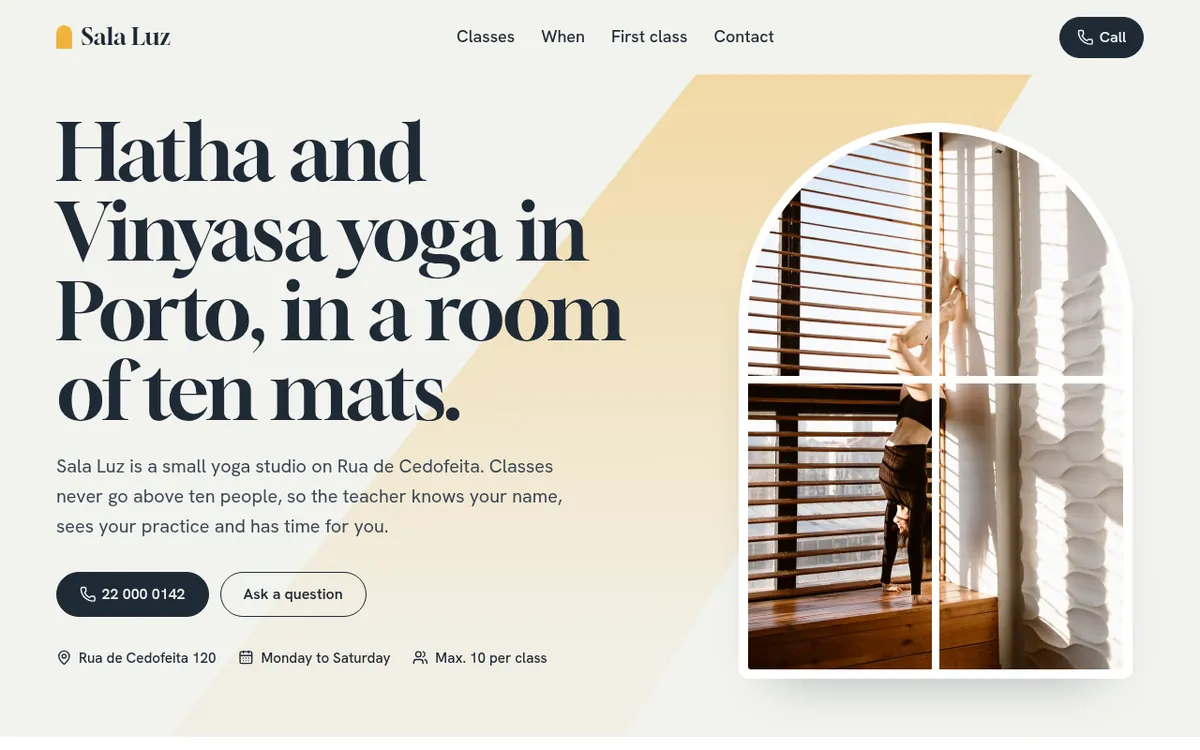
- Ask for the website. Give it the facts only you know: name, what you do, where, hours, phone. The assistant
publishes at an address like
yourbakery.ginta.pageand gives you the link.
What you don't have to handle yourself:
- Forms work. Messages from the website go to your Ginta inbox and, once you confirm your email, to your email too. Your assistant can read them for you.
- Photos don't break. Ginta tells the assistant to use its free photo search instead of image addresses from memory, and checks every outside image when the site is published, swapping broken ones.
- Changes in any chat. The website lives in your account, not in one conversation. Every change is a new version you can undo, and you can also edit it in Ginta's own editor.
- Your own domain: ask the assistant to connect it, and it shows the exact DNS steps for the company that manages your domain.
Already have code from an earlier chat? Paste it into a chat where Ginta is connected and ask the assistant to publish it with Ginta. Developers using Claude Code can upload a whole project folder in one go (Claude Code guide).
What you need on each assistant
- Claude: works on claude.ai and the desktop app, including the free plan, which allows one custom connector. Step by step: build a website with Claude, and a real, timed run in Build and host a website from Claude with MCP.
- ChatGPT: OpenAI gives full access to custom MCP servers on Business, Enterprise and Edu plans, and read access only on Pro (checked 19 October 2026). Details and a demo video: ChatGPT website builder.
All setup steps in one place: Connect Ginta.
Other builders that work this way
Ginta isn't the only one. As checked on each company's own pages on 12 and 19 October 2026: Wix has an MCP server
and a built-in Claude connector that create Wix sites, plus a Wix app in ChatGPT; Lovable has an MCP server that
publishes apps to lovable.app (tool calls use Lovable credits); Netlify and Vercel have MCP servers that
deploy code your assistant writes, as developer hosting rather than a website builder. A fuller comparison:
website builders with an MCP server.
Which way should you choose?
- Save and host yourself if you like working with files, want it free, and your site has no form or a form you'll wire up yourself.
- Let the assistant publish if you want a working form, an inbox, your own domain without fiddling, and changes by asking. It also suits small businesses that want ready-made parts later, like online booking or a menu.
What it costs on Ginta
Publishing from your own assistant uses no Ginta credits: your assistant does the AI work and Ginta hosts. The Free plan includes 20 websites at a Ginta address with a small "Made with Ginta" badge. Your own domain comes with the Hosting plan at €5 a month (50 websites, 3 domains, no badge), made for people who build with their own AI. Everything: pricing.
Questions
Can ChatGPT or Claude host a website by themselves?
They write the code and can show a preview, but to put a site online at an address anyone can visit, you need hosting: either you upload the files yourself, or a connected builder like Ginta publishes it from the chat.
Where can I host an AI-generated website for free?
Netlify's free plan and GitHub Pages host static files for free (GitHub Pages isn't meant for running a business). Ginta's Free plan publishes websites made from your assistant at a Ginta address, with working forms.
Why doesn't the contact form on my AI-made website work?
A form needs a service on the other end to receive the messages; a plain file host doesn't provide one. Add a form service, or publish through a builder that handles forms.
Can I use my own domain?
Yes, with any of these routes. On a plain host you add the DNS records yourself; on Ginta it's included on paid plans (from €5 a month), and Ginta (or your assistant) shows the exact steps for your registrar.
Is it safe to let an assistant change my website?
With Ginta, the assistant only sees the websites in the account you signed in with, after you press Allow. Every change is saved as a version you can restore, and you can remove the connection at any time.
Written with AI help for Ginta, which Povilas runs; he also teaches a website-building course. The screenshots are from the real Ginta on the date above, and prices come from our pricing page.