A landscaping website that gets you photos and sizes before the site visit
A landscaping website should do one job: turn "how much for a patio?" into a quote request you can price. That means a form where the customer picks the job, answers that job's own questions (how big, what's there now), adds photos of the garden and their address, and a phone number big enough to tap. Below is a real one for a two-person landscaping business, built from one message in 53 seconds on Ginta's free plan, with what I'd change before sharing it.
Oakline Gardens in south Bristol is made up for this post. The website, timings and credits are real, from 29 October 2026: oakline-gardens.ginta.page.
Why a quote form beats "call us for a quote"
Most landscaping jobs are priced after seeing the garden. That costs you a drive for every enquiry, including the ones that were never going to go ahead. If the request already says "patio, about 25 m², old concrete now" with three photos, you can:
- give a rough price range by text before driving out,
- spot jobs you don't do, or that are too far, without a visit,
- turn up with the right idea of the job when you do go.
A plain contact form ("name, email, message") gets you "how much for a patio?" and nothing else. The questions are the point.
Step 1: describe the business and the jobs
I opened ginta.app, signed in and typed it the way a landscaper would say it:
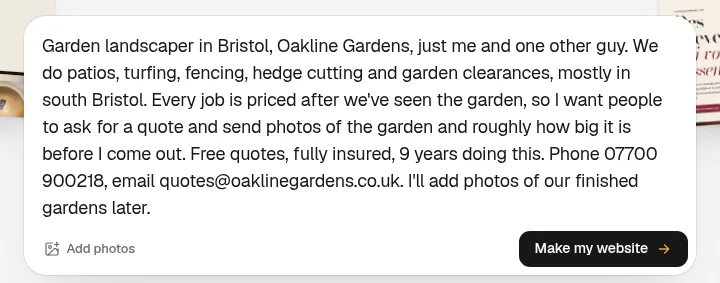
It didn't ask any questions and started building.
Step 2: the website, 53 seconds later
The website was live 53 seconds after I pressed the button, and the build used 9.3 credits.
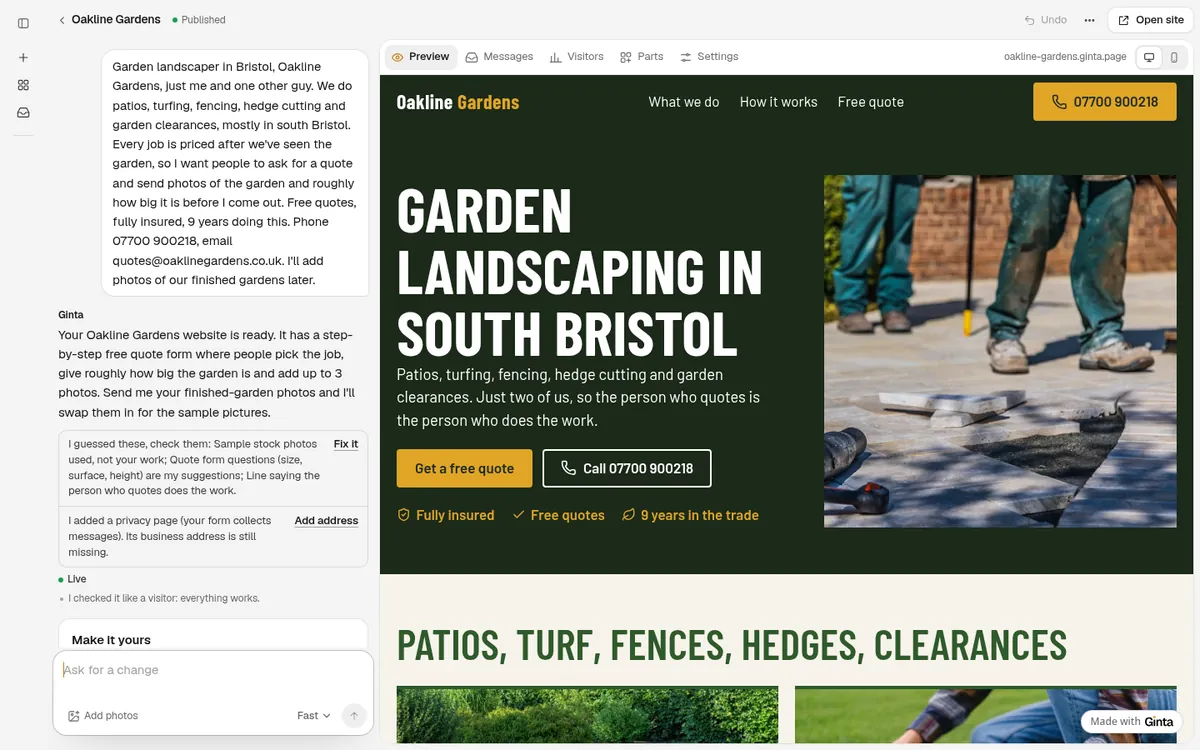
The first screen says what, where and how to reach you: "Garden landscaping in south Bristol", a Get a free quote button, the phone number as a button (in the header too), and "Fully insured · Free quotes · 9 years in the trade". Then the five jobs with photos, how a quote works, the quote form and contact.
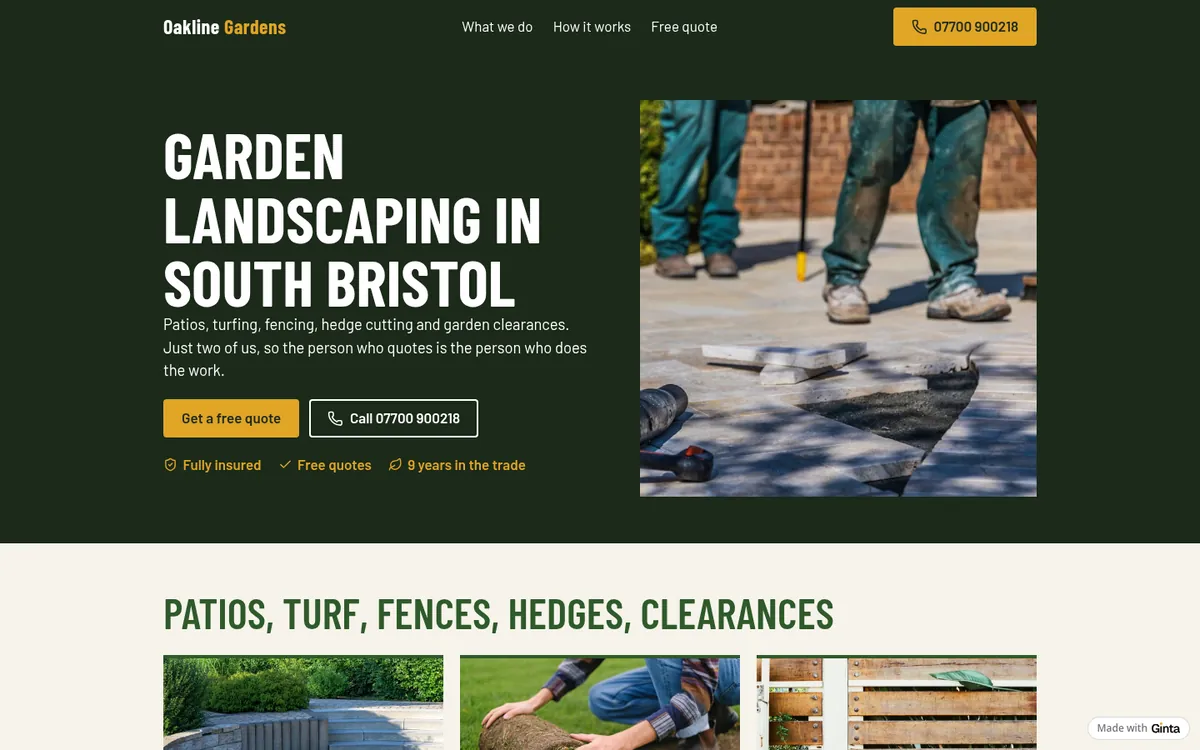

Step 3: the quote form asks each job's own questions
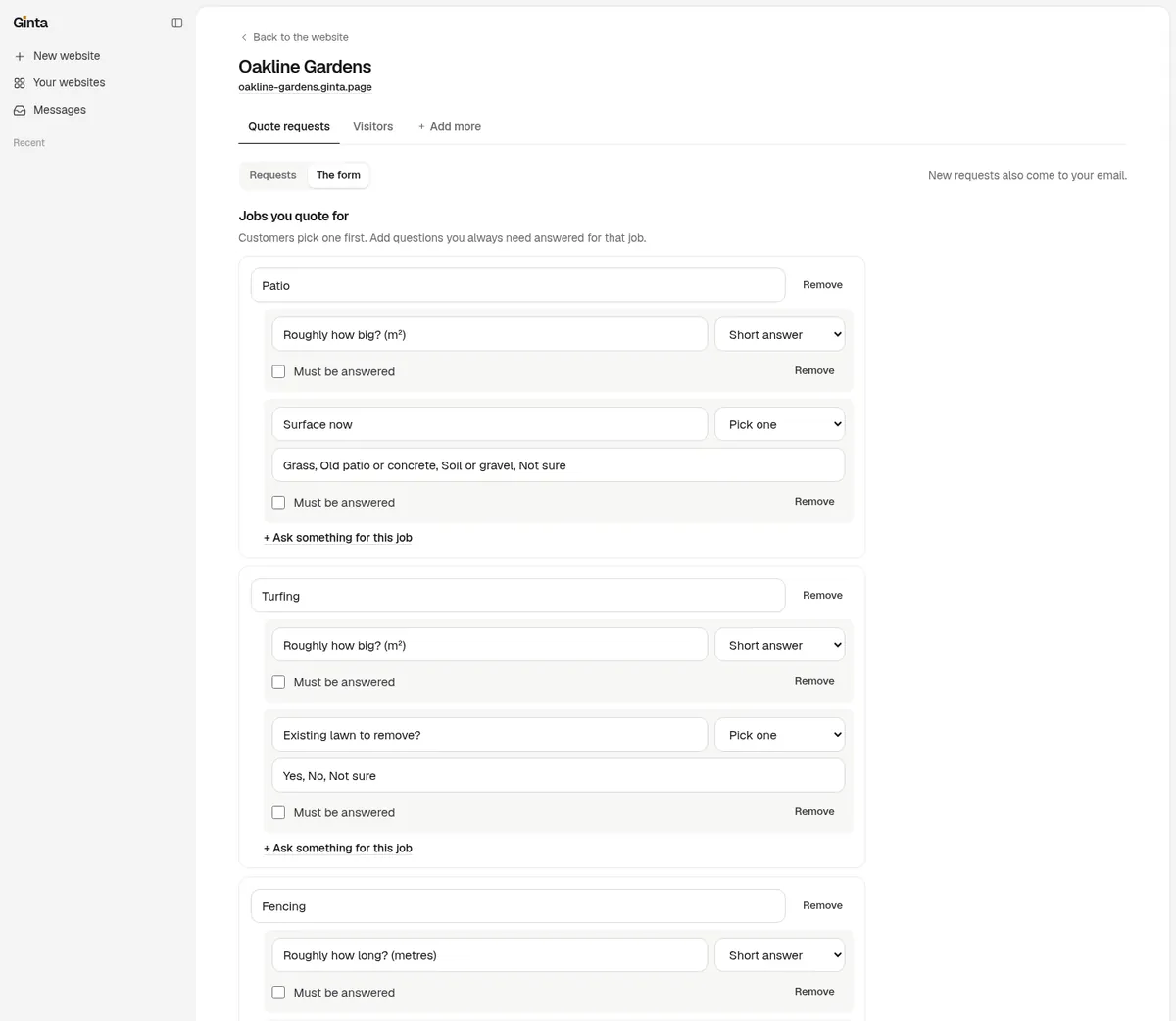
This is Ginta's Quote requests part. Customers go through four short steps: pick the job, answer its questions, add up to 3 photos and a preferred date, then the address of the job and their contact details. From my one sentence, Ginta wrote sensible questions for each job:
| Job | Questions |
|---|---|
| Patio | Roughly how big? (m²) · Surface now: grass, old patio or concrete, soil or gravel, not sure |
| Turfing | Roughly how big? (m²) · Existing lawn to remove? |
| Fencing | Roughly how long? (metres) · Old fence to take down? |
| Hedge cutting | Roughly how long? (metres) · Roughly how tall? under 1.5 m, 1.5–2.5 m, over 2.5 m |
| Garden clearance | Roughly how big is the garden? (m²) · How overgrown? a bit untidy, very overgrown, rubbish or waste too |
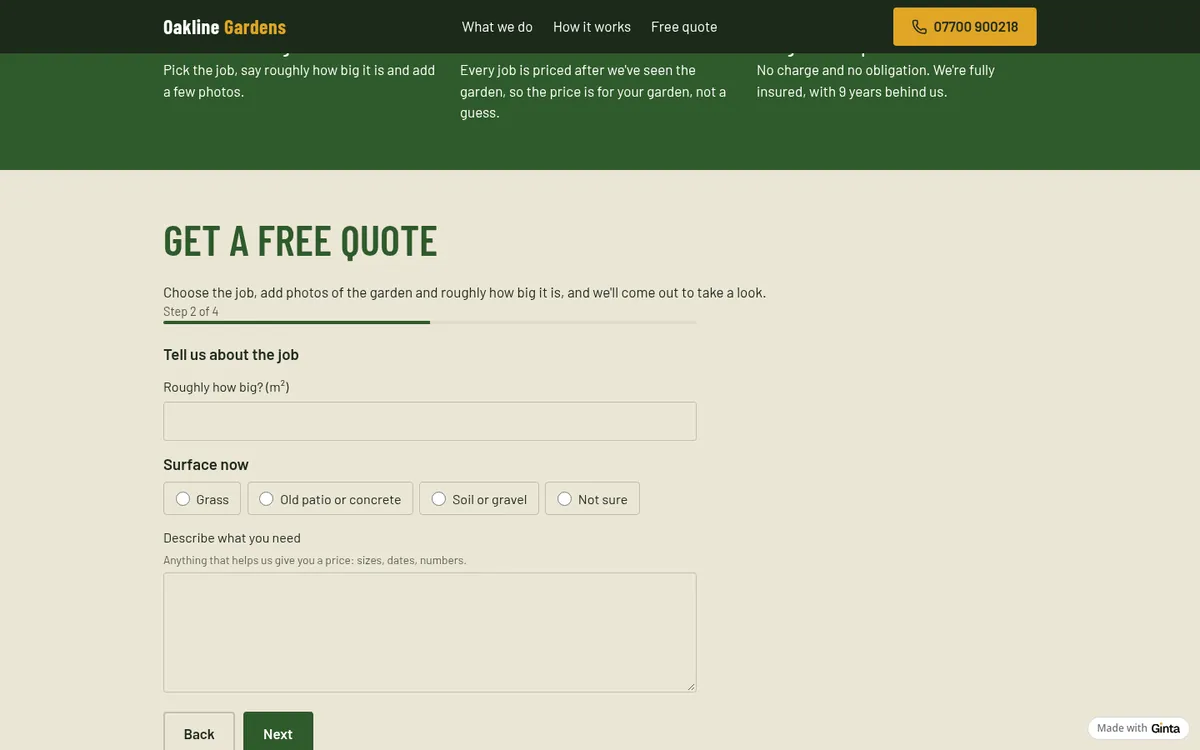
You change the jobs and questions yourself in your website's Parts tab, without the AI:
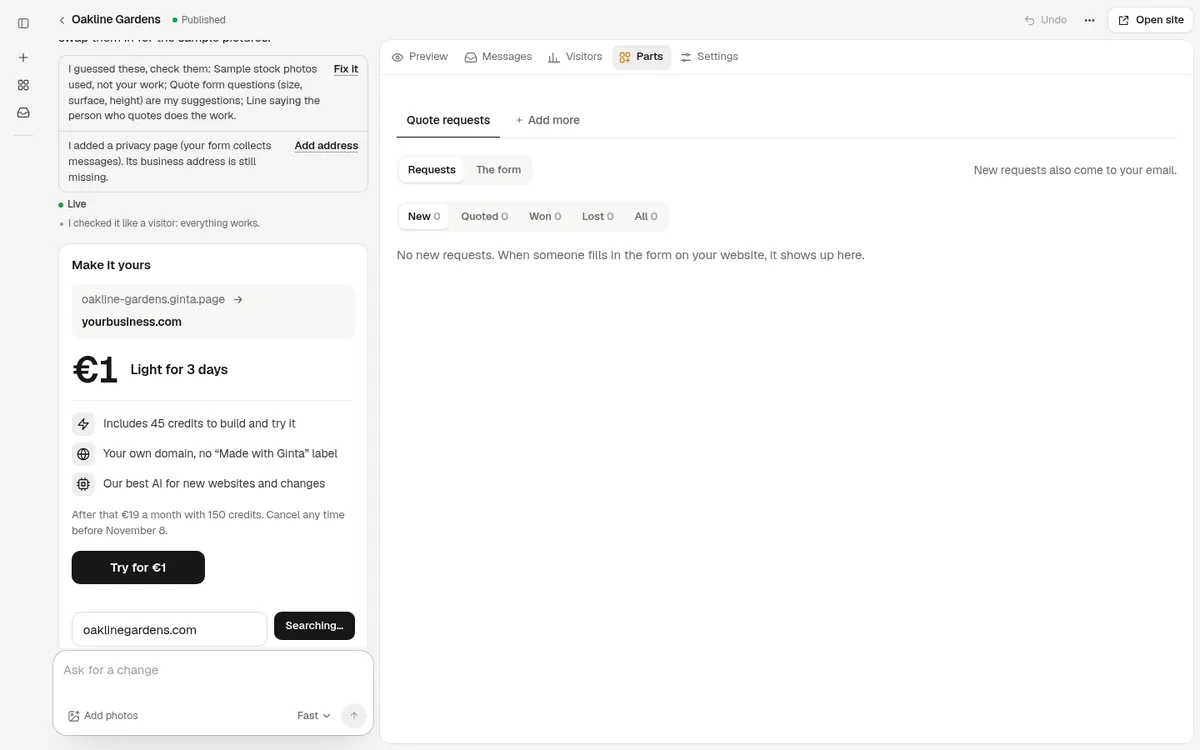
Each request lands in Requests in Ginta, with the photos, and by email. You mark it new, quoted, won or lost and keep the quoted amount and notes with it, so you can see at a glance which jobs came from the website.
What I'd change before sharing it
- Read the sentences Ginta wrote for you. It wrote "Just two of us, so the person who quotes is the person who does the work" from my "just me and one other guy". That's true here, but it's Ginta's wording, and it told me so: its reply has a "I guessed these, check them" list. Check it on yours.
- Add your own photos of finished gardens. I wrote that I'd add them later, so Ginta didn't make a gallery (it would have been empty) and used stock photos for the five jobs. Send your photos in the chat and ask for a gallery of finished work; for landscapers, before-and-after photos do more than any sentence.
- Say where you work. "Mostly south Bristol" is on the page. If you have a hard limit (say 10 miles), write it, so people outside it don't fill in the form.
- Budget question. The form can also ask for a budget (in pounds, like the rest of a UK website); it's off. Switch it on in the form's settings if a rough budget helps you price.
Then put the link where people look
- On your Google Business Profile as the website, with the same phone number.
- On your van and your quote paperwork:
oakline-gardens.ginta.page(or your own domain). - In your reply to Facebook group requests ("send me photos here and I'll price it").
Want your own domain, like oaklinegardens.co.uk? How to connect your own domain.
No domain yet? On a paid plan, Ginta can find one and register it in your name for €29 a year (Settings →
Address & domain → Find your domain), connected for you.
What it costs
This build used 9.3 credits. Every new account gets 25 free credits when it confirms its email, plus
5 a day, so it fits in the free start. The Free plan includes 20 websites at a name.ginta.page
address with a small "Made with Ginta" badge, and Quote requests with emails. Your own domain and no badge start at
€5 a month (if you build with your own Claude or ChatGPT) or €19 a month on Light, with
150 credits a month for changes by Ginta's AI. See pricing.
Questions
Can customers send photos of their garden?
Yes, up to 3 per request, from a phone or a computer. They arrive with the request in Ginta and in the email to you.
Will I get an email for every quote request?
Yes, on every plan, with the photos. The requests are also kept in your website's Parts tab.
Can I ask different questions for each job?
Yes. Each job has its own questions, with or without choices, and you can add, change or remove them yourself.
Does it work for gardeners and lawn care, not just landscaping?
Yes. Write the jobs you do ("lawn mowing every two weeks, hedge trimming, leaf clearing") and Ginta sets up the form for those jobs.
Written with AI help for Ginta, which Povilas runs; he also teaches a website-building course. The screenshots are from the real Ginta on the date above, and prices come from our pricing page.