How to take Christmas pre-orders online, with collection days
To take Christmas pre-orders online you need five things: your bakes with prices, the collection days (and delivery, if you do it) as choices people pick when they order, payment when they order, a closing date, and a limit on how many of each thing you can make. A small online shop does all five; a plain order form does the first two and leaves you chasing payments by bank transfer. Below is a real pre-order shop for a home baker, built from one message in 55 seconds on Ginta's free plan, with what worked and what I had to fix.
Little Oven in Chorlton, Manchester is made up for this post. The website, the timings and the credits are real, from 29 October 2026: little-oven.ginta.page.
Form or shop?
If you only want names and a list, a form (Google Forms, Jotform, a contact form) is fine. It stops working well when you have more than a handful of orders:
- Nobody has paid. You send bank details, wait, match transfers to names, and chase the ones that didn't come.
- Nobody added it up. You work out every total yourself, and people order more than you can bake.
- Collection is a free-text answer. "Christmas Eve morning?" doesn't fit your plan of two collection days.
A shop gives each bake a price and a stock number, adds up the basket, makes people choose one of your collection days at checkout and takes the payment. The rest of this post is the shop version.
Step 1: write it the way you'd post it on Instagram
I opened ginta.app, signed in and typed this:
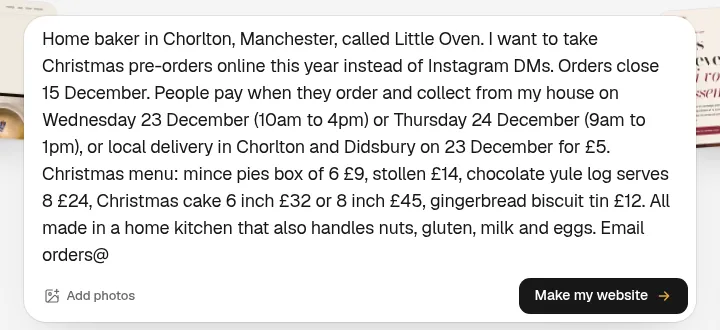
It had everything it needed, so it didn't ask any questions and started building.
Step 2: the result, 55 seconds later
The website was live 55 seconds after I pressed the button, and the build used 9.6 credits.
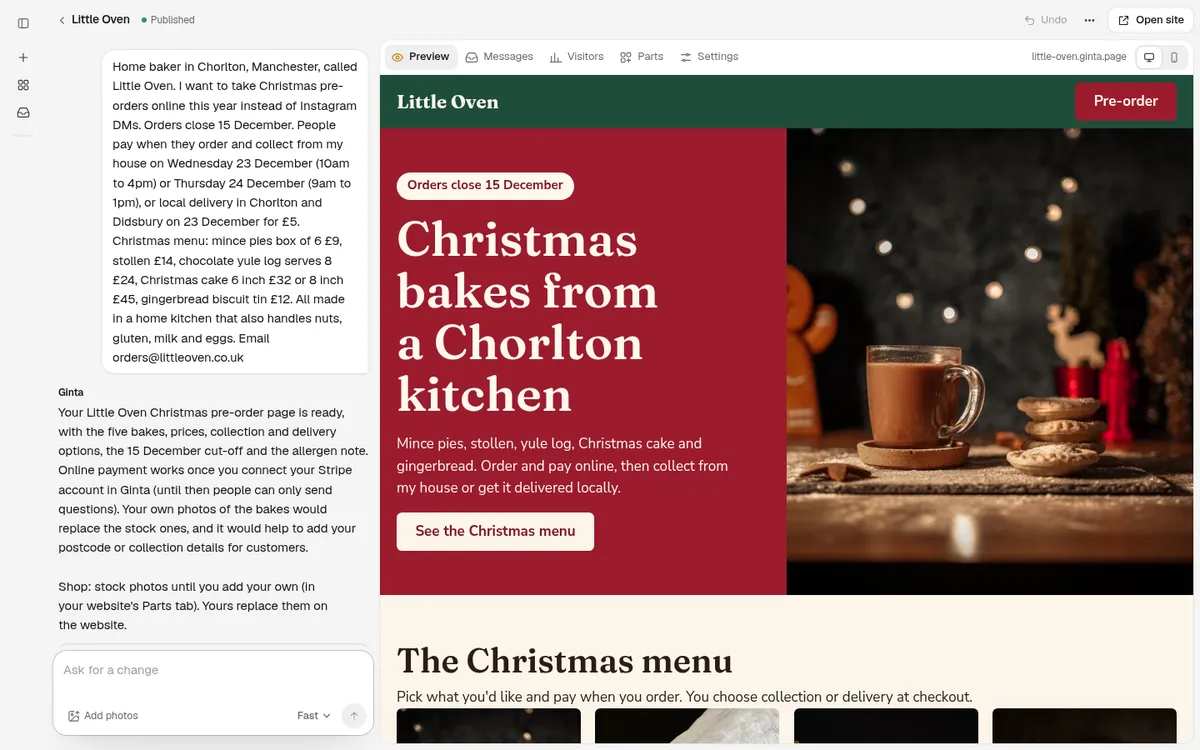
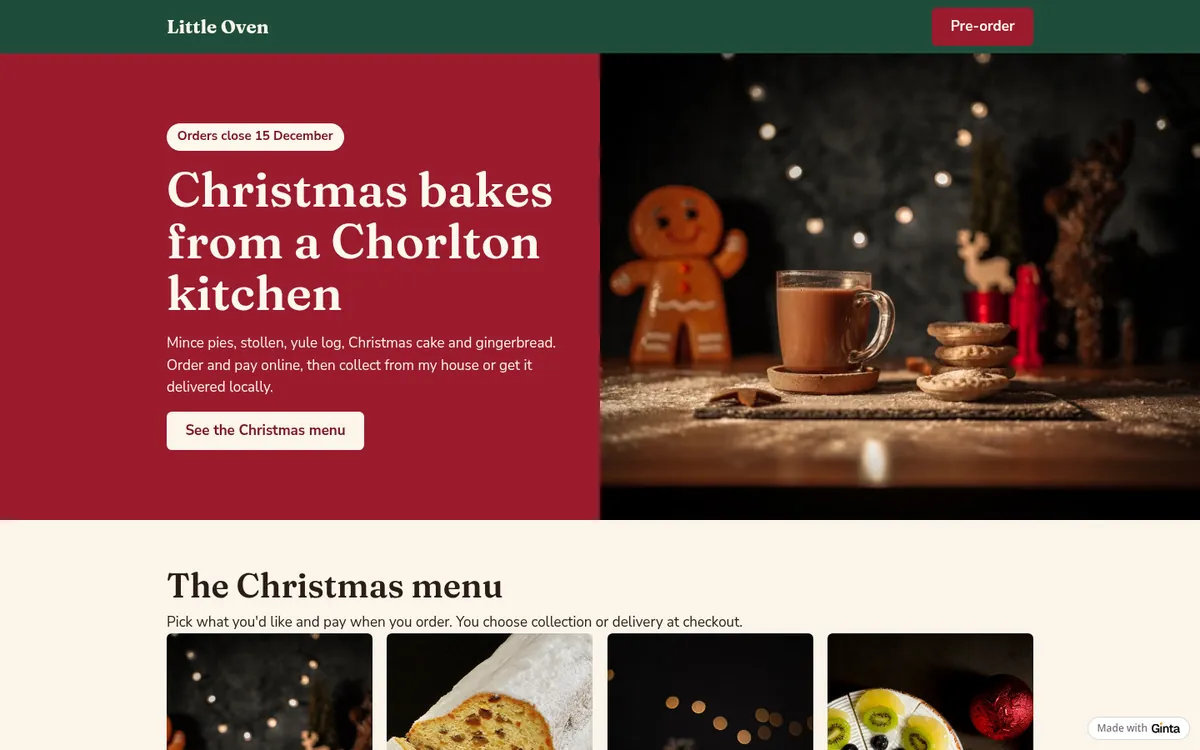
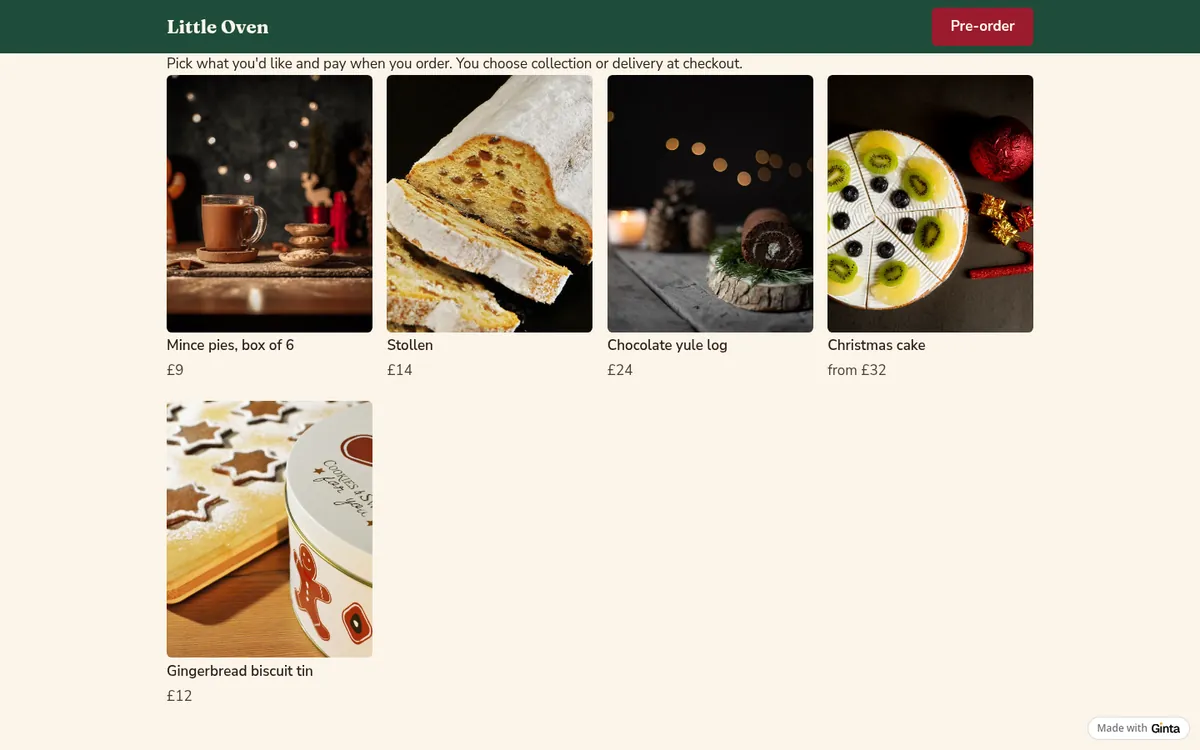
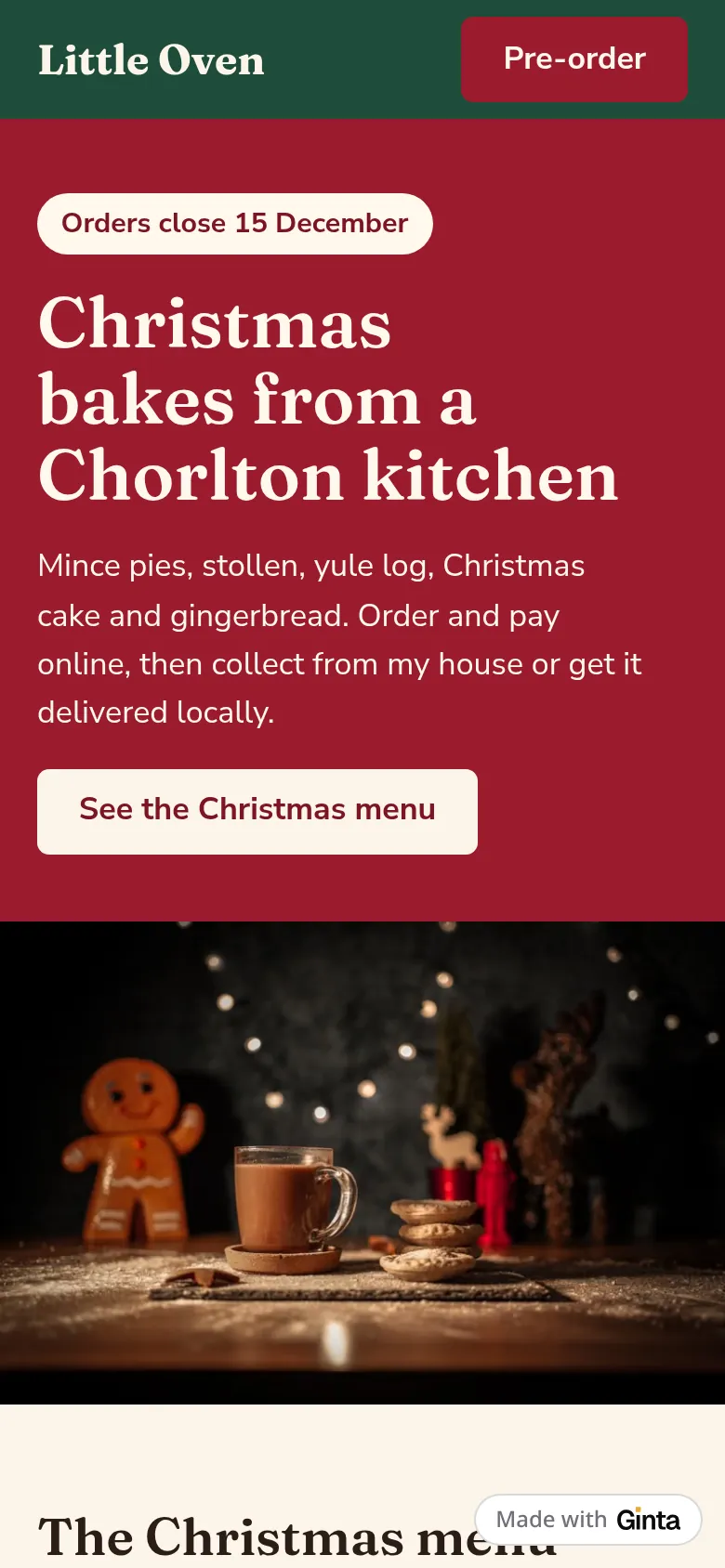
One page, in this order: a badge saying "Orders close 15 December", a headline and a button to the bakes, the five bakes with prices, a collection and delivery section with both days and their times, an allergen section, and the order email in the footer.
Step 3: collection days are checkout choices, not free text
This is the part that matters for pre-orders. Ginta set up the shop's delivery options from my one sentence:
- Collect Wed 23 Dec, 10am–4pm (Chorlton), free
- Collect Thu 24 Dec, 9am–1pm (Chorlton), free
- Delivery Wed 23 Dec, Chorlton & Didsbury only, £5
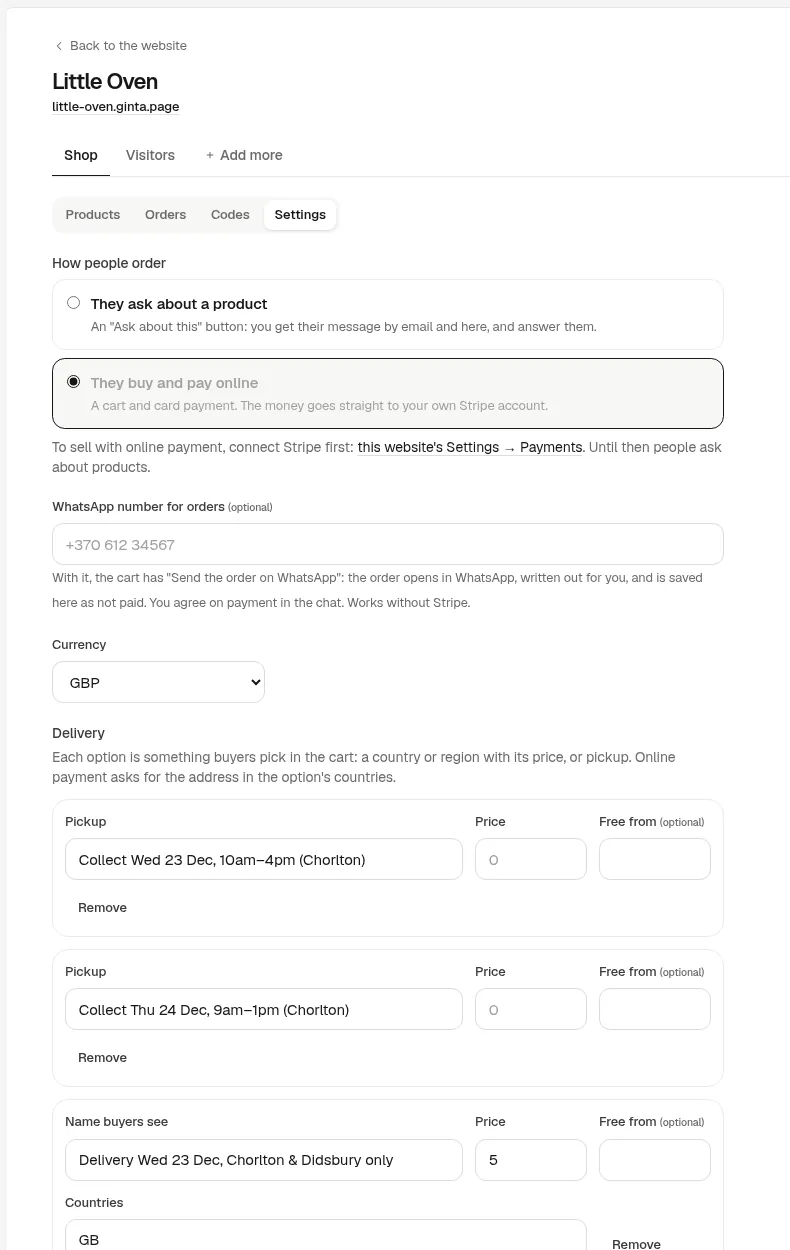
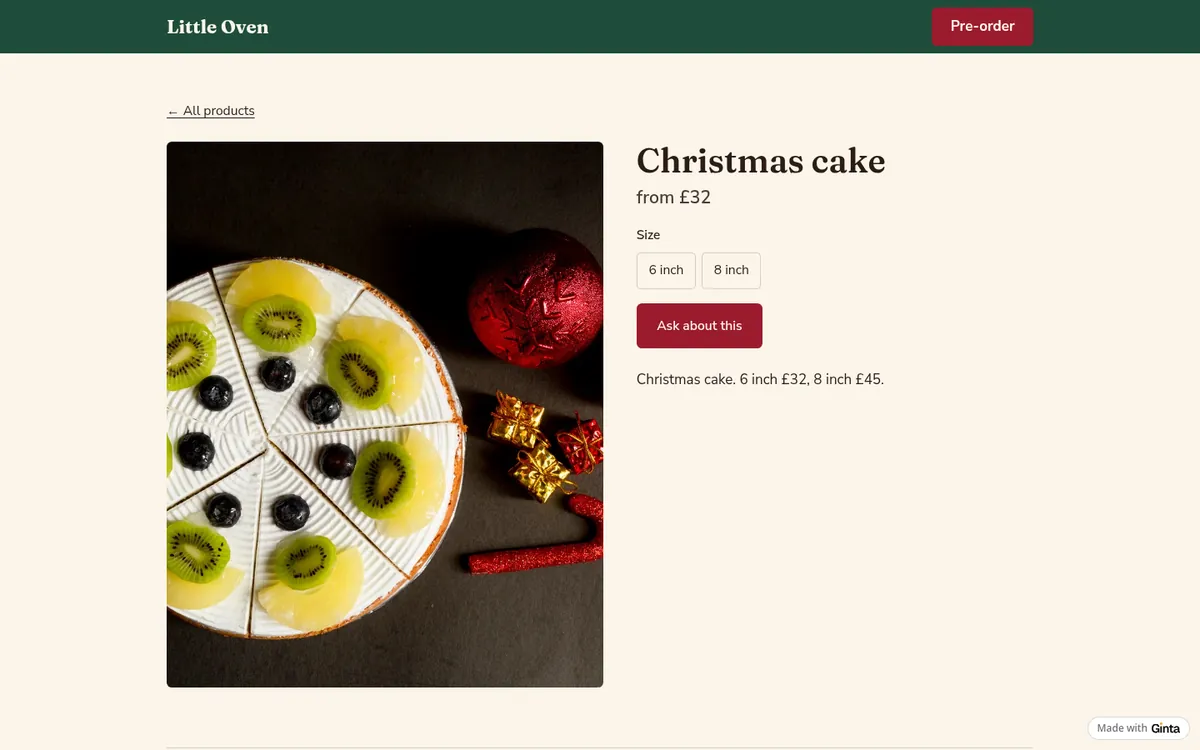
People pick one of these in the basket, so every order arrives with its day already chosen. The Christmas cake got its two sizes as options (6 inch £32, 8 inch £45), so it's one product with a size choice instead of two products.
On a phone:
Step 4: decide how many you can bake
Before you share the link, open each bake in Ginta (your website's Parts tab → Shop) and type how many you can make: 60 boxes of mince pies, 20 yule logs. The number goes down with each paid order, and at zero the bake shows as sold out by itself, so you never take an order you can't fill.
Two honest limits:
- The limit is per bake, not per day. If you can only do 10 yule logs for the 24th, you can't set that in the shop. Split it into two products ("Yule log, collect 23 Dec" and "… 24 Dec") if it matters.
- Orders don't close by themselves. The site says "Orders close 15 December", but on the 15th you mark the bakes sold out yourself: untick "In stock" on each one in the Shop.
Step 5: switch on payment
Until you connect Stripe, the shop shows "Ask about this" buttons, so people can send you questions but can't pay yet. Connect your own Stripe account in Ginta (Account → Payments → Connect Stripe) and the shop turns into a basket with card payment; Apple Pay and Google Pay work too. The money goes straight to your Stripe account; Stripe charges its card fees and Ginta takes nothing on top. Ginta gives Stripe this website's address as your business website when you connect (what Stripe checks). Selling Christmas bakes as a second business, with its own Stripe account? Connect that one to just this website in its Settings → Payments.
The rules for selling food from home (UK)
Two rules from GOV.UK's Starting a food business page (last updated 19 August 2026, checked 29 October 2026):
- Register with your council at least 28 days before you start selling. It's free, and it applies to home bakers and to selling online.
- For food ordered online, allergen information must be given twice: before the order is completed (on the website, for example) and again when the food is handed over (a sticker or a note with the order).
Ginta wrote an allergen section from my one sentence ("made in a home kitchen that also handles nuts, gluten, milk and eggs"). If your bakes differ, add the allergens to each bake's description in the shop. This is general information, not legal advice; check your own council's rules, and outside the UK, your country's.
What still needs you
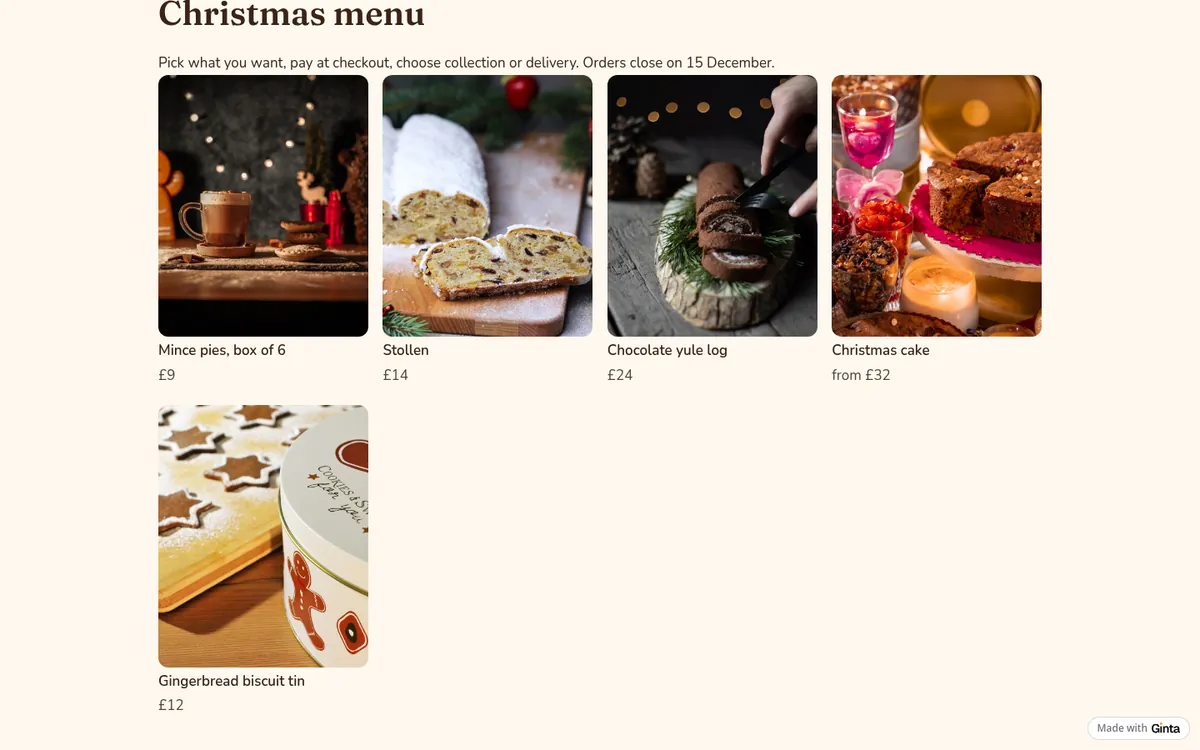
- Stock photos can be wrong. The bakes in the Shop get stock photos until you add your own, and Ginta says so. In this example the "Christmas cake" showed a kiwi fruit tart and the mince pies a mug of hot chocolate. Ginta now picks the stock photo whose description fits the bake best: when I built the same shop again from the same message, the Christmas cake got a real fruit cake, but the mince pies still got the mug of cocoa. For food you sell, use your own photos: drag them into the chat, or add them to each bake in the Shop.
- Delivery areas are only names. "Chorlton & Didsbury only" is the option's name; Stripe asks for a UK address but doesn't check the postcode. Glance at delivery addresses when the orders come in.
What it costs
This build used 9.6 credits. Every new account gets 25 free credits when it confirms its email, plus
5 a day, so it fits in the free start. The Free plan includes 20 websites at a name.ginta.page
address with a small "Made with Ginta" badge, and the Shop with up to 25 products per website, card
payments included. Your own domain and no badge start at €5 a month (if you build with your own Claude or
ChatGPT) or €19 a month on Light, with 150 credits a month for changes. See pricing.
Questions
Can I take pre-orders without taking payment online?
Yes. Leave Stripe unconnected and the shop shows "Ask about this", so orders come in as messages and people pay on collection. You lose the automatic totals and stock counting at checkout, so it suits a small number of orders.
Can people choose a collection time slot?
They choose one of the options you set up, so a slot is an option: "Collect 23 Dec, 10–12" and "Collect 23 Dec, 2–4" work. There's no limit per slot; if a slot fills up, rename or remove it.
Can I use the same website after Christmas?
Yes. Change the bakes and the collection days for Easter, or ask Ginta to turn the page into your everyday bakery website. The address stays the same.
Where do the orders go?
Paid orders show in your website's Messages in Ginta with what was ordered, the collection day or delivery address, and an email to you. Customers get a confirmation email.
Written with AI help for Ginta, which Povilas runs; he also teaches a website-building course. The screenshots are from the real Ginta on the date above, and prices come from our pricing page.