Stripe is asking for a business website: how to get one free
Stripe asks for a website because it has to check what you sell before it lets you take card payments. It needs a live, public page that shows your business name, what you sell, how customers reach you and, by the time you start selling, your return, refund and cancellation rules. A social media profile can also work, but a small website with those few things on it is the easiest way through. Below is a real one: I described a pottery shop to Ginta, and it was online with ten products, postage options and a returns line 85 seconds later, on the free plan.
The pottery (Fern Ceramics in Bristol) is made up for this post. The website, the timings and the credits are real, from 29 October 2026. You can open it: fern-ceramics.ginta.page.
What Stripe actually checks
Stripe explains it in two help pages (checked on 29 October 2026): Do I have to have a business website? and the Business website for account activation FAQ. In short:
- Any of three things works: a website, a social media profile or a mobile app. You give Stripe its full URL, not just a handle.
- It has to be live and public. The FAQ says the page "must be accessible without a password".
- It has to match what you told Stripe: your business name and a description of what you sell.
- Before you start selling, it also needs: customer service contact details, a return policy (for physical goods), a refund and dispute policy, a cancellation policy if you have one, and the terms of any promotions.
- An unfinished site can hold you up. Stripe may not activate the account until the site shows what it needs.
So you don't strictly need a website: an Instagram profile can pass if the required details are easy to reach from it. But a bio has very little room for a refund policy, and you'd be sending customers somewhere else to read it anyway.
Step 1: say what you sell, in your own words
I opened ginta.app, signed in and typed what a potter would type: the name, the products with prices, postage, returns and an email. No design choices, no template.
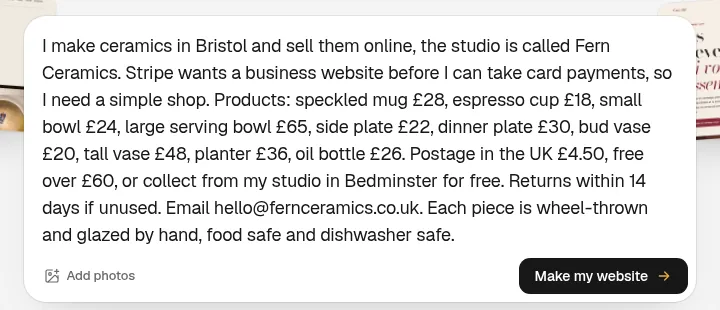
When you leave out something Ginta shouldn't guess (a phone number, an address), it asks first. Here it had enough and started building straight away.
Step 2: wait about a minute and a half
The website was live 85 seconds after I pressed the button. It used 16.8 credits: 15.7 for the build and 1.1 for one repair round, where Ginta opened the page like a visitor, found something to fix and fixed it.
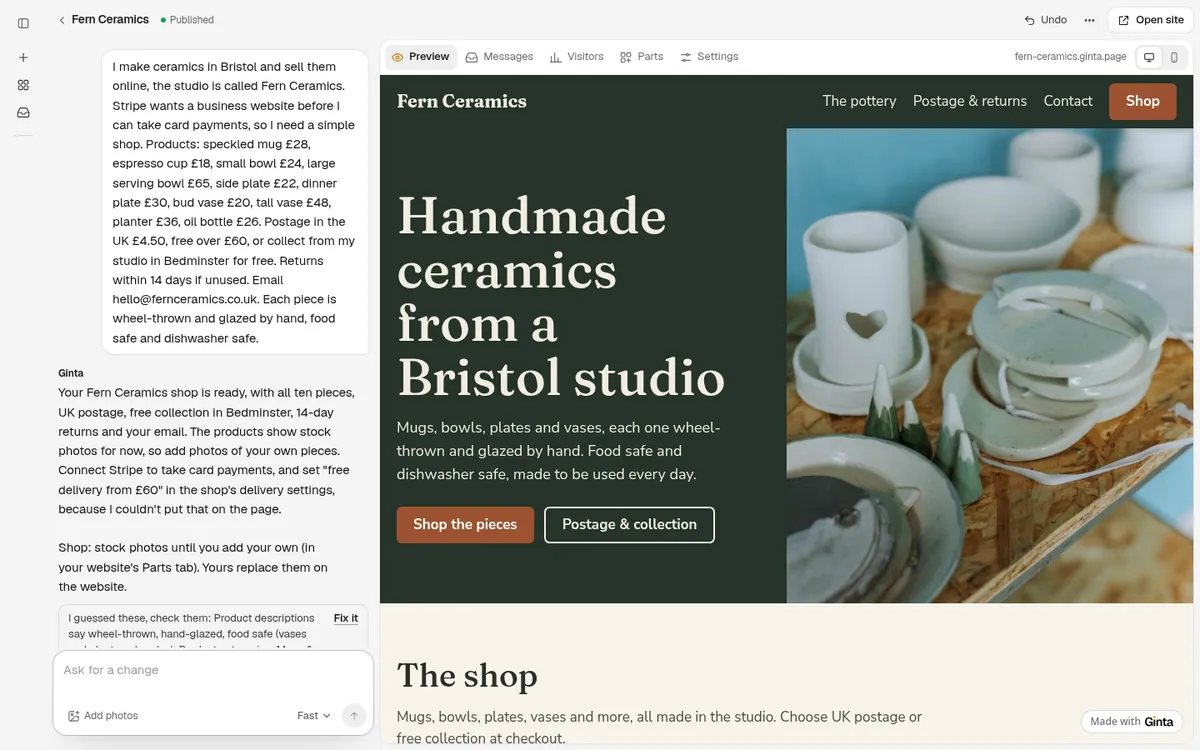
What came out: a header with the name, a headline about handmade ceramics from Bristol, a shop with all ten pieces sorted into four categories, a short "about the pottery" section, a postage, collection and returns section, and the contact email in the footer. Ginta also added a privacy page, because the shop collects customers' names and addresses.
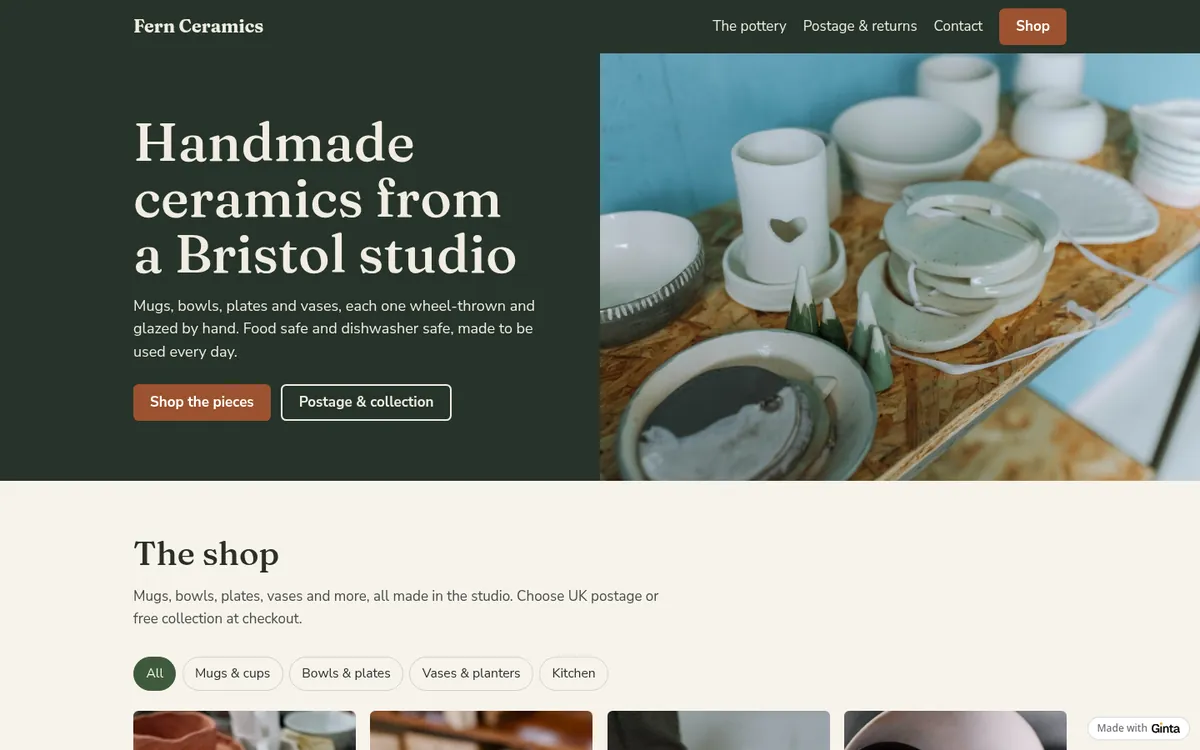
Step 3: the shop is a real shop
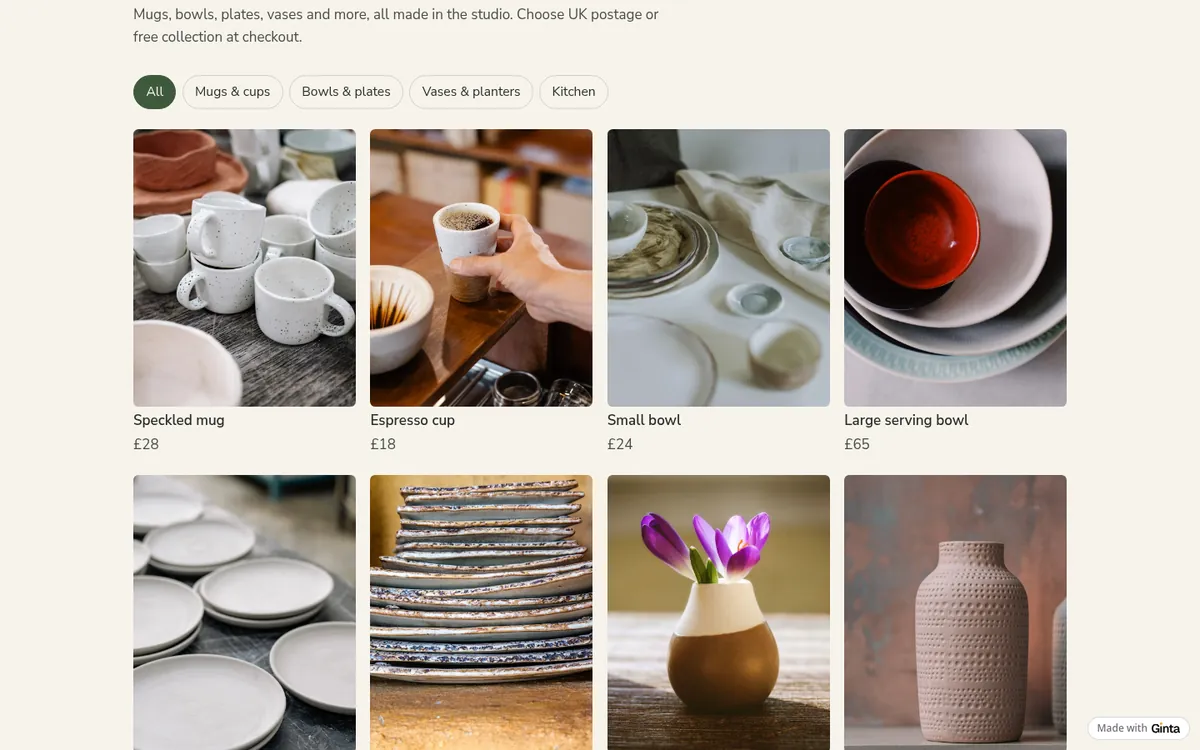
The products aren't just text on a page. They live in Ginta's Shop, which you manage yourself afterwards: names, prices, photos, stock, categories, postage, discount codes. Each product gets its own page.
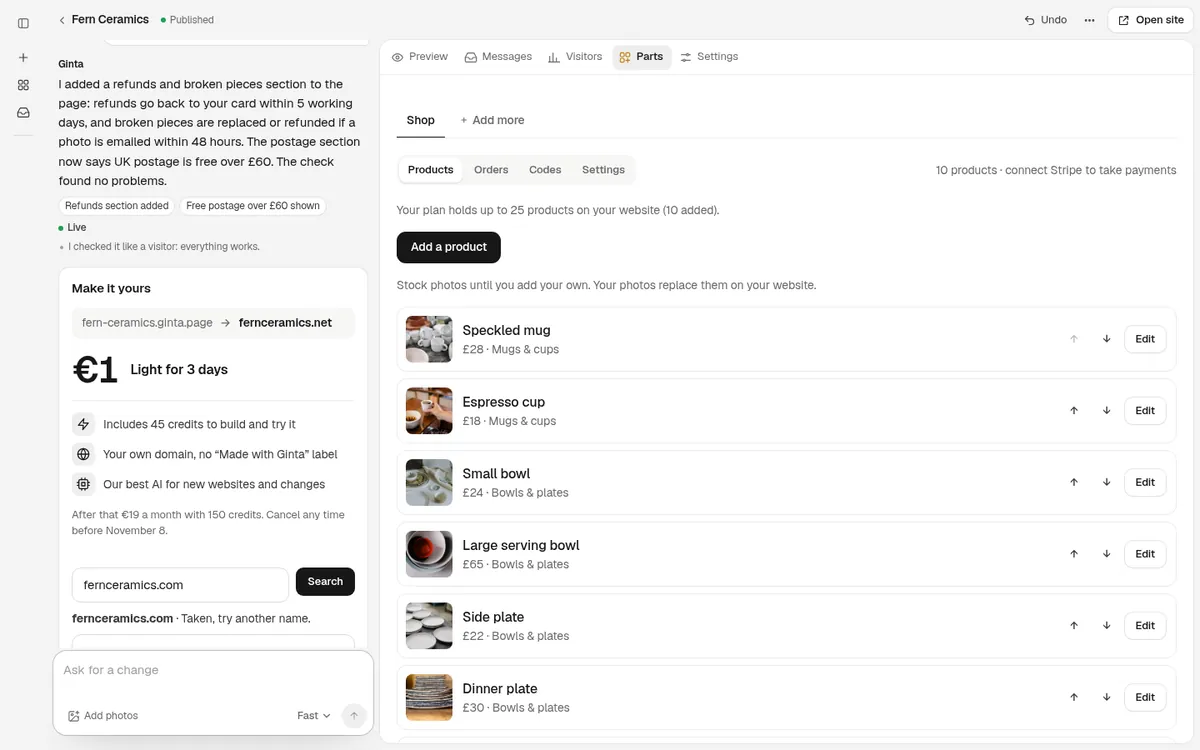
When I opened the Shop's settings, the postage was there exactly as typed: UK postage £4.50, free over £60, and free collection from the studio. The 14-day returns line shows under the "Add to cart" button on every product page.
On a phone, the same page:

Step 4: add the refund line Stripe asks for
The page covered the business name, the products, a contact email and returns, but Stripe's list also has a refund and dispute policy. I asked for it in one message, and also asked for the free postage to be written on the page:
"Add a short refunds section: refunds go back to the card you paid with within 5 working days of the piece reaching me, and if something arrives broken email a photo within 48 hours and I'll replace or refund it. Also say on the page that UK postage is free over £60."
That took 20 seconds and 0.2 credits with the fast AI.
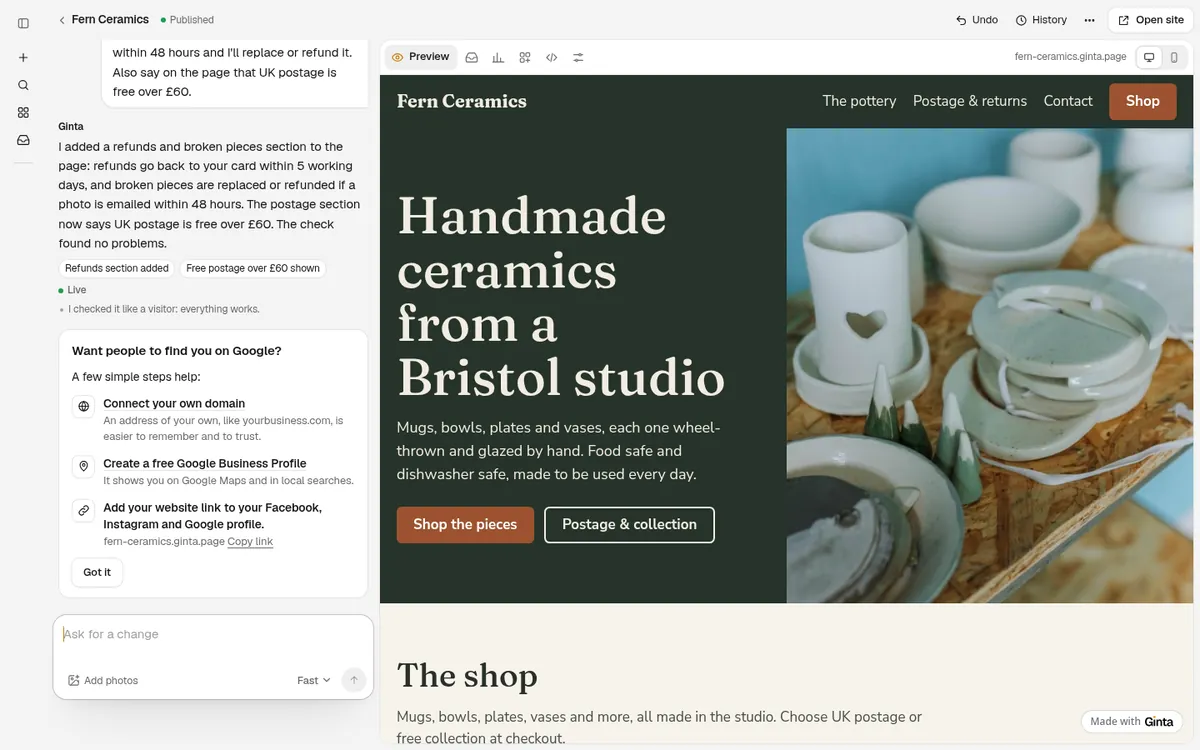
Now the page has every item on Stripe's list that applies to a small shop: name, products with descriptions and prices, contact, returns, refunds and what happens with broken pieces. There's no cancellation policy, because there's nothing to cancel. If you run promotions, write their terms on the page too.
Step 5: give Stripe the address
The easiest way is from Ginta: press Connect Stripe (Account → Payments). Ginta sends Stripe your live website's
address as your business website (the website that takes payments, with your own domain if you've connected one), so
you don't have to look it up; check it when Stripe shows your business details. If you sign up at stripe.com instead,
copy your website's address (here https://fern-ceramics.ginta.page/) into the website field when Stripe asks for it.
Making the website for a client or a second business? Each website can use its own Stripe account (its Settings →
Payments), and a client can connect theirs from a one-time link without a Ginta account.
Once Stripe is connected in Ginta, the shop switches by itself from "Ask about this" buttons to a cart with card payment. The money goes straight to your Stripe account; Stripe charges its usual card fees and Ginta takes nothing on top. I didn't take a payment for this post, because the pottery is made up and Stripe's sign-up is for real businesses with a real identity and bank account.
What to fix before you send it to Stripe
Be honest with yourself about these, because Stripe's reviewers will look at the page:
- Use your own photos. Ginta put in stock photos as stand-ins (it says so in its reply). Stripe wants the page to match what you really sell, so replace them: drag your photos into the chat, or click a product in the Shop and add them.
- Check every product and price. The Shop is what customers will pay for. Mine were right, but it's your money.
- Fill in your business address. Ginta's privacy page has a gap for it and its reply has an "Add address" button. Check what your country's rules for online selling ask you to show.
What it costs
The build above used 16.8 credits and the change 0.2. Every new account gets 25 free credits when it confirms
its email, plus 5 a day, so this whole example fits in the free start. The Free plan includes
20 websites at a name.ginta.page address with a small "Made with Ginta" badge, and the Shop with up to
25 products per website, card payments through your Stripe included. Your own domain (like
fernceramics.co.uk) and no badge start at €5 a month if you build with your own Claude or ChatGPT, or
€19 a month on Light, with 150 credits a month for changes by Ginta's AI. Details:
pricing and how to connect your own domain.
Questions
Can I use my Instagram instead of a website for Stripe?
Stripe accepts a social media profile, as long as you give the full URL and the required details (what you sell, contact, return and refund policy) are easy to reach from it. A website is simpler when you need to show policies.
Do I have to type my website's address into Stripe?
Not if you connect Stripe from Ginta: Ginta gives Stripe the address of your live website. Signing up at stripe.com directly, you paste it yourself.
Does Stripe accept a free website address like name.ginta.page?
Stripe's FAQ asks for a live, public page that matches your business and shows the details above; it doesn't ask for a domain you own. It can ask you to confirm that the site is yours. Your own domain looks more established to customers, and you can connect one later without changing the website.
Do I need to write a refund policy?
For selling online, Stripe asks for a refund and dispute policy and, for physical goods, a return policy. Two or three plain sentences are enough for a small shop: how long people have, what condition items must be in, and how the money goes back. Check your country's consumer rules too; this isn't legal advice.
How long does it take?
In this example: 85 seconds for the website and 20 seconds for the refunds change. Swapping in your own photos and checking the prices takes longer than the building.
Written with AI help for Ginta, which Povilas runs; he also teaches a website-building course. The screenshots are from the real Ginta on the date above, and prices come from our pricing page.