How to sell online without Shopify: a free shop, step by step
You can sell online without Shopify in four ways: a marketplace like Etsy, payment links shared in posts and messages, a simpler shop builder, or a website with a shop built in. For a small business with a handful to a few hundred products, the cheapest proper shop is the last one: a free website with a cart, paid by card through your own Stripe account. Below: what each way costs, and a real coffee roaster's shop with grind options, delivery and pickup, built from one message in 73 seconds on Ginta's free plan.
Prices for other services were checked on their own pages on 29 October 2026 and are linked. Ginta is our product.
Four ways to sell without Shopify
| What you get | What it costs | Watch out for | |
|---|---|---|---|
| A marketplace (Etsy, eBay) | Buyers who are already searching | Etsy (US): $0.20 a listing, 6.5% of each order, plus payment processing of 3% + $0.25 (Etsy fee basics) | The customer is the marketplace's; you compete next to similar products |
| Payment links (Stripe Payment Links) | A link per product to paste into Instagram or WhatsApp | Card fees only; Stripe says you can "sell online without a website" (Stripe) | No shop to browse, no cart, no delivery choice |
| A shop builder (Big Cartel, Square Online) | A shop with a cart | Big Cartel: free for 5 products, $15 a month for 50 (Big Cartel) | Free plans are small; the shop is often all there is |
| A website with a shop (Ginta) | Your pages plus a shop, cart and card payment | Ginta: free for 25 products per website; card fees go to Stripe, no commission | No digital downloads or subscriptions on Ginta |
When Shopify is still the right choice: hundreds of products with stock across several places, digital products, subscriptions, a big app store, or a sales team. Shopify's own pricing page, opened from Europe on 29 October 2026, showed Basic at €27 a month billed monthly (€19 billed yearly), after a 3-day trial and €1 a month for 3 months; it shows prices for your own country (Shopify pricing).
What a small shop really needs
- Products with a clear price and good photos, each on its own page people can share.
- Options where they matter (sizes, colours, grind), with their own price and stock.
- Delivery and pickup: where you ship, what it costs, when it's free, and when you post.
- Card payment that you control. With Stripe, the money goes to your account; Stripe charges its fees.
- The boring pages that make people trust you: contact, returns, privacy. Stripe checks for them too: Stripe is asking for a business website.
A real example: a coffee roaster in Halifax
Tidewater Coffee is made up for this post. The website, timings and credits are real, from 29 October 2026: tidewater-coffee.ginta.page.
What I typed
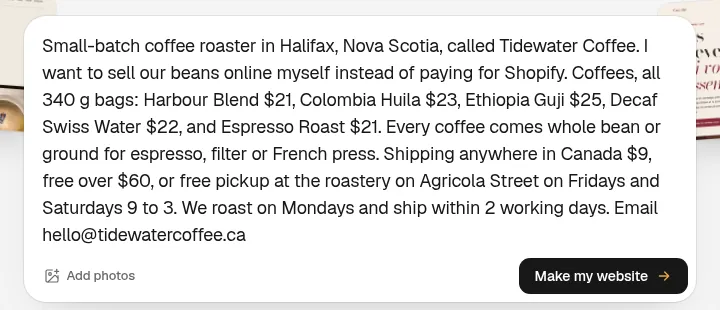
What came out, 73 seconds later
The shop was live 73 seconds after I pressed the button. It used 14.9 credits: 14.3 for the build and 0.6 for one repair round after Ginta checked it like a visitor would. It asked no questions.
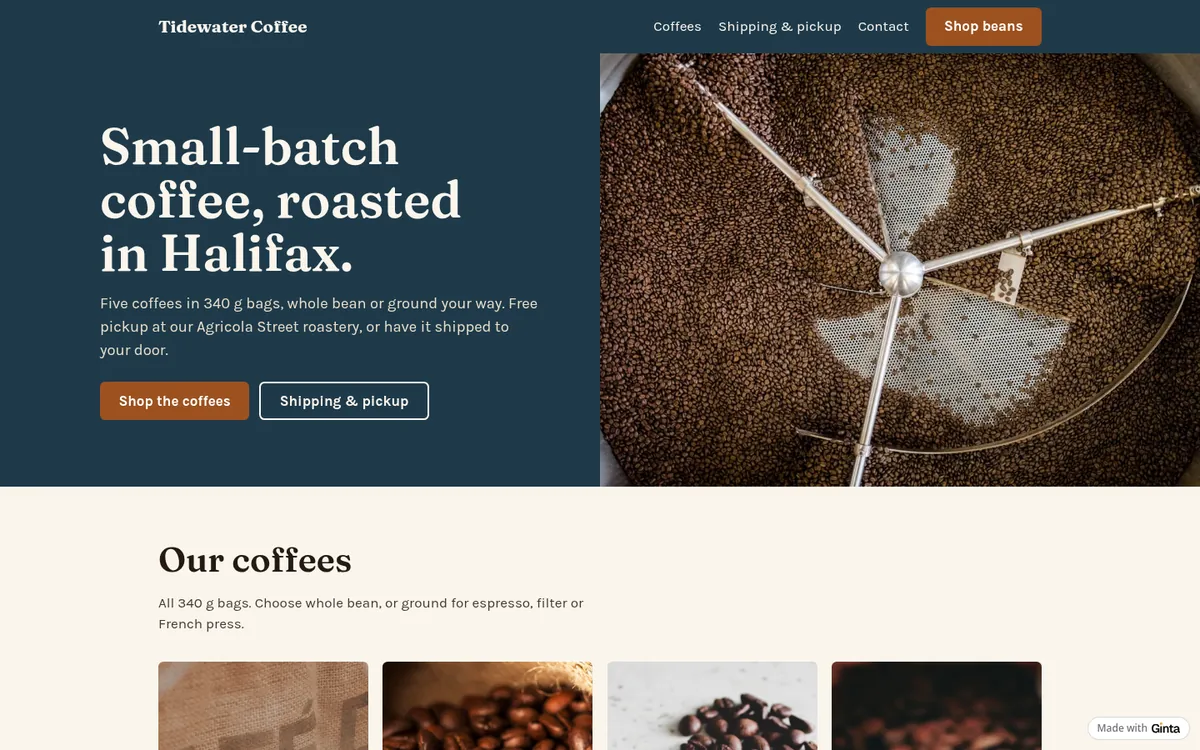
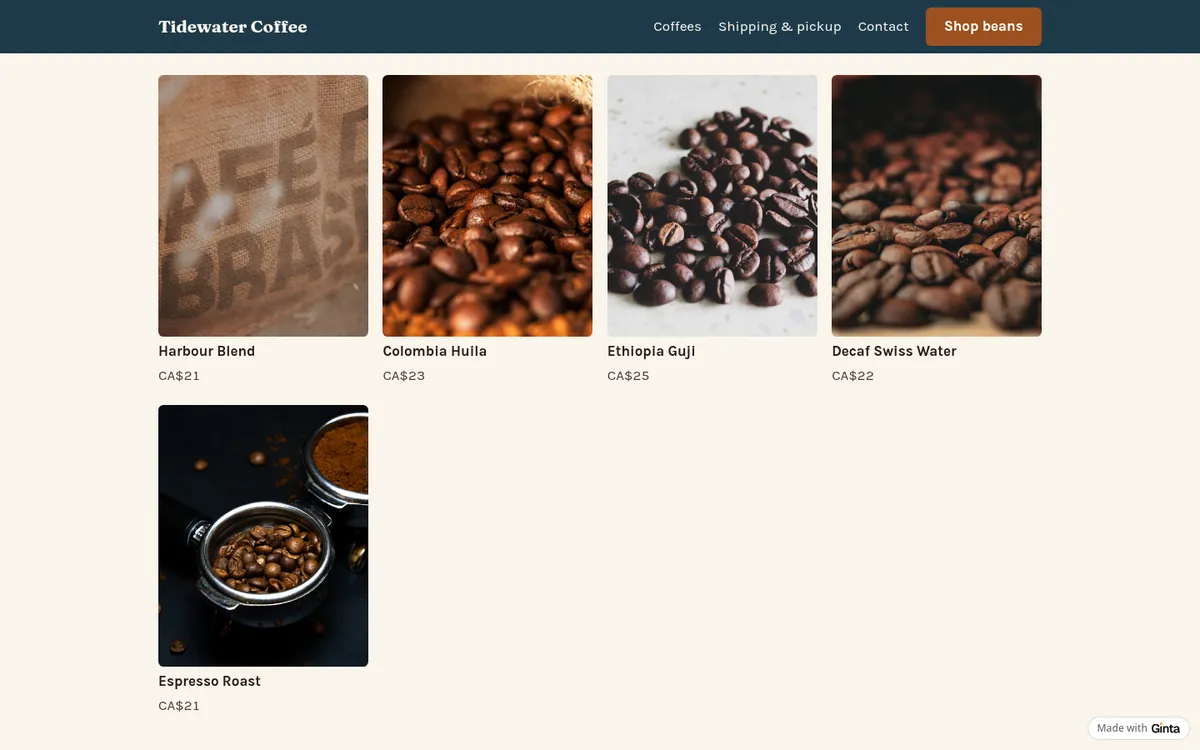
The five coffees are in a grid, each with a price in Canadian dollars:
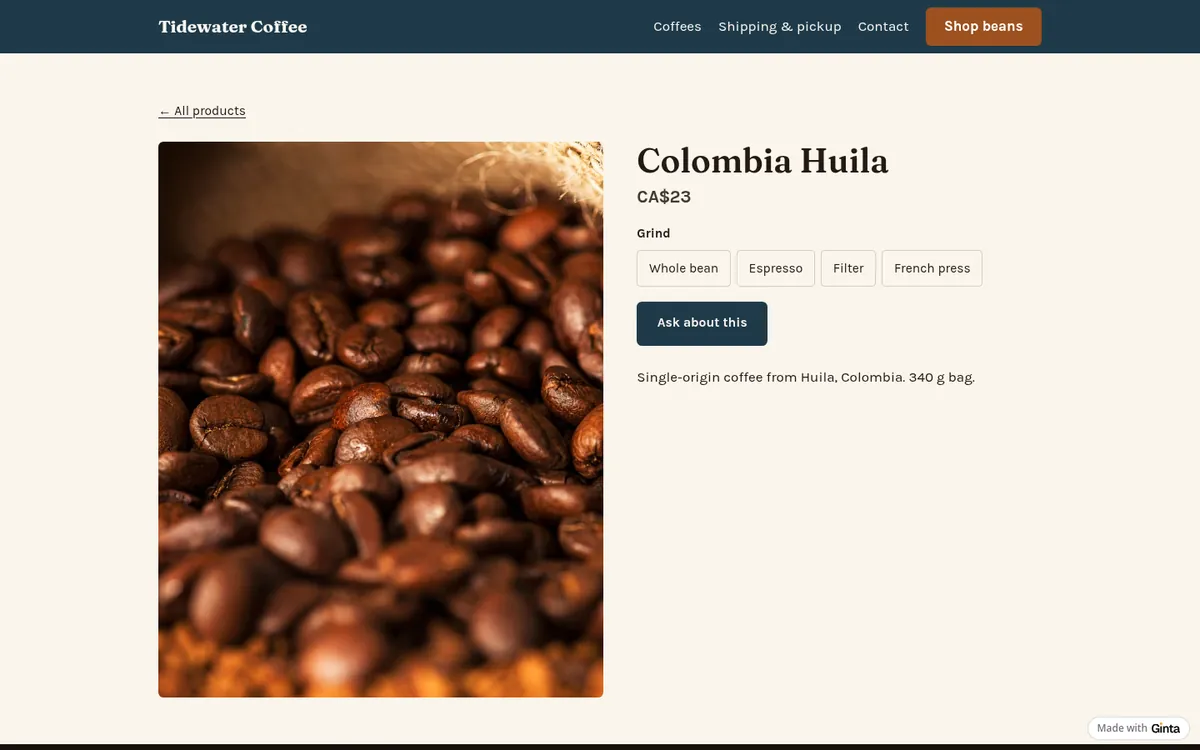
One product, with its options
Each coffee has its own page. Ginta made the grind one option with four choices, not four products, so buyers pick it before adding to the cart and the order says "Colombia Huila · Filter":
Delivery, pickup and payment
Ginta set the shop to take orders and payment online, in Canadian dollars, with two delivery options from my message: shipping anywhere in Canada for $9, free from $60, and free pickup at the roastery. Buyers choose one in the cart; for shipping, Stripe's payment page asks for the address.
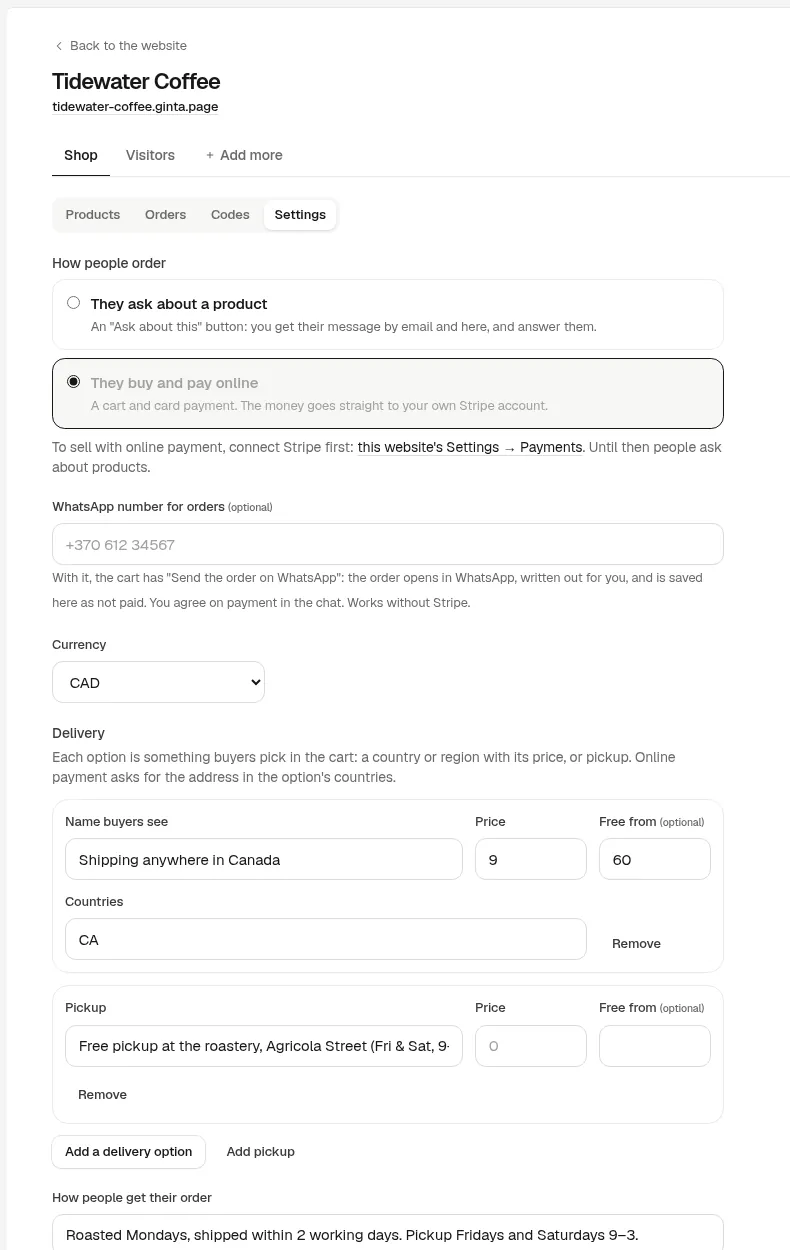
Card payment starts when you connect your own Stripe account in Ginta (Account → Payments). Until then each product has an "Ask about this" button that sends you a message; Ginta's reply after the build said so. With Stripe connected, the money goes straight to your Stripe account and Ginta takes no commission. A second business, or a shop you build for a client, can take payments into its own Stripe account instead (the website's Settings → Payments).
What I'd change before sharing it
- The photos. They're stock until you add your own, and one of them shows a sack printed "Café Brasil" for a blend. Photos of your own bags matter most in a shop.
- Returns. The Shop has a returns line under every Add to cart button; it was empty because I didn't mention returns. Fill it in the Shop's settings.
- Codes and sale prices, if you want them: discount codes (percent, amount or free delivery) and "was" prices are in the Shop, no AI needed.
What it costs
This build used 14.9 credits. Every new account gets 25 free credits when it confirms its email, plus
5 a day. The Shop is on every plan: on Free, up to 25 products per website, at a
name.ginta.page address with a small "Made with Ginta" badge. Your own domain, no badge and up to
500 products start at €5 a month (if you build with your own Claude or ChatGPT) or
€19 on Light with 150 AI credits a month. Stripe charges its card fees on each sale; Ginta
adds nothing. See pricing.
Shops for your kind of business
- Candle makers: scents and sizes as options, gift sets.
- Meal prep: weekly meals, delivery zones and a pickup slot.
- Christmas pre-orders with collection days, for bakers and butchers.
- A potter's shop that passes Stripe's website check.
- Comparing shop builders: Ginta vs Big Cartel.
Questions
Can I sell online for free?
Yes. Ginta's free plan includes a shop with up to 25 products per website and card payments through your own Stripe account; Stripe takes its card fees from each sale and Ginta takes nothing. Big Cartel's free plan holds 5 products.
Do I need a business to sell online?
Stripe accepts individuals and sole traders as well as companies; it asks for your details and a website or social profile that shows what you sell. Check your country's rules on registering a business and tax.
Can I sell on Instagram and my website at the same time?
Yes. Link products from your posts and bio to their pages on your website; each product has its own address.
What can't Ginta's shop do?
Digital downloads, subscriptions or repeat deliveries, and "buy two, save 10%" deals aren't there yet. Discount codes, sale prices, options, stock, delivery zones and pickup are, and so are orders sent to you on WhatsApp if you'd rather not take card payments.
Written with AI help for Ginta, which Povilas runs; he also teaches a website-building course. The screenshots are from the real Ginta on the date above, and prices come from our pricing page.