How to make a supper club website that fills your seats
A supper club website needs one page that answers four things: when the next dinners are, how many seats are left, what's on the menu, and how to book. Booking should hold a seat straight away, take payment if you want it up front, and put people on a waiting list when a night is full. Ticketing sites do the booking but send your guests to their page; Instagram does the photos but not the seats. Below is a real supper club website that does both, built from one message in 67 seconds on Ginta's free plan.
Curry Leaf Table, a Sri Lankan supper club in Easton, Bristol, is made up for this post. The website, timings and credits are real, from 29 October 2026: curry-leaf-table.ginta.page.
What guests want to know before they book
- The next dates, with start and end times. A monthly club should show the next two or three.
- Seats left. "8 places left" sells a night better than any adjective.
- Price and what it includes: per seat, the set menu, bring your own wine or not.
- The menu, with dietary marks. People decide whether they can come from the vegan and gluten-free marks.
- Roughly where. Many home supper clubs give the area on the website and the exact address only to guests.
- What happens when it's full. A waiting list means you don't lose the people who came too late.
Step 1: one message with the dates, seats and menu
I opened ginta.app, signed in and typed it the way I'd write an Instagram caption:
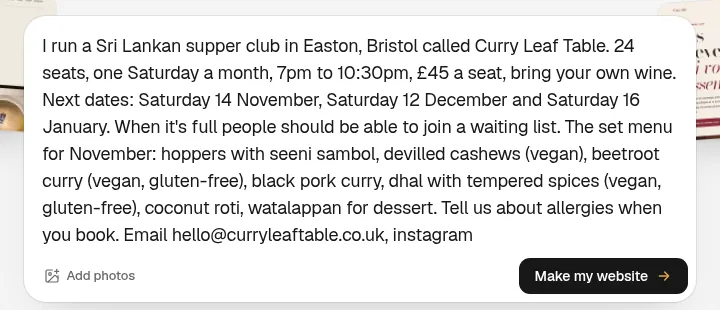
It had all the facts it needed, so it built straight away without questions.
Step 2: the website, 67 seconds later
The website was live 67 seconds after I pressed the button, and the build used 12.3 credits.
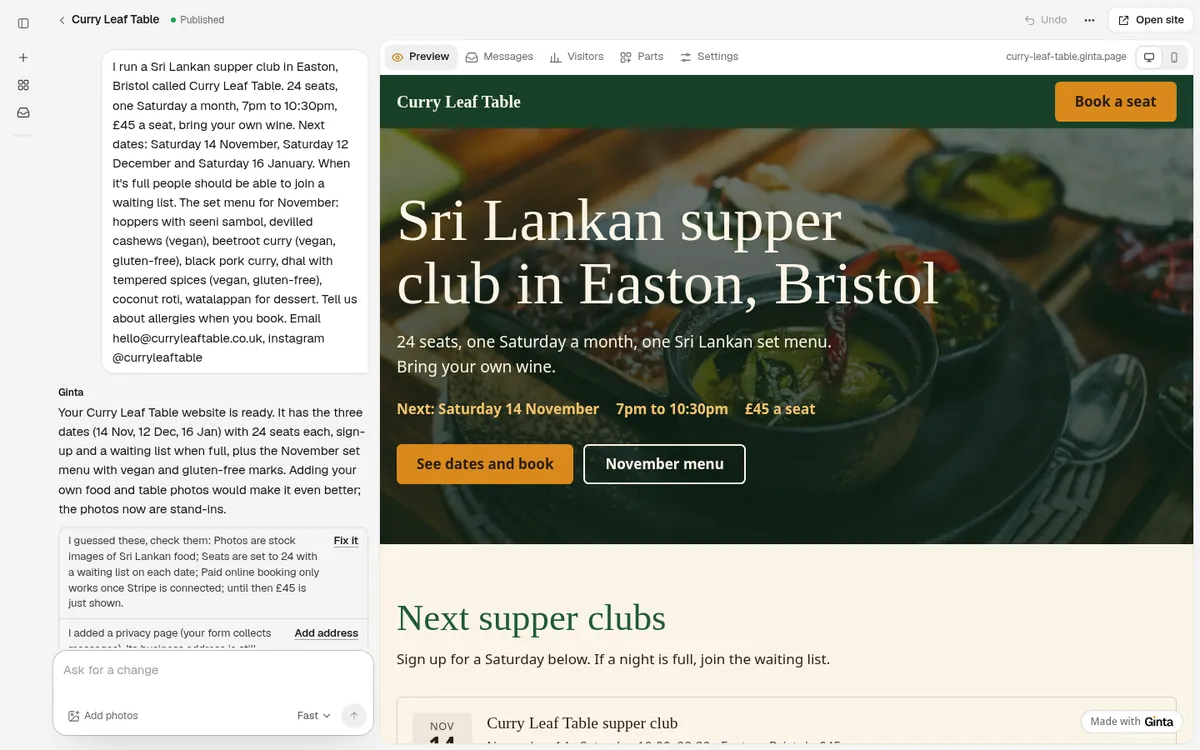
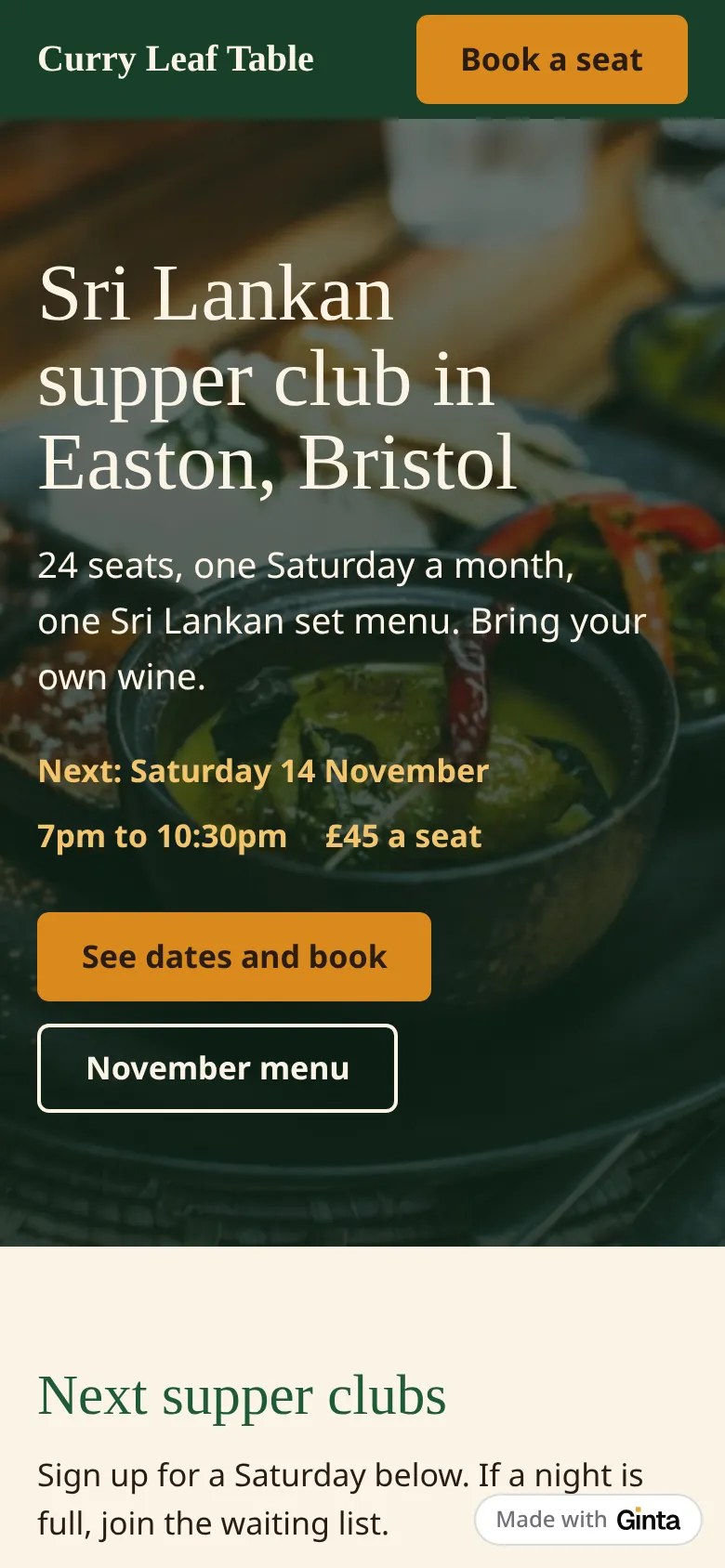
The page leads with the next date, time and price in the first screen, then the dates you can book, then the November set menu, then contact.
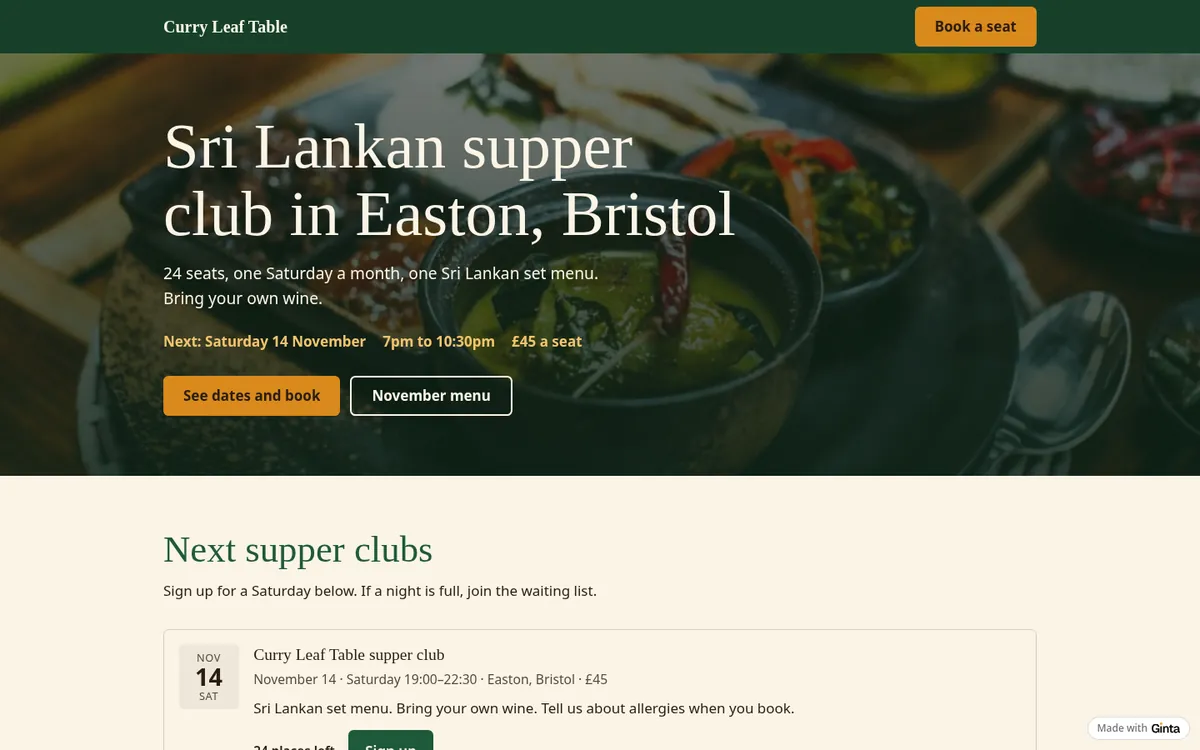
Step 3: the seats are real seats
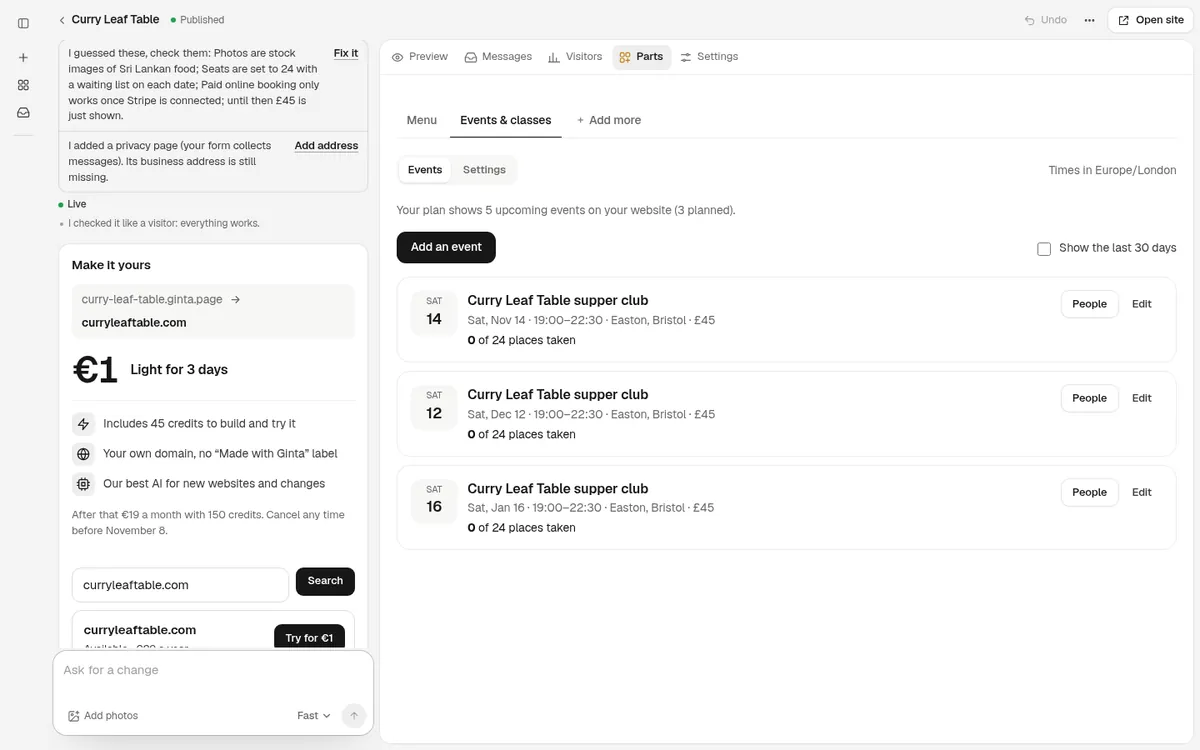
The three dinners aren't text. They're in Ginta's Events & classes part: each has 24 places, a price, a sign-up button and a waiting list. When someone signs up, the count goes down ("23 places left"), they get a confirmation email with a calendar file and a reminder the day before, and they can cancel with their own link. A cancelled seat goes to the first person on the waiting list.
The page asks guests to "tell us about allergies when you book", so the sign-up form asks for it too: a box "Allergies or dietary needs (optional)" under the contact details. What a guest writes there is in your email about the sign-up, next to their name in the Parts tab, in Messages and in the guest list you can download, so you can plan the dishes before the night. You switch it on or off, and change its question, in the Events settings. (This example was built just before Ginta started doing this by itself, so I switched it on there; building it again from the same message, Ginta switched it on without being asked.)
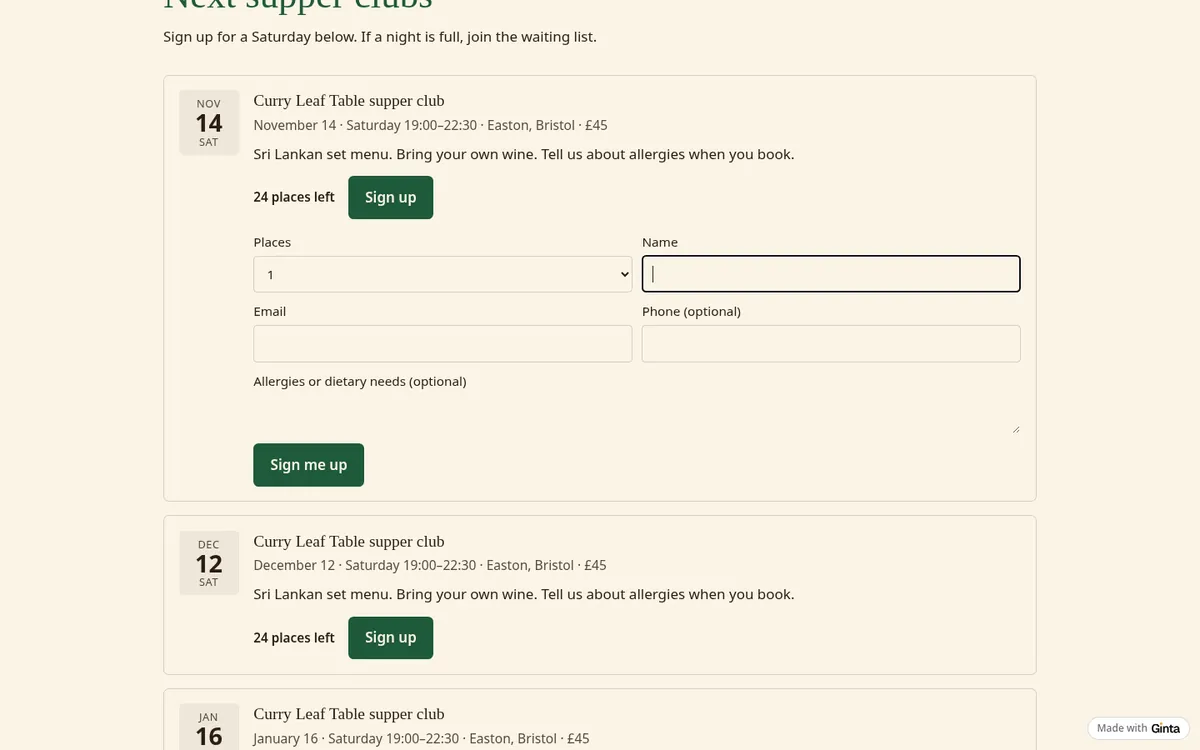
You see who's coming in your website's Parts tab: each dinner shows "0 of 24 places taken" and a People button with the list.
Step 4: the menu with dietary marks
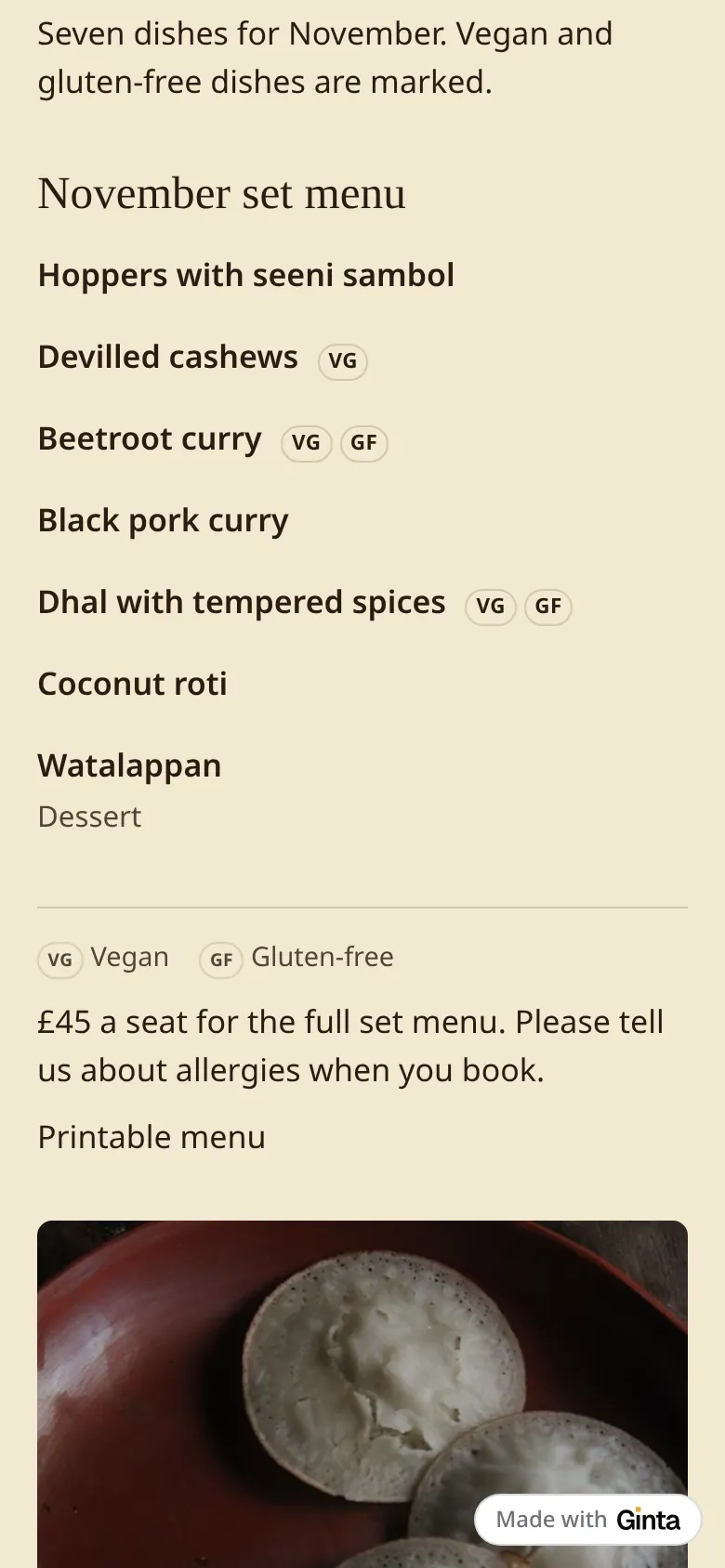
The menu is Ginta's Menu part, so you change dishes for December without asking anyone. It shows VG and GF marks with a legend and has a printable version.
Step 5: decide how people pay
Until you connect Stripe, the £45 is only shown: a sign-up holds the seat and you collect the money yourself (on the night, or by bank transfer). Connect your own Stripe account in Ginta (Account → Payments → Connect Stripe) and guests pay for their places when they sign up. The money goes straight to your Stripe account; Stripe charges its card fees and Ginta takes nothing on top. Ginta gives Stripe this website's address as your business website when you connect, so you don't have to look it up.
Taking payment up front is the simplest fix for no-shows: a seat someone has paid for is a seat they turn up to, or give back in time for the waiting list.
The limits
- Stock photos. The food photos are stand-ins until you add your own (Ginta says so). For a supper club, your own photos of the table and the dishes are worth more than anything else on the page.
- Five dinners ahead on Free. The Free plan shows up to 5 upcoming events per website, which is five months of a monthly club; add the next date when one has passed.
- No menu choice per guest. It's one set menu per night. If you offer a meat or vegan menu, make them two events with half the places each.
What it costs
This build used 12.3 credits. Every new account gets 25 free credits when it confirms its email, plus
5 a day, so it fits in the free start. The Free plan includes 20 websites at a name.ginta.page
address with a small "Made with Ginta" badge, Events & classes (up to 5 upcoming per website) and the Menu,
with paid places through your Stripe. Your own domain and no badge start at €5 a month (if you build
with your own Claude or ChatGPT) or €19 a month on Light, with 150 credits a month for
changes. See pricing.
Questions
Can I keep the exact address private?
Yes. Write only the area on the website ("Easton, Bristol"), as here, and send the address in your own email to the people who signed up. The Parts tab has everyone's email.
Can guests book for friends?
Yes. They choose the number of places when they sign up, up to 4 places in one sign-up.
Can guests tell me about allergies when they book?
Yes. The sign-up form can ask for allergies or dietary needs; the answer comes with the sign-up. Ginta switches it on when your page asks guests for it, and you can turn it on or change the question in the Events settings.
What happens when a night sells out?
The button turns into a waiting list. If someone cancels with their link, the place goes to the next person on the list.
Do I have to use Stripe?
No. Without it, sign-ups hold seats and you take payment yourself. With it, guests pay when they sign up.
Written with AI help for Ginta, which Povilas runs; he also teaches a website-building course. The screenshots are from the real Ginta on the date above, and prices come from our pricing page.