Is Wix Bookings free? What you get, and a free alternative with deposits
Wix Bookings is free to add, but not free to use for taking bookings. Wix's help centre says: "You can add Wix Bookings to your site for free, but you must upgrade your site to accept bookings", and "To get paid online for bookings, make sure to upgrade your site." On Wix's pricing page, taking payments and scheduling start from the Core plan. If you want free online booking with a deposit, Ginta's free plan includes it (up to 30 bookings a month per website): below is a real example, built in 84 seconds.
Everything about Wix here comes from Wix's own pages, checked on 29 October 2026. Ginta is our product, so read this as a comparison by one side, with links so you can check.
What Wix says, exactly
- Adding Bookings is free, accepting bookings needs an upgrade. Wix Bookings: About Wix Bookings: "You can add Wix Bookings to your site for free, but you must upgrade your site to accept bookings." The same article: "You must upgrade your site in order to accept online payments."
- Online payment and deposits need an upgrade. Selecting How You Charge for Bookings Services: "To get paid online for bookings, make sure to upgrade your site." Deposits are always paid online, so they need it too.
- Which plan. Wix's pricing page lists "Accept payments" and "Scheduling and services" on Core, Business and Business Elite, not on Free or Light. Prices on that page change with your country and are shown for yearly billing, so open it to see yours.
- The free plan's address. A free Wix site lives at
username.wixsite.com/sitenamewith Wix branding; Wix's pricing FAQ says "With a Premium plan you can connect your own domain".
So the honest answer to "is Wix Bookings free" is: you can build the booking page for free, but to take bookings (and money) you pay for a Core plan or higher.
Where Wix is the better choice
Wix is a big, mature platform. If you need memberships and packages (Wix Bookings: Creating a Membership Plan), lots of apps around your bookings, or full drag-and-drop control of every pixel, Wix does more than Ginta. Our longer comparison: Ginta vs Wix.
If you need a clear website where people book a treatment and pay a deposit, and you don't want to design it yourself, read on.
A real example: a mobile massage therapist with a £15 deposit
Hollin Mobile Massage in Leeds is made up for this post. The website, timings and credits are real, from 29 October 2026: hollin-mobile-massage.ginta.page.
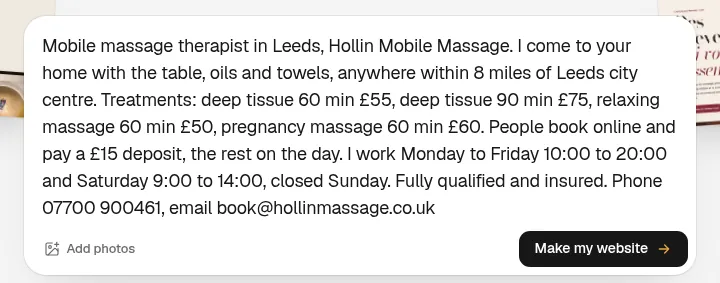
What I typed
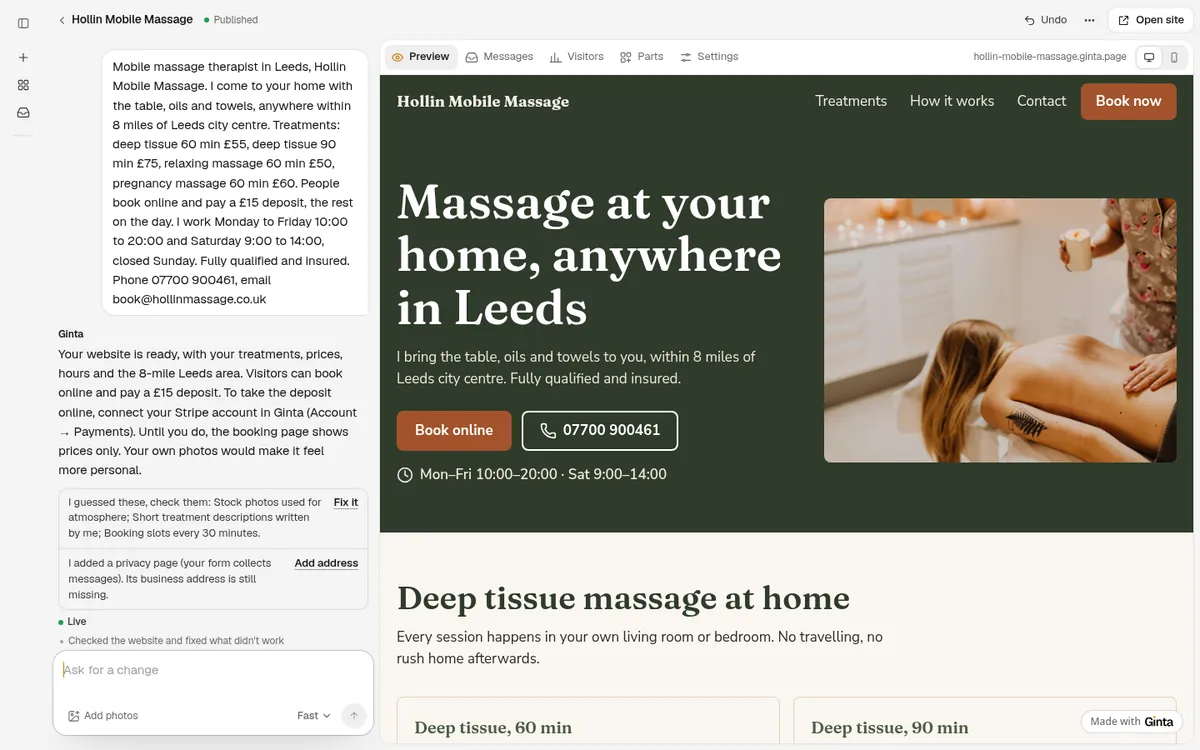
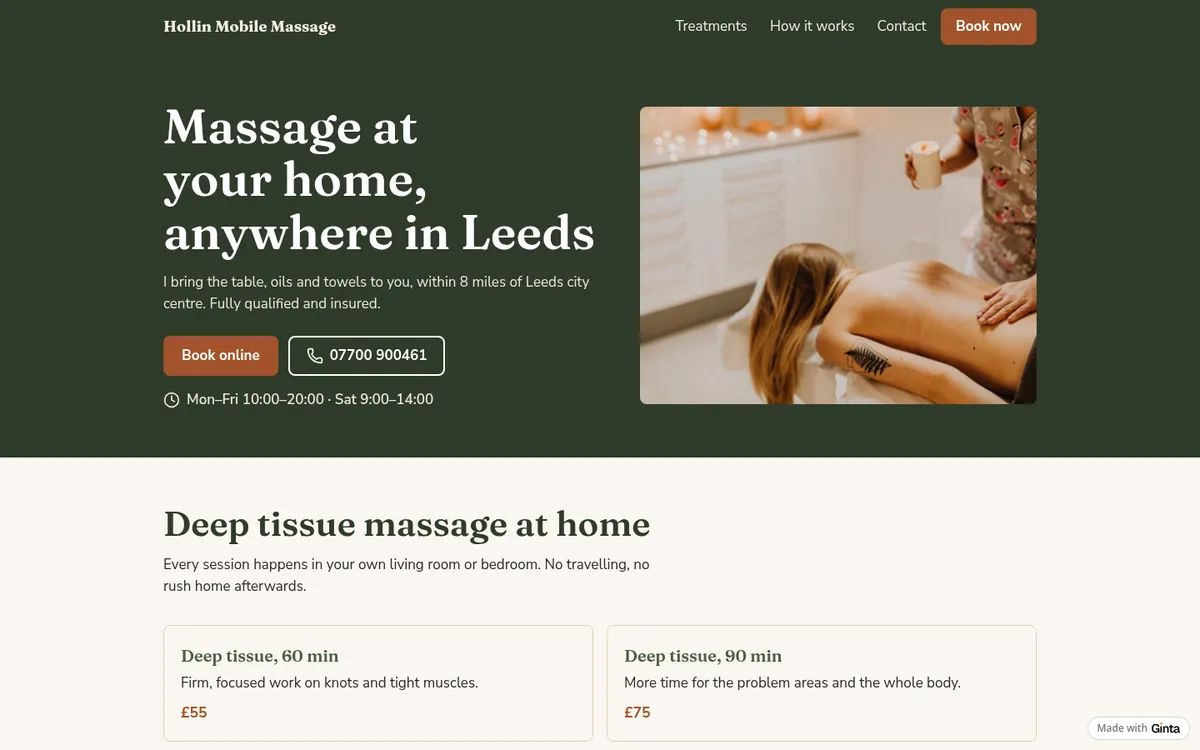
What came out, 84 seconds later
The website was live 84 seconds after I pressed the button. It used 14.7 credits: 13.2 for the build and 1.5 for one repair round after Ginta checked the page like a visitor would.
The booking, as a client sees it
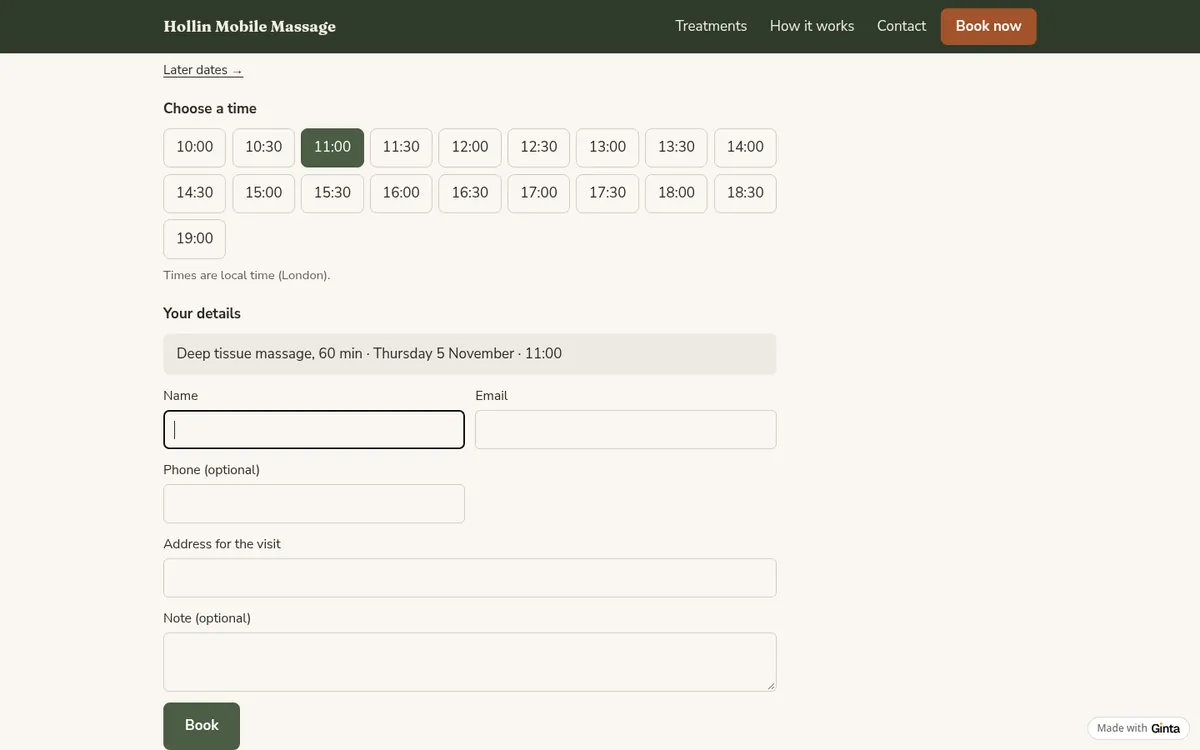
Clients pick a treatment, a day and a free time, then give their name, email and the address for the visit. Times only show inside the hours I gave (Monday to Friday 10:00–20:00, Saturday 9:00–14:00), not on Sunday, and never closer than 2 hours from now.
Because the therapist goes to the client, the form asks for the address of the visit (it's in your booking email and in the Parts tab), and every visit gets 30 minutes of travel time after it: book 11:00 for an hour, and the next free time is 12:30, not 12:00. Ginta sets both when your words say you go to the customer ("I come to your home", "mobile massage"); you change them in Bookings → Settings. This example was built just before Ginta started doing this by itself, so I switched both on there; building it again from the same message, Ginta set both without being asked.
Both the client and you get an email with a calendar file. Clients can move or cancel with their own link until a day before, and get a reminder email the day before.

The deposit
Ginta set the booking to take a £15 deposit, as I asked. Like Wix, the deposit is paid online, so it needs a card payment account: you connect your own Stripe account in Ginta (Account → Payments → Connect Stripe), and Ginta gives Stripe your website's address. Until then the prices show and people pay on the day; Ginta's reply said so. With Stripe connected, clients pay the £15 when they book, the money goes straight to your Stripe account, Stripe charges its card fees, and Ginta takes nothing on top. That works on the free plan too.
What you manage yourself
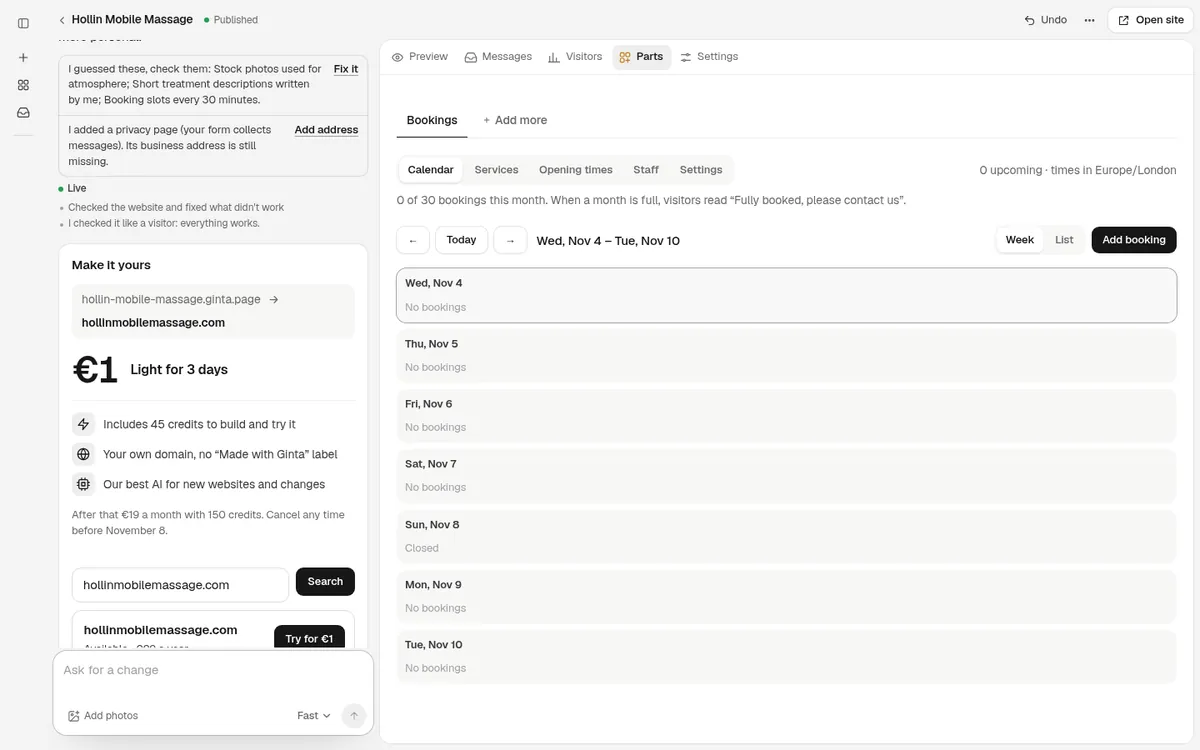
Everything is in your website's Parts tab: a calendar of bookings, the treatments, opening times with breaks, days off, staff, and settings. You can add a booking someone made by phone, so the times stay right.
What I'd change before sharing it
- Check the travel time. 30 minutes suits a city; if your visits are further apart, set "Break or travel time after each booking" in Bookings → Settings.
- The treatments are written twice. Ginta also wrote the four treatments with prices into a section of the page. If you change a price in Bookings, ask Ginta to change that section too, or ask it to remove the section.
- Your own photos. The massage photo is a stock stand-in until you add yours.
Ginta's free plan, in one paragraph
The Free plan includes 20 websites at a name.ginta.page address with a small "Made with Ginta" badge, and
Bookings with up to 30 bookings a month per website; after that, the month's days say "Fully booked,
please contact us" (nothing is deleted). Deposits and full payment through your Stripe work on Free. Building a
website uses credits: every account gets 25 when it confirms its email, plus 5 a day; this one used
14.7. Your own domain, no badge and no booking cap start at €5 a month if you build with your own Claude
or ChatGPT, or €19 a month on Light, with 150 credits a month for changes by Ginta's AI.
Details: pricing.
Questions
Is Wix Bookings free?
You can add it for free, but Wix says you "must upgrade your site to accept bookings", and online payments need an upgrade too. On Wix's pricing page, payments and scheduling start at the Core plan.
Can I take a deposit for bookings without paying for a plan?
On Ginta, yes: deposits work on the Free plan once you connect your own Stripe account. Stripe charges its usual card fees; Ginta takes nothing.
How many bookings can I take for free?
On Ginta's Free plan, 30 a month per website. Paid plans have no monthly booking cap.
Can clients cancel or move their booking themselves?
Yes. Every booking email has a link to move or cancel it, until a time you choose (here: a day before).
Written with AI help for Ginta, which Povilas runs; he also teaches a website-building course. The screenshots are from the real Ginta on the date above, and prices come from our pricing page.