A QR code menu that's a real web page, not a PDF: free, and easy to change
Put your menu on a web page and make a free, static QR code that points at that page. The code never changes, so you can change dishes and prices any day without reprinting it. Skip QR codes to a PDF (hard to read on a phone, and every change means a new file) and paid "dynamic" QR codes, which you only need when the address itself might change.
Facts about QR code services come from their own pages, checked on 20 November 2026. We make Ginta; the café in the pictures is a demo we built for this post.
Static or dynamic QR codes: you don't need to pay
A QR code is just a web address drawn as squares. There are two kinds:
- A static QR code holds your address itself. It's free to make, it doesn't expire, and it works as long as the page it points to exists. QRCode Monkey, a free generator, says its codes are static and that "they do not expire and will work forever".
- A dynamic QR code holds a short link on the QR company's own server, which then forwards people to your address. You can change where it goes later, and you get scan counts. But it only works while that company keeps forwarding. The QR Code Generator help centre says that when an account ends, "all dynamic QR codes associated with your account will stop working", while static codes keep working (what happens when a trial ends).
The trick: if the code points at your menu page, you change the page, not the code. A static code is enough, and nothing on your tables depends on a subscription.
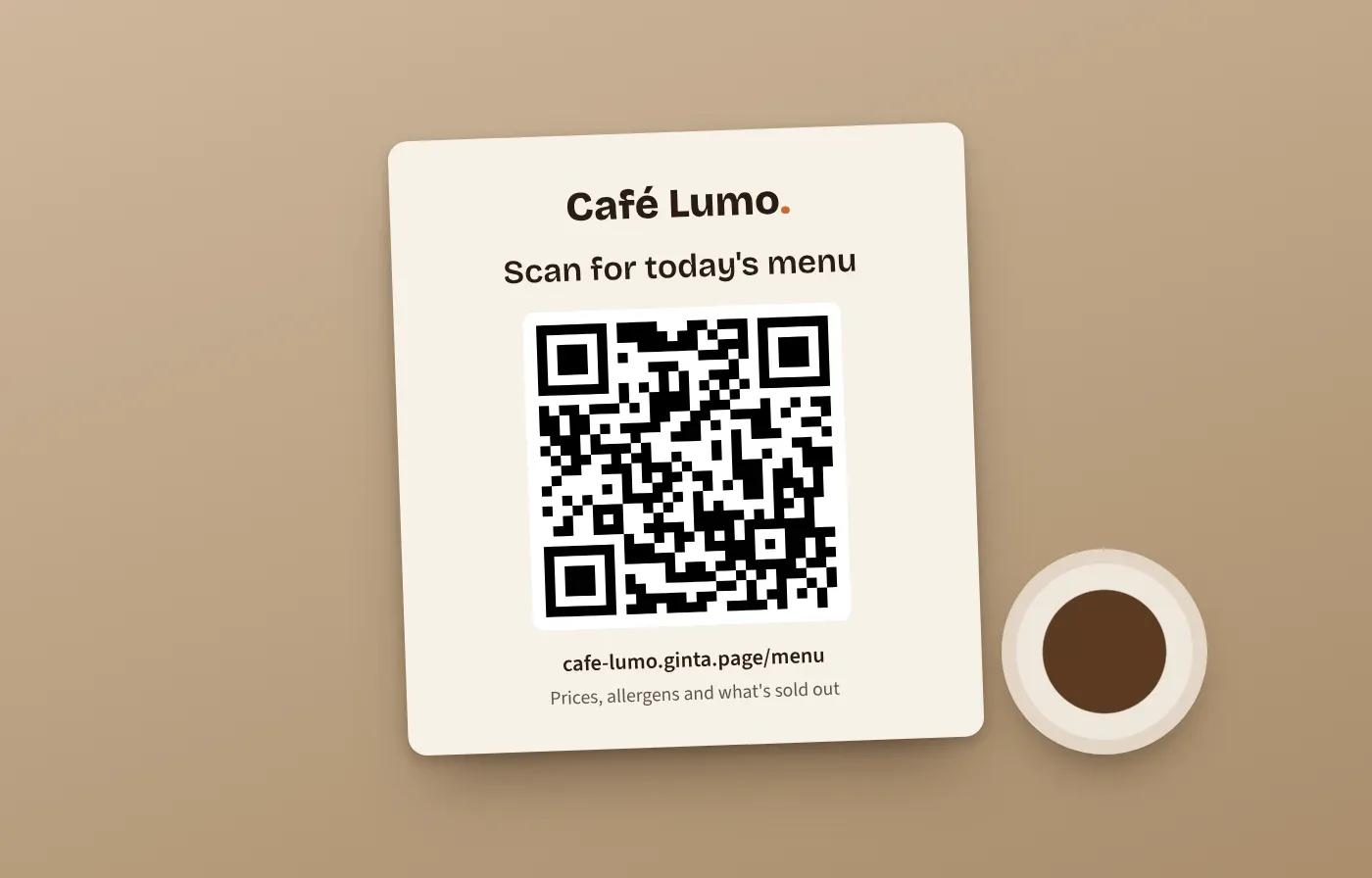
Why a web page beats a PDF on a phone
A PDF menu is made for paper. On a phone, guests pinch and zoom to read a page made for A4, it can take a while to download, and it's often a file you scanned months ago with old prices.
A menu that's a web page:
- reads at phone size, with text that wraps and buttons for each section,
- loads fast and works for screen readers,
- changes the moment you change it: one dish sold out, a new price, the summer menu,
- can be found on Google, because the dishes are real text.
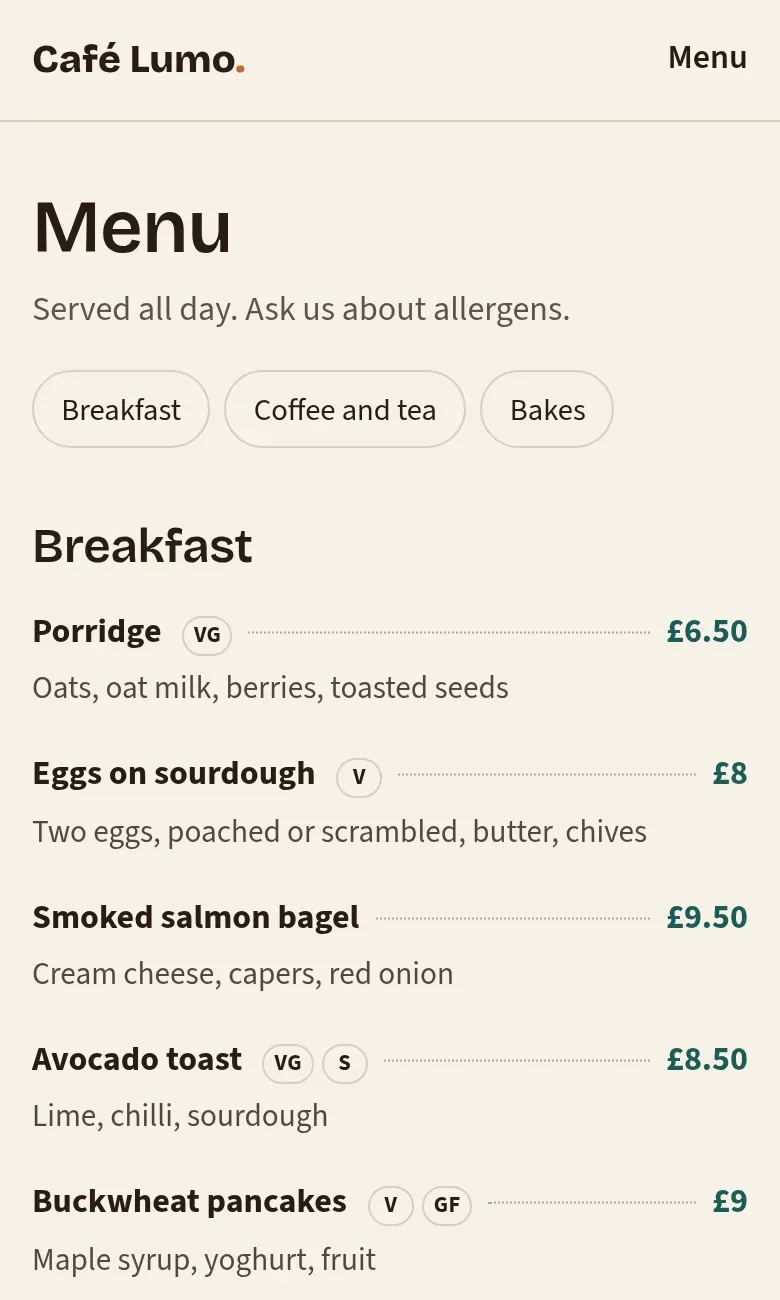
What to put on a QR menu
- Every dish with its price, and sizes where they differ (a glass or a bottle, regular or large).
- Dietary tags such as vegetarian, vegan, gluten-free, with a short legend.
- Allergens: the rules depend on your country, so check what yours asks for. A line like "Ask us about allergens" helps, but doesn't replace what the law requires.
- What's off today. Crossing a dish out is kinder than letting a guest order it.
- Your opening hours and address, one tap away, for people who scan the code at the door.
- A second language if tourists come in (see the questions below).
Making the QR code
- Open your menu page in Chrome on a computer, then More → Cast, save, and share → Create QR code, and Download (Chrome help). Or use any free static generator, such as QRCode Monkey.
- Point it at the menu itself, not your home page: for example
yourcafe.com/menu. One tap less for every guest. - Scan it with two different phones before you print, on the actual paper.
- Print it big enough and dark on light. Bitly's guide suggests at least 2 × 2 cm, and about 1 cm of code for every 10 cm of scanning distance (QR code size), so a table card read from 40 cm away wants about 4 cm. Keep the white border around it.
- Write the address under the code, so people whose camera doesn't scan can still type it.
Doing it with Ginta
Ginta's Menu is a ready-made part of your website. You (or Ginta's AI, from the menu you paste or a photo of it) put in sections, dishes, prices or sizes and dietary tags. Then you change it yourself in the website's Parts tab: prices, new dishes, or "sold out for now", which crosses the dish out until you switch it back. Those changes are free: no AI and no credits.
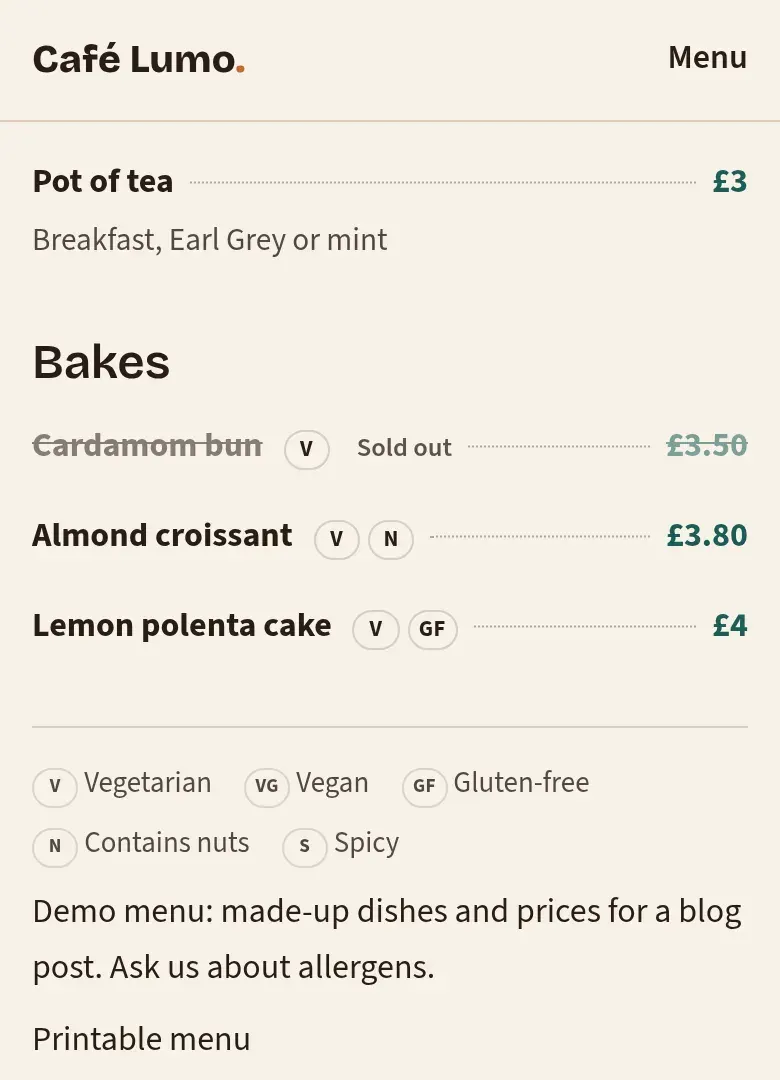
What else it does:
- Its own page. The menu can sit on a page of its own (
/menu), so the QR code opens straight onto it. - A printable version, laid out in two columns for paper, for the window or the counter.
- Menu data for search engines, added by Ginta, so Google can read your dishes and prices.
- Your website's look. The menu uses your site's fonts and colours.
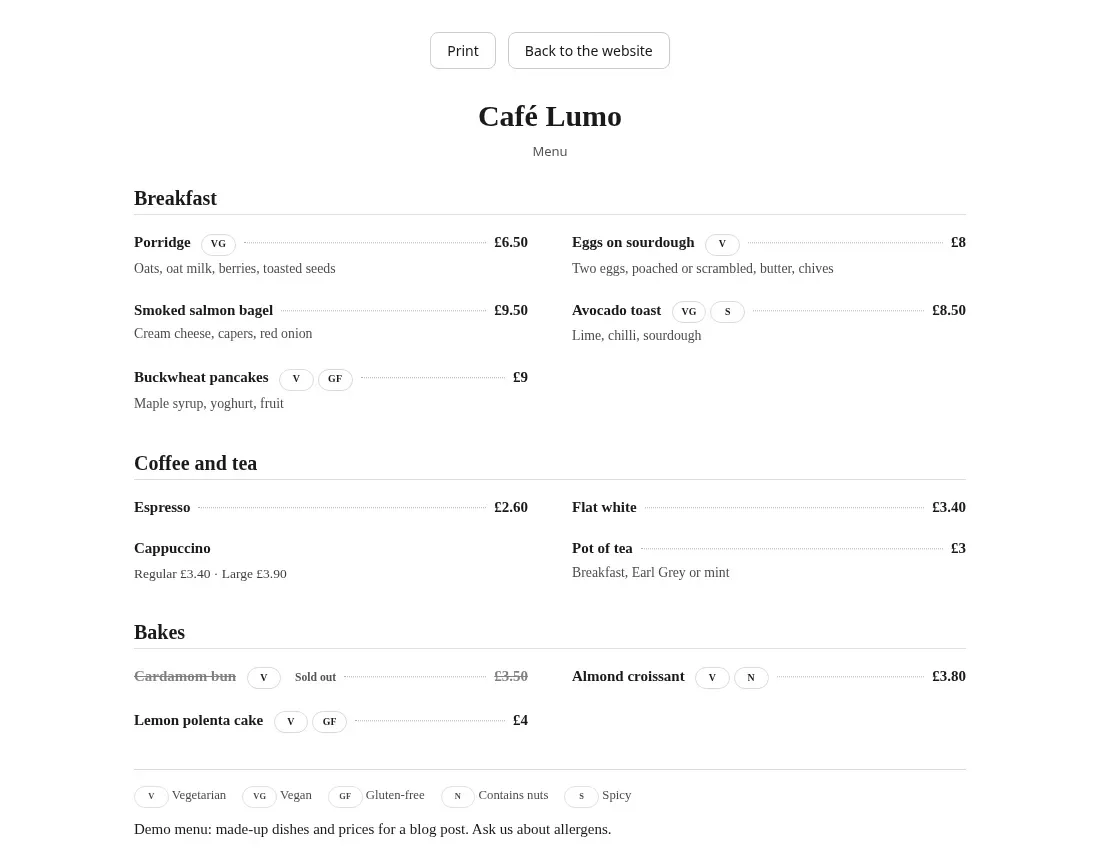
Ginta doesn't make the QR code itself: use your browser or a free generator, as above.
The Menu Part is on every plan, Free included. On Free your website lives at yourname.ginta.page with a small "Made
with Ginta" badge; your own domain, like yourcafe.com, starts at €5 a month (with your own Claude or
ChatGPT) or €19 a month (with Ginta's AI). Put the QR code on your own domain if you can: it's the address
you'll keep. For the rest of the website, see websites for restaurants and
websites for cafés.
Mistakes to avoid
- A QR code to a PDF or an image. Every change means a new file, and often a new code.
- A dynamic code from a free trial. When the trial ends, the codes on your tables can stop working.
- A code to your home page. Guests then have to find the menu themselves.
- Codes that are too small, too light, or on glossy paper that reflects the lights.
- Old prices. A QR menu is only better than paper if someone keeps it up to date.
Questions
Do QR codes expire?
A static QR code doesn't: it's just your address in squares, and it works as long as the page exists. Dynamic codes from a QR service can stop working when your account or trial with that service ends.
Is a dynamic QR code worth paying for?
Only if the address the code points to may change, or you really want scan counts. If it points to your own menu page, you change the page instead, and a free static code is enough.
Can I change my menu after printing the QR code?
Yes, that's the point of pointing it at a web page. The code stays the same; the page shows whatever is on your menu today.
How big should the QR code be on the table?
Big enough to scan from where a guest sits: Bitly's rule of thumb is about 1 cm of code for every 10 cm of distance, and never under 2 × 2 cm. Keep a white border, and test it with two phones on the real print before you order a hundred.
Can the menu be in two languages?
Yes. Ginta can make your website in two languages with a switch at the top (how it works). The menu's own labels, such as "Sold out" and the dietary legend, follow each page's language; the dish names are written once, as you type them, so write both names when tourists need them ("Porridge · Puuro").
Can guests order and pay from the QR menu?
Not with Ginta: it has no table ordering. For food people order ahead and collect, put the dishes in Ginta's Shop with pickup times instead.
Written with AI help for Ginta, which Povilas runs; he also teaches a website-building course. The screenshots are from the real Ginta on the date above, and prices come from our pricing page.