What meal prep customers check before they order
- This week's meals with a price each, and what's in them (protein, carbs, what makes it vegan or gluten-free).
- Packs: 5 or 10 meals for a set price is how most people buy.
- The deadline: "Order by Thursday 8pm for Sunday" in big letters, so nobody orders too late.
- Delivery or pickup: the area you deliver to, the day and time window, the fee and when it's free, and where to collect.
- Allergens and nutrition: at least the main allergens; calories and protein if your customers train.
- How to pay.
The sections a meal prep website needs
- Top of the page: what and where ("Meal prep in Charlotte, NC"), the deadline, See this week's meals.
- This week's meals and packs, each with a photo, a price and a short description.
- How it works: order by, cooked on, delivered or collected when.
- Delivery and pickup: the area, fees, free-delivery amount, the pickup address and window.
- Allergens, storage and reheating.
- Contact for questions and regular orders.
The meals belong in a shop, not a menu
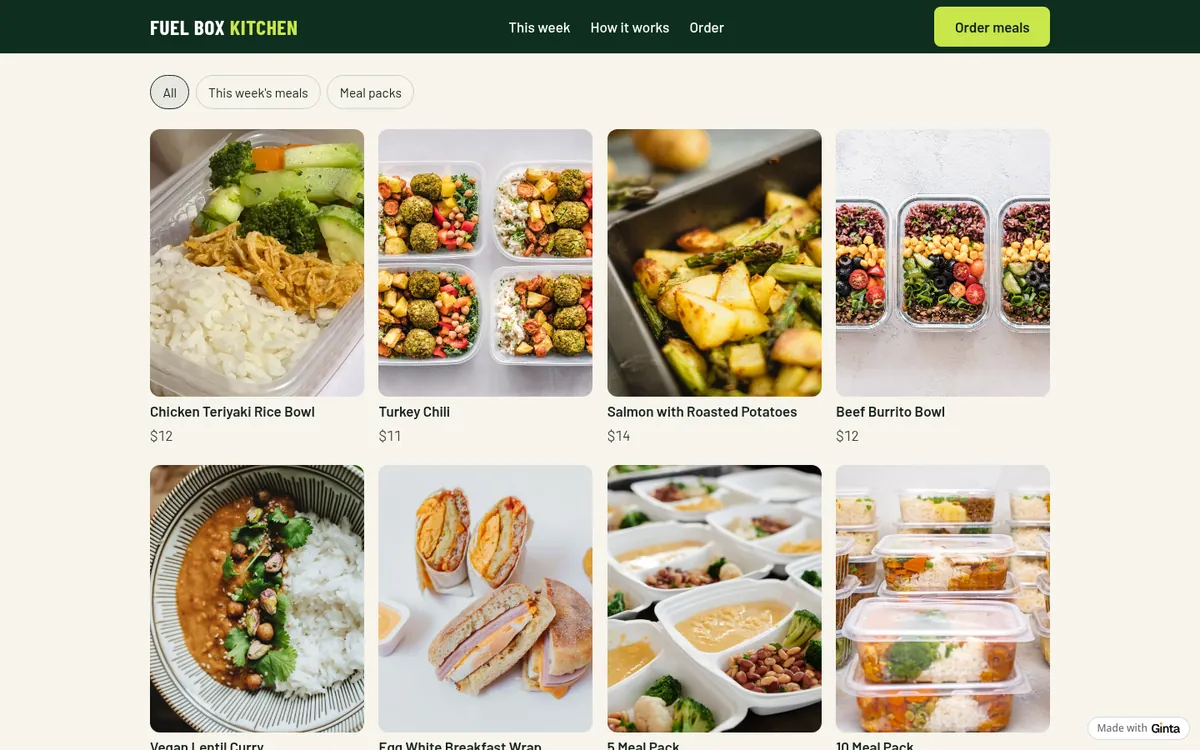
A menu says what's on; a shop takes the order: customers add meals to a cart, pick delivery or pickup, and (once you connect Stripe) pay by card. Each meal gets its own page you can share.
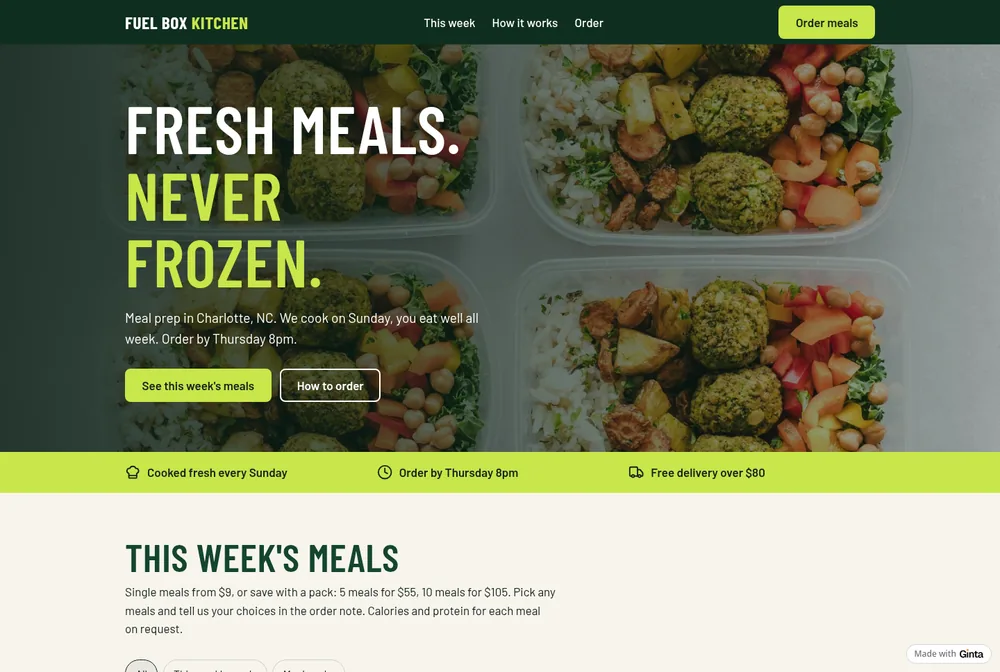
What happened on our first try: when I first built this example, Ginta put the meals in a restaurant-style menu with an order form, because the instructions it was given treated food as a menu. We changed that the same day: food that customers order ahead for delivery or collection now goes in the Shop. The website on this page is the rebuild.
Ginta set up two ways to get the order from my message: Sunday afternoon delivery in Charlotte for $6, free from $80, and pickup at the kitchen on Sunday 10am to 2pm, plus the line "Order by Thursday 8pm for Sunday" with every order:
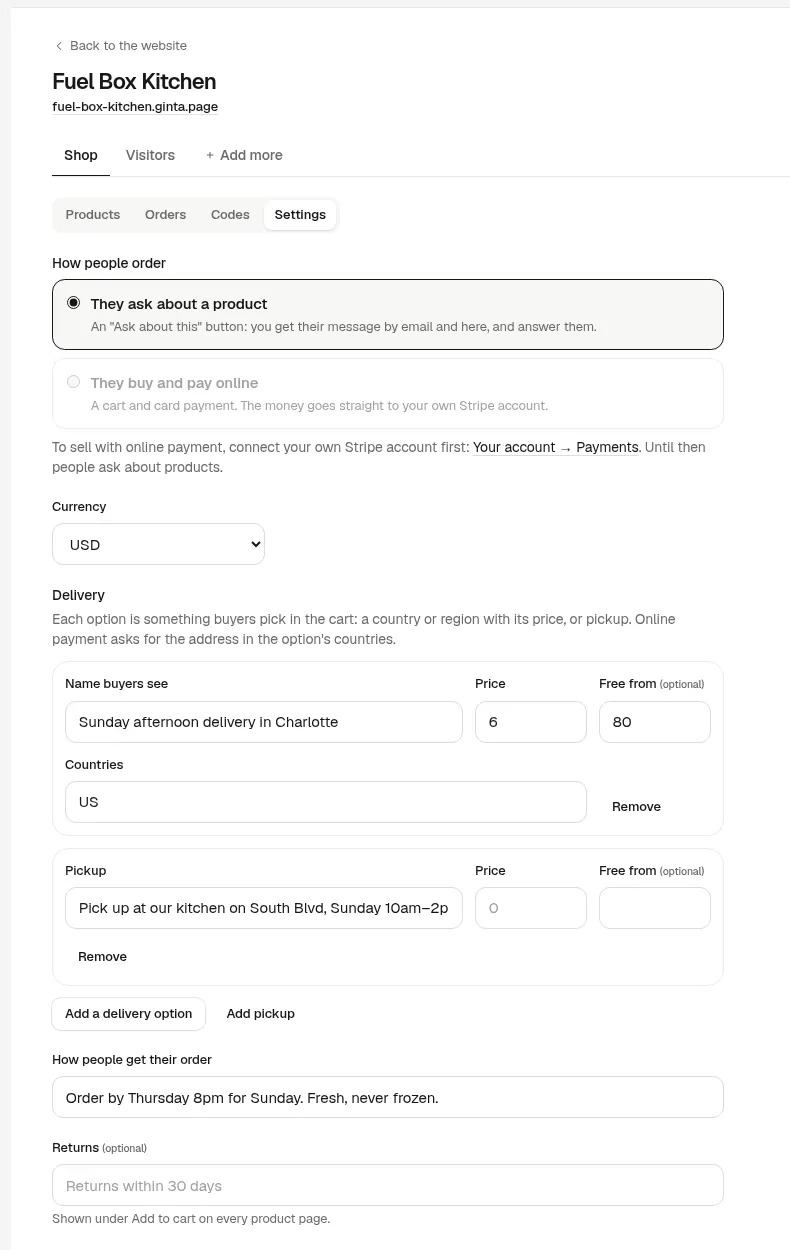
I didn't say customers should pay online, so the Shop started in "they ask about a product" mode: each meal has an Ask about this button and the request comes to you. Switch to "They buy and pay online" after connecting your own Stripe account (Account → Payments); then customers pay when they order, the money goes to your Stripe, and Ginta takes no commission.
What Ginta's shop doesn't do for meal prep (yet)
Be honest with yourself about these before you switch from DMs:
- No weekly cut-off. The Shop doesn't close by itself on Thursday at 8pm. Write the deadline on the page and in the order line, and mark meals "sold out" or switch to "ask" mode when orders close.
- No subscriptions. A customer who wants the same 10 meals every week orders each week.
- Pick-your-own packs are by note. A "10 meal pack" is one product; customers write their choices in the order note.
- Delivery areas are countries, not postcodes. "Charlotte only" is the option's name and your page's words; Stripe's address form won't refuse an address outside it, so check addresses before you cook.
If those matter more than a free website, a dedicated meal-prep ordering tool may fit better.
Food rules worth checking
Selling food from home or a kitchen usually needs registering or a permit with your local authority, and allergen information before people buy. In the UK, GOV.UK says to register at least 28 days before trading (free), and for online orders allergen information must be available before the purchase and at delivery (starting a food business). In the US, rules are set by your state and county health department.
How it works with Ginta
Write this week's meals and packs with prices, the deadline, where you deliver and when, and your pickup window. Ginta
builds the website with the shop in about a minute; our example took 84 seconds and 20.9 credits, with no questions.
Each week, change the meals and prices in the Shop yourself (no AI needed), or ask in the chat. The Free plan holds up
to 25 products per website at a name.ginta.page address; your own domain and up to
500 products start at €5 a month (with your own Claude or ChatGPT) or €19 on
Light. More on choosing a shop: how to sell online without Shopify.
Questions
Can customers pay online for meal prep orders?
Yes, once you connect your own Stripe account: they pay by card when they order, and the money goes to your Stripe account. Until then they send an order request and pay as you arrange.
Can I limit delivery to my city?
Name the delivery option after your area and say it on the page. The Shop sets delivery by country, so it can't refuse an address outside your city by itself.
Can customers choose meals for a pack?
Yes, in writing: each pack is one product, and customers say which meals in the note with their order (or in their message, while the Shop is in "ask" mode).
How do I change the menu every week?
In the Shop: edit names, prices and photos, mark meals sold out, or add new ones. It takes a few minutes and uses no credits.


