What people check before they choose a yoga studio
Most people choose a studio from their phone, often in the evening, often comparing two or three nearby. They look for:
- A class at a time they can make. The weekly timetable is the most visited part of any studio website. Show it as text on the page, with the day, time, length and teacher, not as a photo of a whiteboard or a PDF.
- Their level, in plain words. "All levels" on every class tells a nervous beginner nothing. Mark which classes are for beginners, which suit everyone and which expect some practice, and name one class to start with.
- What it costs to try. The drop-in price, any intro offer, and class packs with how long they last. People who can't find a price usually don't ask: they book somewhere that shows one.
- What the first class is like. Are mats provided? Is there a changing room? How early should I arrive? Can I tell the teacher about an old injury?
- Who teaches, in what style, and a little about their training.
- Where it is, how to get there, and whether classes are small or busy.
The sections a yoga studio website needs
- Top of the page: what you offer and where, with one button for newcomers (Book your first class) and one for regulars (See this week's classes).
- The weekly timetable, with levels you can scan at a glance: colour or a short word per class, and a legend.
- Prices: first class or intro offer, drop-in, packs with their expiry, any concession price.
- Your first class: what to bring, when to arrive, what you provide, how to mention injuries.
- Teachers: a few honest lines each and the classes they teach. Many teachers trained on a course registered with Yoga Alliance and can be found in its public directory of credentialed teachers; if yours did, say so and link to it.
- Booking or sign-up, and how to reach you: phone, email, address.
Mistakes we see on yoga studio websites
- The timetable lives only inside a booking app. Visitors have to open a second site to see a class time, and Google can't read it at all. Put the week on your own page and link the booking from it.
- An out-of-date timetable. A cancelled Monday class still shown on the website costs you a newcomer's trust on their first visit. Post changes the day you know about them.
- Every class labelled "all levels". If it really is true, explain what that means; usually it isn't.
- Prices behind a sign-up. Show the drop-in price and the intro offer on the page.
- Health questions in an ordinary form. Injuries, pregnancy and medical conditions are health data, a special category under GDPR in the EU and UK. Ask people to tell the teacher in person, or use a proper form with explicit consent and a privacy notice. This is general information, not legal advice.
- Stock photos passed off as your teachers or your room. Use real photos as soon as you have them.
Teachers who rent a room
Many yoga teachers don't have their own studio: they rent a church hall, a community centre or a room in a gym. Google Business Profile isn't for "an ongoing service, class, or meeting at a location that you don't own or have the authority to represent" (eligibility), so you can't list the hall as your business. A website is then the one place where your classes, the venue and the price live together. Say clearly where each class happens, with the venue's address and how to get in.
Getting found locally
If you run your own studio, set up a Google Business Profile with the category "Yoga studio" and keep the name, address, phone and hours exactly the same on the website. Add holiday changes as special hours (special hours), and add your booking link so people can book from Google (booking links).
On the website, use the words people search for: "yoga classes in [your area]", "beginners' yoga", the styles you
teach. In structured data, schema.org has no separate yoga studio type: a studio with its own room is an ExerciseGym,
and each upcoming class can be an Event. Ginta writes this markup for you, with only the details you gave.
How it works with Ginta
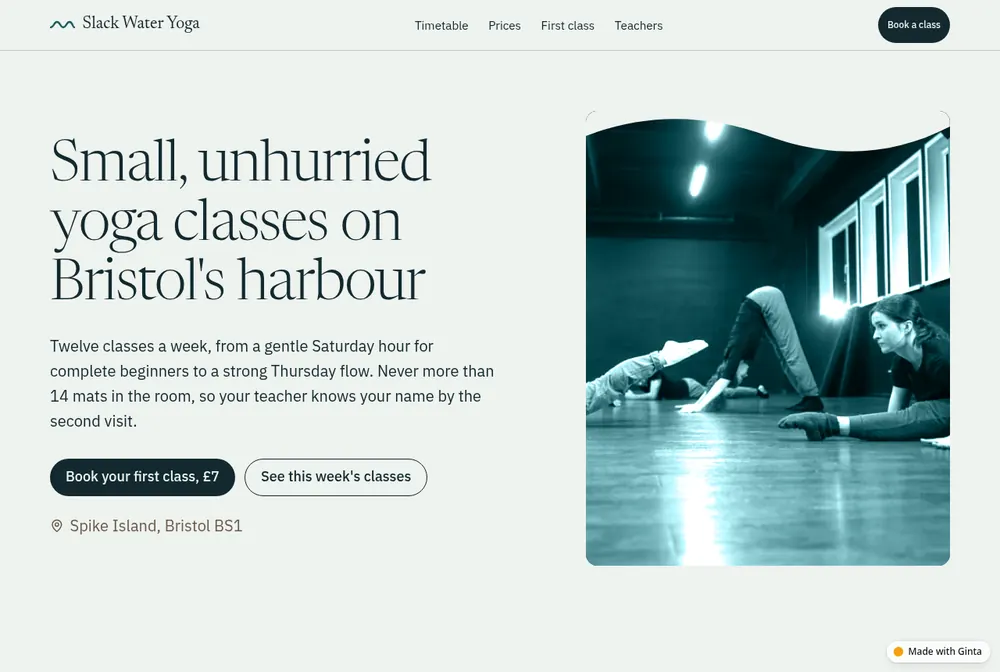
Our example is one page: the week's twelve classes colour-coded by level, a price list with a £7 first class, three steps for the first visit, the teachers, and a booking request form whose messages go to the studio's inbox and email. Its look comes from the studio's name: slack water is the still moment between two tides on Bristol's harbour.
Describe your studio and paste your timetable and prices; the website is live a minute or so later. On a paid plan, ask for Events & classes and each class gets online sign-up with a set number of places, a waiting list and a reminder email the day before; you add a weekly class once and choose how many weeks it repeats. Add Bookings for private sessions. Post "No classes on Monday 25 August" as an announcement that disappears by itself afterwards. Your own domain is on paid plans (from €5 a month).
Questions
What should a yoga studio website include?
The weekly timetable with levels, prices including a first-class offer, what to expect at the first class, your teachers, where you are, and one simple way to book or ask.
Should my timetable be on my website or only in my booking app?
On your website, as text. Visitors see it at once, Google can read it, and the booking app stays one tap away for the people who are ready to book.
Can people sign up for a class on my website?
Yes. With Ginta's Events & classes each class shows its free places, people sign up with their email, get a confirmation with a calendar entry, and can cancel with their own link; a freed place goes to the waiting list. Online payment for paid places, through your own Stripe account, is coming soon; until then people pay as they do today.
How many pages does a yoga studio website need?
One page is enough for most studios: timetable, prices, first class, teachers and booking. Add pages when you have real content for them, such as teacher training, retreats or private sessions.