Ginta Commerce
Back-in-stock emails: “Email me when it's back”, without an app
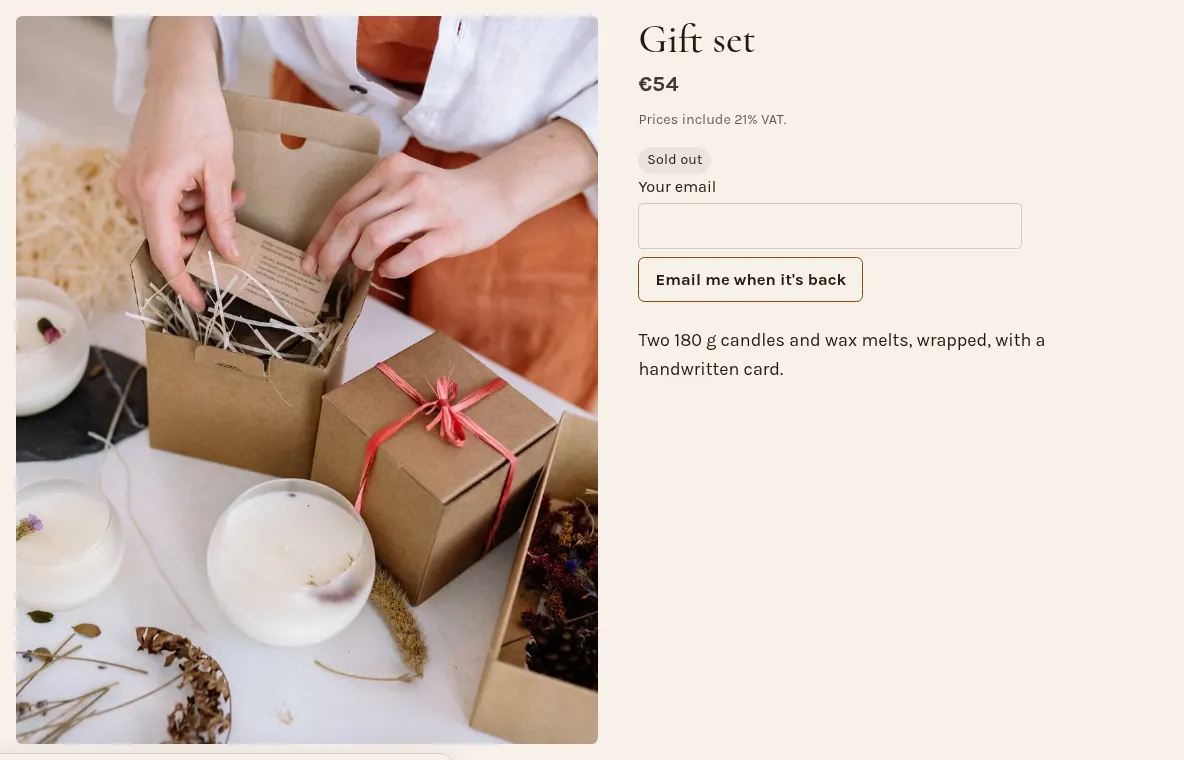
When a product (or one size or colour of it) is sold out, Ginta's shop shows an "Email me when it's back" box. The buyer leaves their email address, and the moment you put that product back in stock, Ginta sends them one email, in their language, with a link to your shop. Then it forgets the address. It works on every plan, without an app or a separate email tool.
Why it's worth having
A sold-out product is the moment someone already wanted to buy. Without a way to leave their address, most people just leave. With it, you have a short list of people to tell, and you don't have to remember who asked.
How it works
- For a whole product that's sold out, the box sits where Add to cart was.
- For one combination ("Large, Black"), buyers pick it, see it's sold out (it's crossed out), and can ask for that one. When you restock only Large Black, only the people waiting for it are emailed.
- When it's back: you mark it in stock again, or raise its stock count, in Shop → Products, with bulk edit, or from Claude or ChatGPT. Ginta sends the emails by itself.
- One email each, then gone. The address is used once for this and deleted. It isn't added to a newsletter. If you want a newsletter list, the cart has its own unticked "Email me news" box for that.
Good to know
- It shows in shops that sell online (buy mode). A shop that only takes questions doesn't need it.
- A product can collect up to 2,000 waiting addresses.
- Buyers write their address themselves; a hidden field and a rate limit keep bots out.
- Products with a stock count are marked sold out by themselves when the last one is paid for, so the box appears without you doing anything.
Questions
Do I need an app for back-in-stock notifications?
Not on Ginta: it's part of the shop on every plan, Free included.
Can I see who's waiting?
Not as a list: the addresses are only kept to send that one email, and deleted after it.
What does the email say?
That the product (with its size or colour) is back at your shop, with a button to your shop. It's sent in the language the buyer used on your website.
Is this the same as an abandoned cart email?
No. Ginta sends one reminder after an unfinished checkout only when the buyer ticked a box asking for it. Back-in-stock emails are for sold-out products.


