Ginta Commerce
Cart add-ons and upsells for a small shop: gift wrap, “add the matching saucer”
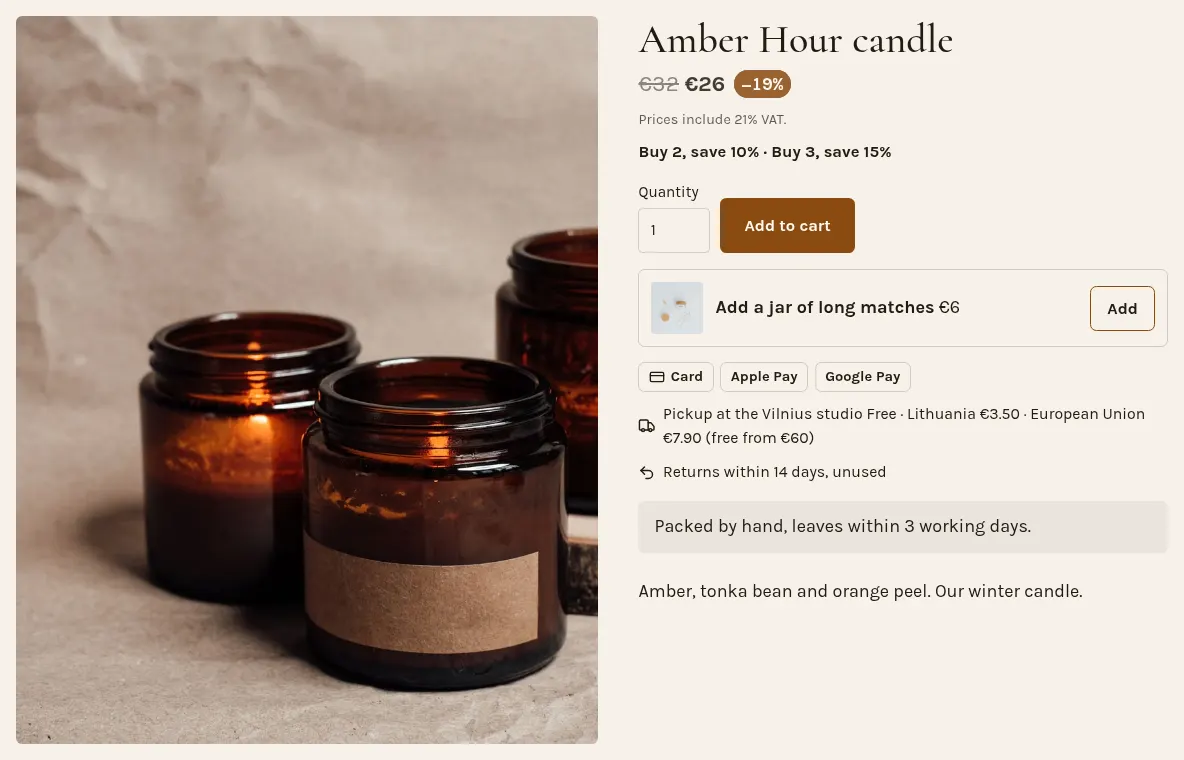
Ginta's shop can suggest more in four places: an offer on a product's page ("Add a jar of long matches"), "You might also like" under every product, one "Add this too?" row in the cart, and up to three add-ons as tick boxes in the cart (gift wrap, a card, a product at a discount). None of them is ever ticked for the buyer. They're on every plan, and your Sales screen shows how much they brought in.
The four places
- The product page's offer. One product you choose, with your own line: "Add the matching saucer", and an Add button.
- "You might also like" under each product: up to four from the same category that are in stock, or the ones you pick ("show the candle holders with the candles").
- "Add this too?" in the cart: one or two products. When the cart is close to free delivery, Ginta suggests the one that gets it there, and says so ("Free delivery with this").
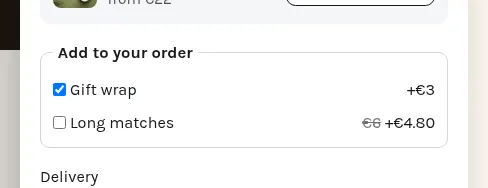
- Add-ons in the cart: tick boxes under the products, up to three. A fee ("Gift wrap +€3") or another product at a percentage off ("Long matches, 20 % off").
Why they're never pre-ticked
A pre-ticked box makes people pay for something they didn't choose, and in the EU it isn't allowed for extra payments: the Consumer Rights Directive (Article 22) says a seller must get the buyer's express consent for any extra payment, and that consent can't come from a default option the buyer has to untick. So in Ginta every add-on starts empty, and every suggestion is a button the buyer presses.
What doesn't exist
There's no "one-click upsell after paying": that needs the buyer's card saved for a second charge, which means extra consent on every checkout. And Ginta never writes "frequently bought together", "selling fast" or "12 people are looking at this" on your pages: nothing measures it, so it would be made up.
How you know they work
Shop → Sales shows the revenue that came from suggestions and add-ons, next to the period before, so you can see whether gift wrap is worth offering.
Questions
What's the difference between an upsell and a cross-sell?
An upsell offers more of the same purchase (the larger size, a set); a cross-sell offers something that goes with it (matches with a candle). Ginta's product-page offer and "Add this too?" can do either; you pick the products.
Can an add-on be a product with its own stock?
Yes. An add-on can be one of your products at a percentage off; its stock is counted like any order.
Do add-ons get discount codes?
No. Discount codes and automatic discounts apply to products, never to add-ons or gift cards.
Can I choose which products show under each product?
Yes: give a product up to four related products or a category. Without that, Ginta picks in-stock products from the same category.


