Ginta Commerce
An online shop with Stripe: card payments into your own account, 0% fee
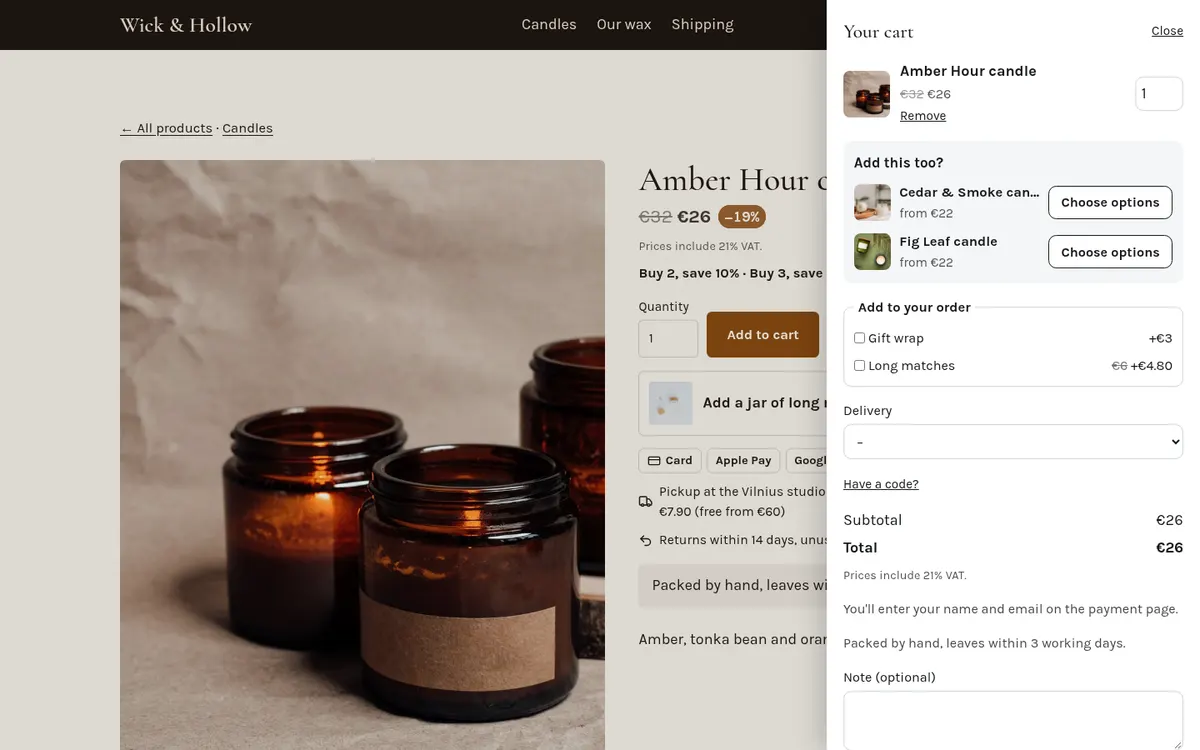
Ginta's shop takes payments through your own Stripe account: buyers pay by card, Apple Pay or Google Pay on Stripe's checkout, the money lands in your Stripe balance, and Ginta adds no fee of its own on any plan. You connect Stripe once in Ginta (Account → Payments); every website in your account can use it, or a website can have its own Stripe account (handy for an agency building a client's shop).
How a payment works
- The buyer fills the cart on your website: products, options, quantity, delivery or pickup, a discount code or gift card if they have one.
- Ginta prices everything on its own server (never in the browser), so a changed price in someone's browser can't change what they pay.
- Pay opens Stripe Checkout on your Stripe account. Stripe asks for the buyer's name and email, and the address when the order is delivered, checking it against the countries your delivery option covers.
- When Stripe confirms the payment, the order is marked paid, stock is counted down, the buyer gets an email with a link to their order page and a PDF receipt, and you get the order in Ginta's inbox.
Refunds work from Ginta (full or part), or from your Stripe Dashboard: Ginta notices a refund made in Stripe and puts the stock back either way.
What it costs
Ginta's fee on sales is 0 % on every plan, Free included. Stripe charges its own card fee on each payment, which depends on your country and the buyer's card; it's on Stripe's pricing page for your country. You pay Ginta only for the plan itself: the Free plan has the whole shop for up to 25 products per website, and your own domain starts at €5 a month.
Why your own Stripe account
- The money is yours from the first second. It doesn't pass through Ginta, so there's no payout delay on our side and nothing to withdraw from us.
- You keep the customer relationship in your Stripe Dashboard: payments, disputes, payouts, tax reports.
- Stripe also checks your website. When you sign up, Stripe asks for a business website with contact details, prices and a refund policy. Ginta adds the Seller information and Returns pages to selling shops by itself. More in Stripe is asking for a business website.
Before Stripe is connected
Your shop still works: each product has an Ask about this button that sends you a message. If Stripe isn't available where you are, add your WhatsApp number in the shop's settings: buyers can send the whole order to you on WhatsApp, and it's saved in Ginta as "sent on WhatsApp, not paid".
Questions
Do I need a Stripe account?
Yes, for card payments. It's free to open; Stripe asks for your business details and a bank account for payouts. You connect it from Ginta (Account → Payments) and come back when it's done.
Does Ginta take a percentage of my sales?
No. Ginta's platform fee is 0 % on every plan. Only Stripe's card fee is taken from each payment.
Can buyers pay with PayPal?
Not on Ginta. Buyers pay by card, Apple Pay or Google Pay through Stripe.
Can I take payments for a client's shop into their Stripe account?
Yes. In the website's Settings → Payments, send your client a one-time link; they connect their own Stripe without a Ginta account, and that website's payments go to them.


