Ginta Commerce
Meta Pixel, TikTok Pixel and Google tags with a cookie banner that's done right
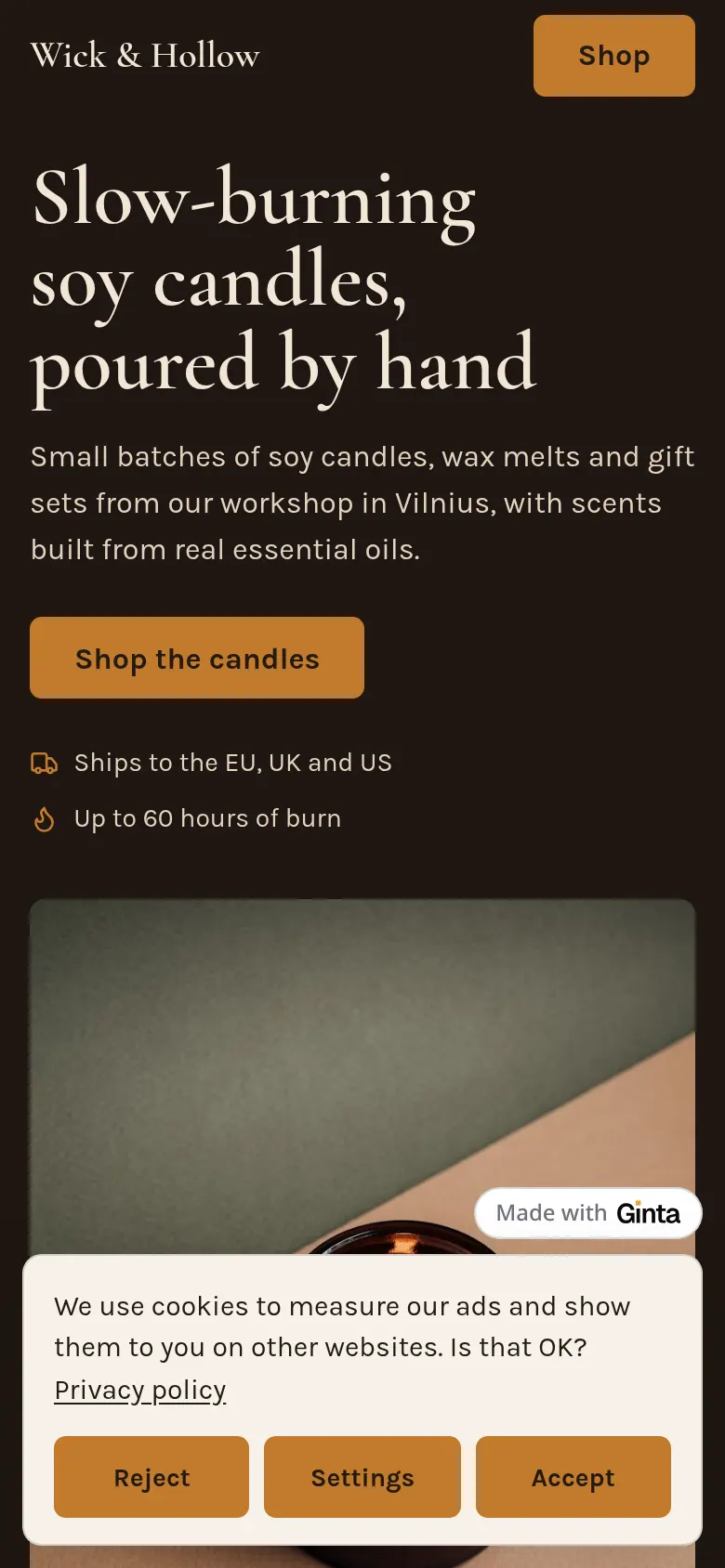
In Ginta you add a Meta Pixel, TikTok Pixel, Google Analytics 4, Google Ads or Pinterest tag by pasting its ID, in the website's Settings → Marketing & tracking or by asking in the chat ("add my Meta pixel 1234…"). Ginta then adds a cookie banner by itself, loads none of those tags until the visitor presses Accept, and sends your shop's events (add to cart, checkout, purchase) to the tags they said yes to. Every plan, Free included.
This page says what Ginta does. It isn't legal advice: if you're unsure what your business needs, ask a lawyer or your data protection authority. Why consent is needed at all, with the official sources: how to add a Meta Pixel legally in the EU.
What the banner does
- Accept, Reject and Settings have the same weight. Same size, same style, on the first screen. Settings lets people choose analytics and marketing separately.
- Nothing loads before a yes. No pixel script, no cookie, no request to Meta, TikTok or Google. Google tags start in Consent Mode v2 with everything denied and are updated from the choice.
- People can change their mind: a "Cookie settings" link appears in the footer of every page.
- It asks again after 180 days, or when you add or remove a tracker.
- It speaks the page's language (9 languages) and uses your website's colours and font.
- Your privacy page lists the trackers that are on, who receives the data and the legal basis, and follows when you change them.
- Tracking code written into the pages by hand (by an AI or a developer) is held back too, until the same yes.
Without any tracker there's no banner at all, and none of this code runs.
The shop's events
With a pixel on, your shop sends the standard events to every tag the visitor accepted: a product viewed, added to the cart, checkout started, and a purchase once per paid order, with the order's total as Ginta's server calculated it (not what the browser thought). Booking and quote forms send theirs too. You can build ads audiences and measure sales without writing any code.
Which tags
| Tag | What you paste | Plans |
|---|---|---|
| Meta Pixel (Facebook, Instagram ads) | the 15–16 digit Pixel ID | every plan |
| TikTok Pixel | the Pixel ID | every plan |
| Google Analytics 4 | the Measurement ID (G-…) | every plan |
| Google Ads conversions | the Conversion ID (AW-…) and label | every plan |
| Pinterest tag | the Tag ID | every plan |
| Any other tracking script | the script itself, analytics or marketing | paid plans |
Questions
Is the Meta Pixel GDPR compliant?
The pixel itself is a tool; what matters is how it's used. In the EU it needs the visitor's consent before it loads, and the visitor must be able to refuse as easily as accept. Ginta's banner does both. Your privacy page must also say you use it; Ginta's privacy page for your site does that by itself.
Do I need a separate cookie consent plugin?
Not on Ginta. The banner comes with the first tracker you add and goes away when you remove the last one.
Can I add the Conversions API (server-side events)?
Not yet. Ginta sends events from the browser after consent.
Can I add the pixel from Claude or ChatGPT?
Yes. Through Ginta's MCP server, your assistant can set the IDs (manage_site, tracking). It must never write tracking code or a banner into the pages: Ginta adds both.


