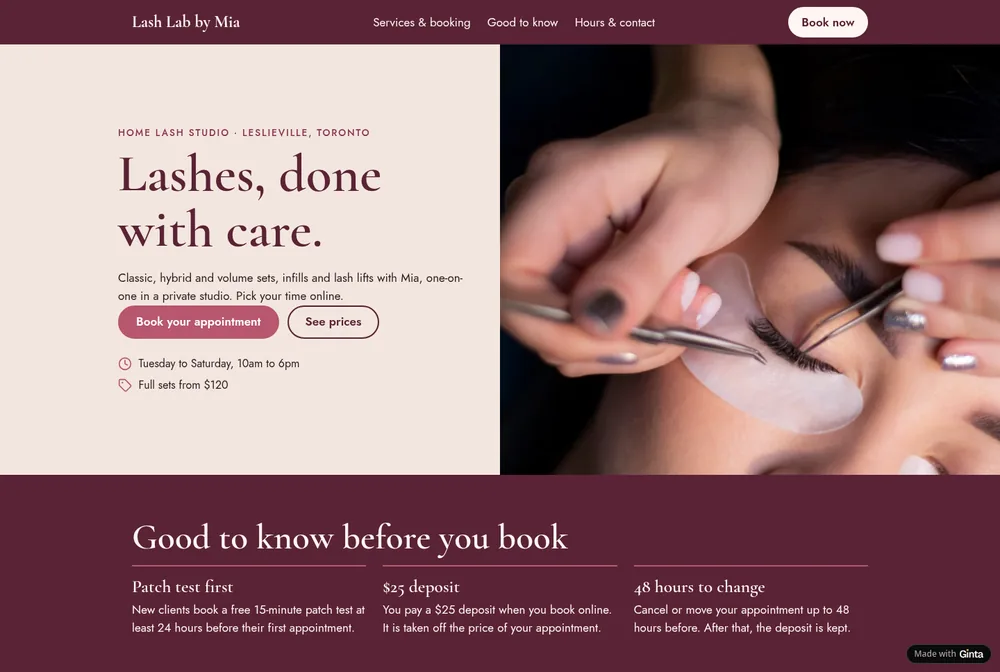
What lash clients check before they book
- The set, the time it takes and the price: classic, hybrid, volume, infills (and within how many weeks), lifts and tints. Show the length: two hours is a big ask in someone's day.
- Patch test: whether you need one, how long before, and that it's free.
- Deposit and cancellations: how much, whether it comes off the price, until when they can move.
- Where: a salon address, or a home studio's area with "exact address sent after booking".
- Your work: close-ups of your own sets, healed and fresh.
- Aftercare: what to avoid for the first day, how to brush, when to book infills.
The sections a lash website needs
- Top of the page: what and where ("Lashes, done with care", a home studio in Leslieville), Book your appointment, your hours, "full sets from $120".
- Good to know before you book: patch test, deposit, cancellation rule, in three short lines.
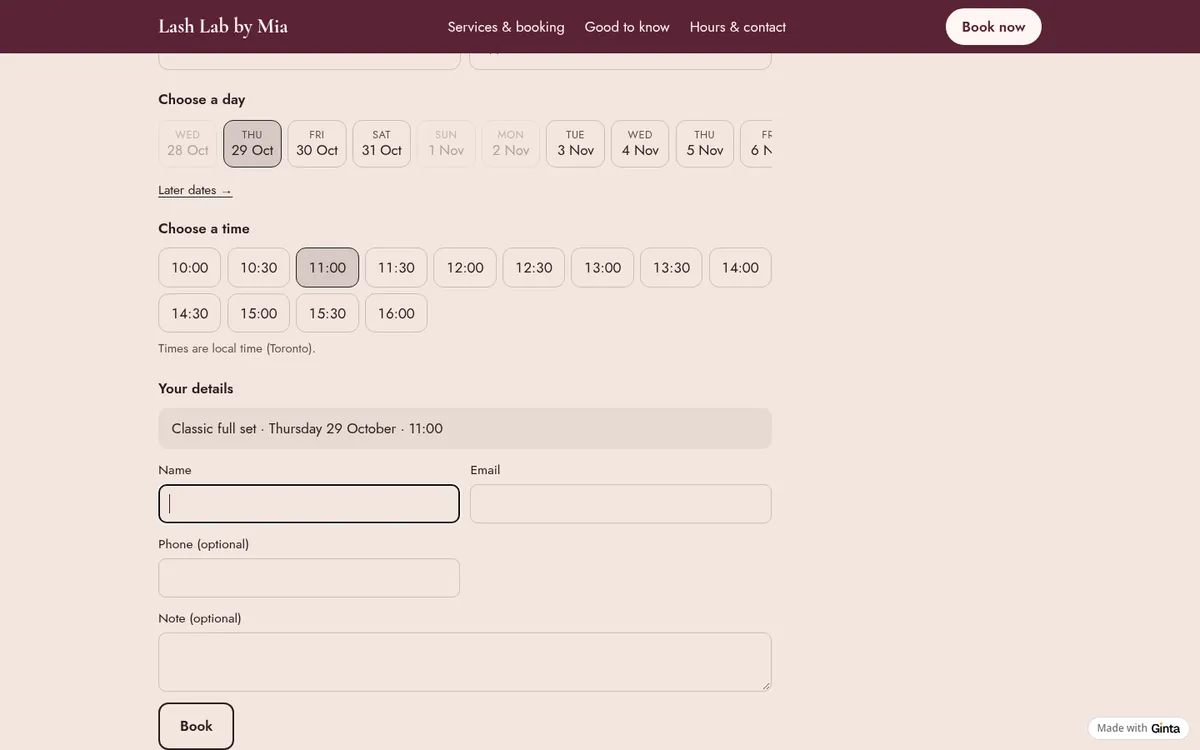
- Services and booking together: pick a set, a day and a time.
- Your work: a gallery of your own sets.
- Aftercare.
- Hours and contact, with your Instagram.
Booking with a deposit and a free patch test
In our example Ginta set up the six services with their times and prices, the opening hours, a $25 deposit, and online cancelling and moving until 2 days before, which is the 48-hour rule from my message. The patch test is its own service, 15 minutes, free: a free service never asks for a deposit, and the booking shows "Free" instead of a price.
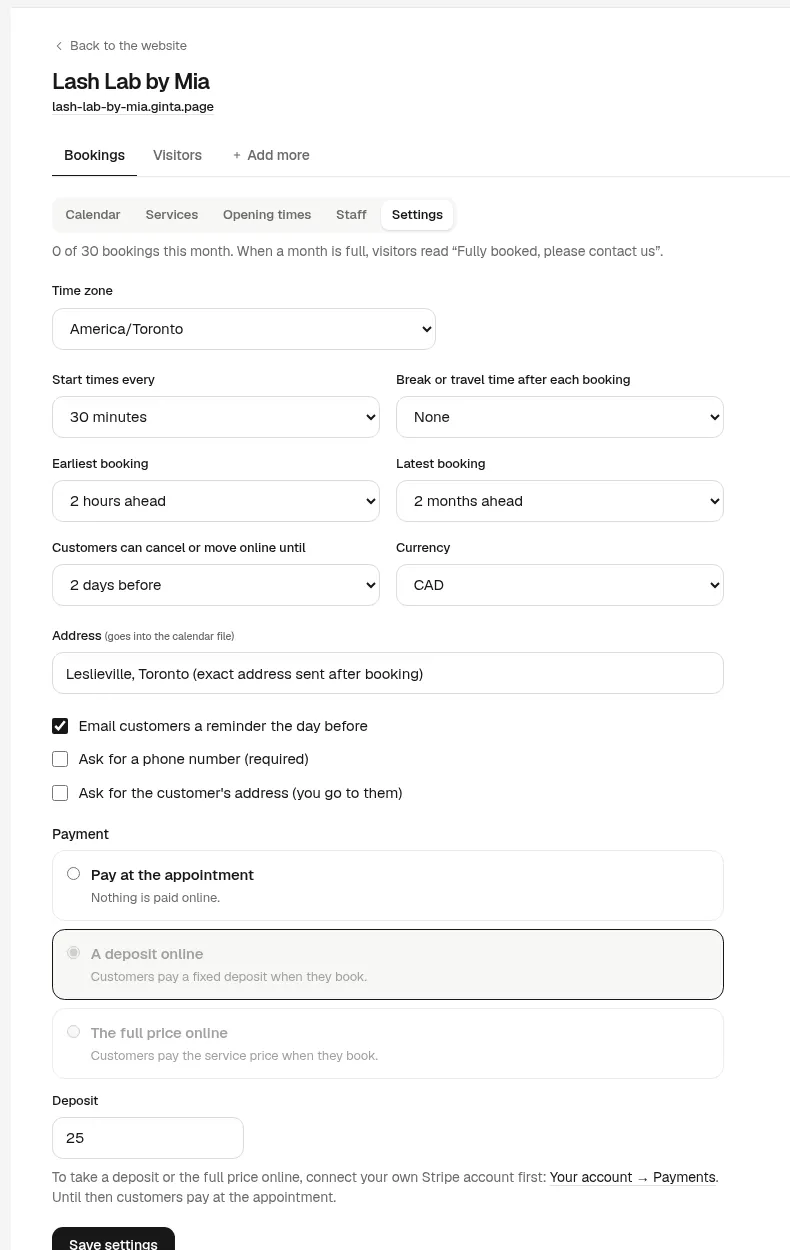
The deposit is paid by card through your own Stripe account once you connect it in Ginta (Account → Payments). The money goes to you; Stripe charges its card fees, and Ginta takes nothing. Until you connect it, clients book without paying and pay at the appointment, which Ginta's reply said after the build. How much to ask and a rule you can copy: how to take deposits for appointments.
What I'd change before sharing it
- A break between clients. Ginta left none; most lash techs need 15 minutes to reset. Set "Break after each booking" in the settings.
- The patch test timing. The page says the patch test is needed 24 hours before a first appointment, but booking can't check it: a new client could book a set without one. Say on the page that you'll move a set booked without a patch test, or ask in the note.
- Your own photos, of your own sets. Stock lash photos are obvious to lash clients.
What we fixed while building this example: the first build showed the free patch test as "CA$0", and Ginta's own check wrongly read the "$25 deposit" heading after the patch-test sentence as the patch test's price, then told the owner something was broken. Both were fixed the same day.
How it works with Ginta
Write your services with times and prices, your hours, the deposit and your cancellation rule, and where you work.
Ginta builds the website with booking in about a minute; our example's message took 104 seconds and 18.2 credits (13.5
for the build, 4.7 for a repair round). Then change services, prices, hours and days off in the Parts tab without the
AI, and send your own photos in the chat. Booking with deposits works on Free (up to 30 bookings a month
per website), at a name.ginta.page address; your own domain and no cap start at €5 a month (with your
own Claude or ChatGPT) or €19 on Light.
Booking app or your own website? Apps like StyleSeat or Booksy bring you a marketplace; your own website keeps clients on your page, with your prices and your rules, and no app between you. Many lash techs use both and link their Instagram bio to their own site.
Questions
Should lash techs take deposits?
Most do, because a no-show for a full set loses two hours. Keep it small, take it off the price, refund it when clients cancel in time, and write the rule next to the booking.
Can clients book a free patch test online?
Yes: add it as its own free service with a short time. Free services never ask for a deposit.
Can I hide my home address until someone books?
Yes. Show only your area on the page, and put your full address in the booking settings: clients see it only after they book, on their booking's page and in the calendar file. (Our example put "exact address sent after booking" there instead.)
Can I have more than one lash tech on the booking?
Yes. Add staff and which services each does; clients pick a person or the first free time.


