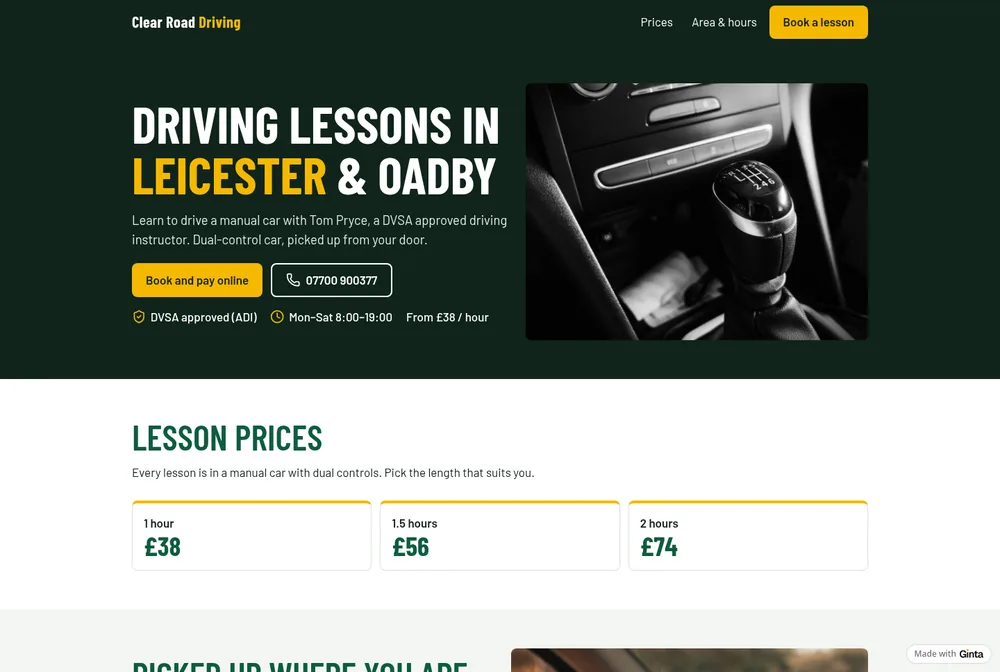
What learners and parents check first
- Manual or automatic, and the car. DVSA's own advice to driving schools starts with this: say which you teach in, and consider naming the make and model (7 tips for your driving school website, DVSA, 2017).
- The price of a lesson, as text on the home page or a clearly labelled prices page. DVSA's tips point to the advertising code (CAP) for prices, so show the real price of a lesson and what it includes.
- Where you pick up: the towns, areas or postcodes you cover, and from where (home, college, work).
- That you're approved: "DVSA approved driving instructor (ADI)" if you are. A trainee instructor on a trainee licence should say so too; parents notice the difference.
- You: a photo of yourself, your name, how long you've taught. DVSA suggests a photo so pupils know who to expect.
- When you teach, and how soon you have space.
The sections a driving instructor website needs
- Top of the page: lessons in your area, manual or automatic, "from £38 an hour", Book a lesson and your phone number as a button.
- Prices: each lesson length with its price; block prices if you offer them.
- Area and hours: where you pick up, when you teach.
- About you and the car: your approval, the car, dual controls, your approach with nervous drivers.
- Booking: pupils pick a lesson length, a day and a time, and give the pick-up address.
- Contact for questions before the first lesson.
Rules worth knowing before you publish
DVSA's tips, in short:
- Back up every claim. If you write a pass rate or "first-time passes", be able to show where it comes from.
- Testimonials only if they're real, with the pupil's permission and contact details on file. In a photo of a pass certificate, hide the licence number. (Ginta's Reviews part shows only reviews you add or approve; its AI never writes them.)
- Cookies: if your website sets cookies, say so. (Ginta websites set no cookies of their own, and maps and videos load only when a visitor clicks.)
- Phones first: in 2017, DVSA said over 40% of the people using its find-an-instructor service did so on a phone.
Get listed on GOV.UK too. The find driving schools, lessons and instructors service can link to your website: update your ADI registration details with your website address, and DVSA says the link appears the next day.
Booking lessons online, with pick-up
In our example Ginta set up four services (1 hour, 1.5 hours, 2 hours, a 2-hour mock test), the teaching hours, and, because the instructor picks pupils up, a pick-up address on the booking form, 15 minutes between lessons to get to the next pupil, and bookings at least 12 hours ahead. All of it is in the booking settings if it doesn't suit you.
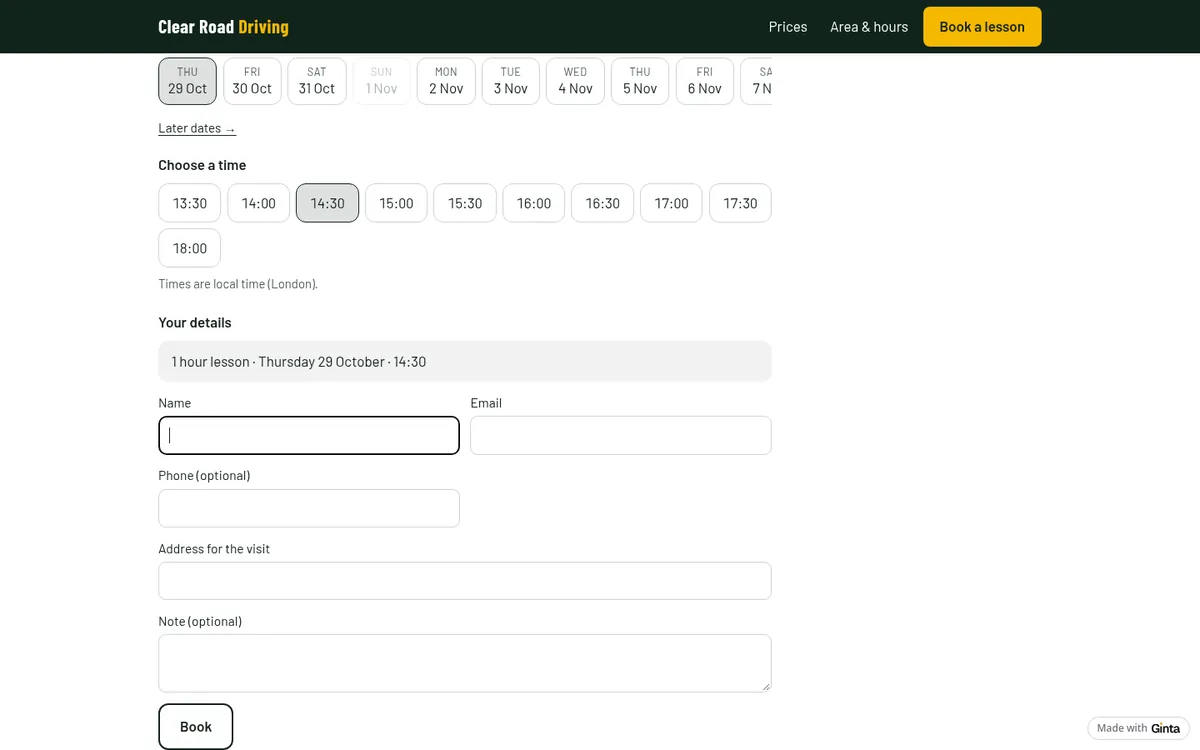
Pupils get a confirmation with a calendar file and a reminder the day before; they can move or cancel online until the time you set (24 hours before by default). To have pupils pay when they book, connect your own Stripe account in Ginta (Account → Payments): the full price or a deposit goes straight to your Stripe, and Ginta adds no fee. Until then the prices show and pupils pay in person; Ginta's reply said so after the build.
What Ginta's booking doesn't do (yet)
- Blocks of lessons that pupils use up. You can show block prices on the page, but a "10 hours for £360" block isn't something pupils buy and then book against. Sell blocks in person, and let pupils book single lessons online (set payment to "pay at the appointment" for block pupils, or add those lessons yourself in Ginta's calendar).
- Test dates. Pupils book practical tests with DVSA themselves; the website can only explain how you help.
- The Free plan's limit. Free takes up to 30 bookings a month per website. A full-time instructor teaches more than that, so plan on a paid plan: no booking cap and your own domain from €5 a month (if you build with your own Claude or ChatGPT) or €19 on Light, with 150 AI credits a month.
How it works with Ginta
Write it the way you'd tell a pupil's parent: manual or automatic, your approval, the lesson lengths and prices, the areas you pick up from, your hours, your phone and email. Ginta builds the website with booking in about a minute and asks only what's missing. Then change prices, hours and days off in the Parts tab without the AI, send your own photos of you and your car in the chat, and add your website to GOV.UK and your Google Business Profile. More on booking tools: how to add online booking to your website.
Questions
Do driving instructors need a website?
Many get pupils from word of mouth and GOV.UK's directory. A website helps when you have gaps to fill: parents searching for lessons in your area see your prices, your car and your free times, and book without a phone call.
Should I put my pass rate on my website?
Only if you can back it up. DVSA's advice is to have evidence for any claim; an unexplained "98% pass rate" invites questions you'd rather not answer.
Can pupils pay for lessons online?
Yes, once you connect your own Stripe account: the full price or a deposit when they book. Stripe charges its card fees; Ginta takes nothing.
Can pupils book a lesson from college or work?
Yes. The booking form asks for the pick-up address, so each lesson says where to start.


